Kivy with Python tutorial Part 9 - Builder for loading .kv Files Smarter
TL;DR
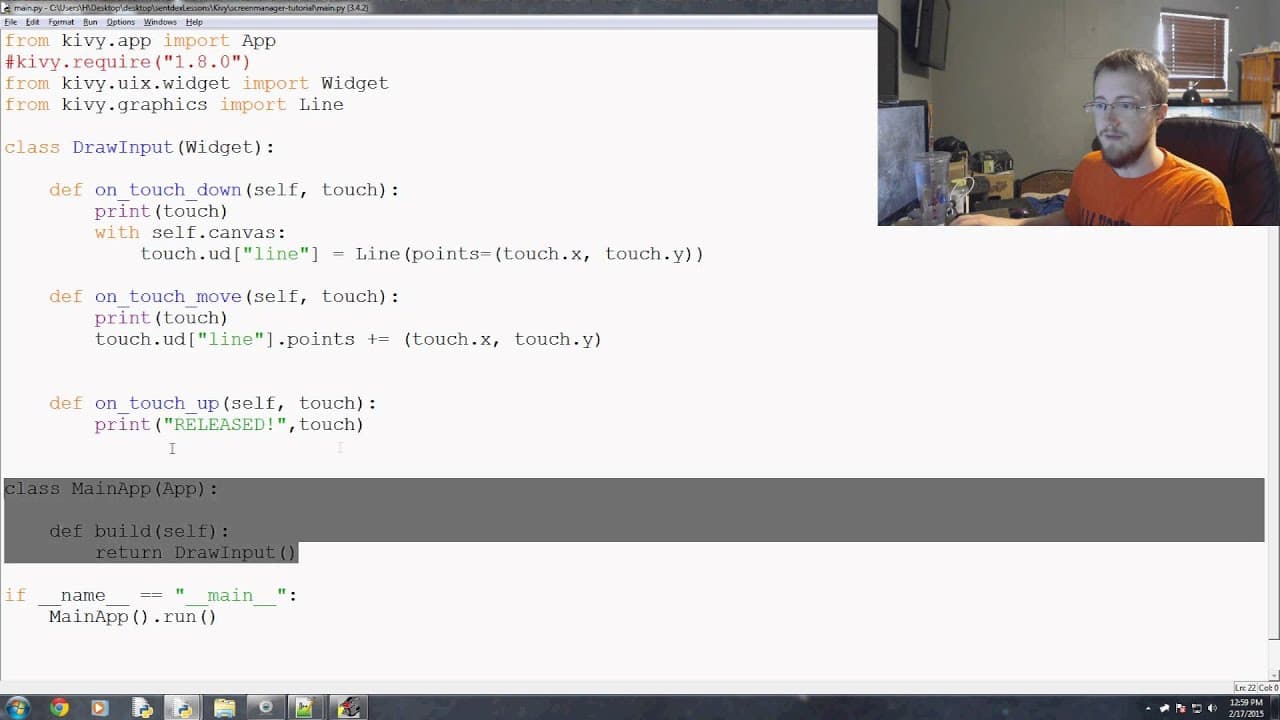
This tutorial introduces the concept of using the Screen Manager and Builder in KeyV for creating applications with multiple windows.
Transcript
hello everybody and welcome to the 9th TV basics tutorial video in this video we're gonna be talking about a couple of things one is the screen manager will just barely touch on that before moving into it the next video as well as the Builder which will be the primary focus of this this video so once you start building a large enough application wh... Read More
Key Insights
- 💻 The Screen Manager in KeyV simplifies the process of navigating between windows and changing screens in applications.
- 💄 The traditional method of screen navigation in KeyV involves redrawing the entire slate, while the Screen Manager loads all windows in the background, making navigation smoother.
- 📁 The Builder in KeyV provides a cleaner and more flexible way of importing KeyV files, avoiding the need for explicitly defining the KeyV file root.
- 📁 The Builder allows for loading KeyV files as strings, but it is generally recommended to load them directly from files for better code organization.
- 😒 The use of the Builder and Screen Manager in KeyV can greatly enhance the development experience by streamlining the creation of applications with multiple windows.
- 👤 KeyV provides a user-friendly approach to building graphical user interfaces (GUIs) in Python, making it an excellent choice for beginners and experienced developers alike.
- 🤑 With KeyV, developers can easily create interactive applications with rich visuals and smooth navigation, enhancing the user experience.
Install to Summarize YouTube Videos and Get Transcripts
Explore YouTube Video Summarizer or Get YouTube Transcript Extractor
Questions & Answers
Q: What is the purpose of the Screen Manager in KeyV?
The Screen Manager in KeyV allows for easy navigation between windows and changing screens in applications. It eliminates the need to redraw the entire slate, making navigation smoother and more efficient.
Q: How does building an application with multiple windows work in KeyV?
In KeyV, all windows are loaded in the background using the Screen Manager. When a specific window needs to be shown, it is brought to the front, and the previous window can still be accessed without losing any data or state.
Q: What is the advantage of using the Builder in KeyV?
The Builder in KeyV provides an alternative way to import KeyV files, allowing for a cleaner and more flexible code. It eliminates the need for explicitly defining the KeyV file root, which can be messy and tedious, especially when changing versions or making modifications.
Q: Can KeyV files be loaded using a string instead of a file?
Yes, the Builder in KeyV provides the option to load a KeyV file as a string using the load_string method. However, it is generally recommended to load the file directly using the load_file method for better readability and maintainability.
Summary & Key Takeaways
-
This tutorial discusses the Screen Manager and Builder in KeyV, which are essential for navigating between windows and changing screens in applications.
-
The traditional method of changing screens in KeyV is by redrawing the entire slate, but with the Screen Manager, all windows are loaded in the background, making navigation easier.
-
The Builder is introduced as an alternative to explicitly defining the KeyV file root, allowing for a cleaner and more flexible way of importing KeyV files.
Read in Other Languages (beta)
Share This Summary 📚
Summarize YouTube Videos and Get Video Transcripts with 1-Click
Try YouTube Summary with ChatGPT & Claude or YouTube Transcript Generator
Explore More Summaries from sentdex 📚



Summarize YouTube Videos and Get Video Transcripts with 1-Click
Try YouTube Summary with ChatGPT & Claude or YouTube Transcript Generator