How to Use OpenCV for Webcam and Video Frame Analysis
TL;DR
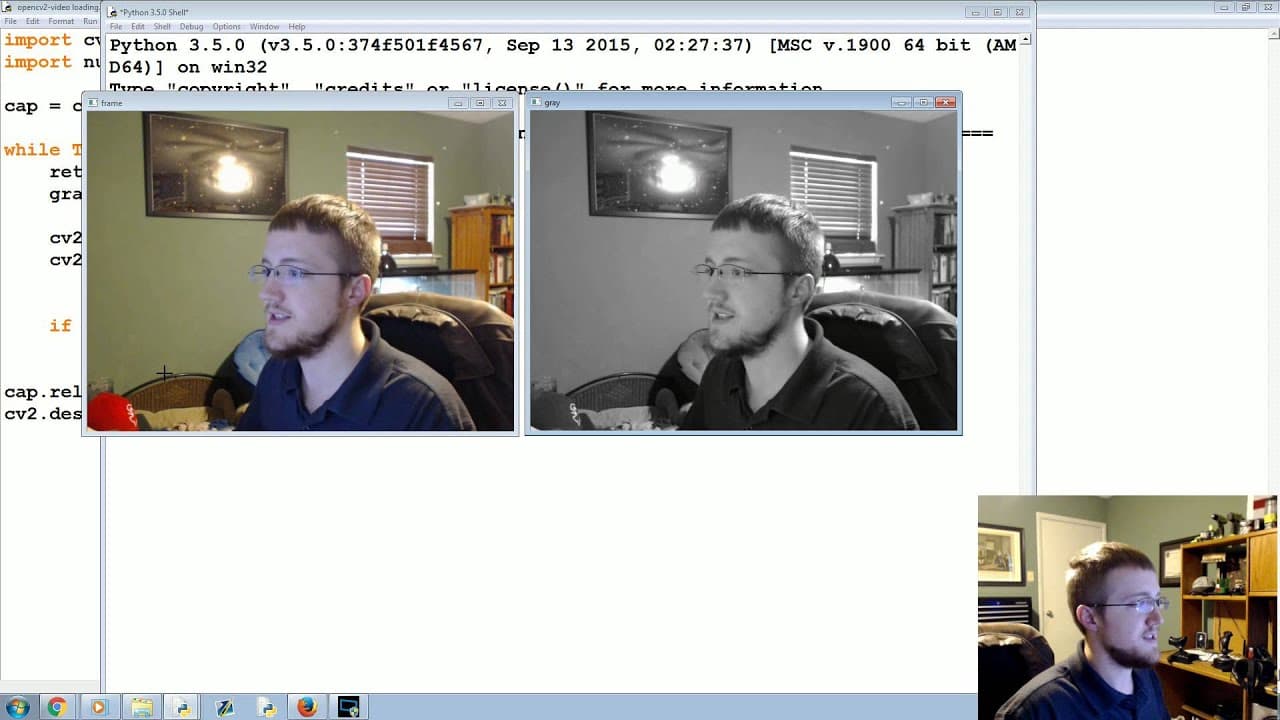
To use OpenCV for analyzing webcam or video frames, start by capturing video with 'cv2.VideoCapture' and display frames in a loop using 'cv2.imshow'. Modify frames using OpenCV functions, such as converting to grayscale with 'cv2.cvtColor', and save the modified video with 'cv2.VideoWriter'. Always remember to release capture and writer resources to prevent errors.
Transcript
what's going on everybody welcome to part 2 of our open CV with Python tutorial series in this video we're going to be talking about is interacting with a webcam or a video file with an open CV as I mentioned before doing analysis on images versus analysis on video is very very similar because video breaks down to frames frames are just like images... Read More
Key Insights
- 🎮 Video analysis in OpenCV is similar to image analysis since frames are treated as individual images.
- 🎮 The "cv2.VideoCapture" function is used to access frames from a webcam or video file.
- 🖼️ Continuous frame display within a while loop allows real-time viewing of frames.
- 🖼️ OpenCV provides functions to modify frames, such as grayscale conversion using "cv2.cvtColor".
- 🎮 Video files can be saved using the "cv2.VideoWriter" function.
- 🎮 It is important to release the video capture and writer resources using "cap.release" and "out.release".
- 🖼️ OpenCV has its own methods for drawing shapes and polygons on frames.
Install to Summarize YouTube Videos and Get Transcripts
Explore YouTube Video Summarizer or Get YouTube Transcript Extractor
Questions & Answers
Q: How can OpenCV be used to interact with webcams or video files?
OpenCV's video capture functions can be used to access frames from a webcam or video file. The frames can then be analyzed or modified using various OpenCV functions.
Q: How can frames be displayed using OpenCV?
The "cv2.imshow" function can be used to display frames. By continuously updating the display within a while loop, the frames can be shown in real-time.
Q: How can frames be modified using OpenCV?
OpenCV provides functions to modify frames, such as converting them to grayscale. The "cv2.cvtColor" function can be used to convert the frame color space.
Q: How can modified frames be saved as a video file?
OpenCV's video writer functions can be used to save the modified frames as a video file. The frame modifications can be written to the video using the "out.write" function.
Summary & Key Takeaways
-
OpenCV can be used to analyze frames from a webcam or video file, with frames being treated as images for analysis.
-
Frames can be displayed and modified using OpenCV functions, such as converting to grayscale.
-
The tutorial also explains how to save the modified frames as a video file.
Read in Other Languages (beta)
Share This Summary 📚
Summarize YouTube Videos and Get Video Transcripts with 1-Click
Try YouTube Summary with ChatGPT & Claude or YouTube Transcript Generator
Explore More Summaries from sentdex 📚






Summarize YouTube Videos and Get Video Transcripts with 1-Click
Try YouTube Summary with ChatGPT & Claude or YouTube Transcript Generator