Essential Chrome Extensions for Digital Marketers?
TL;DR
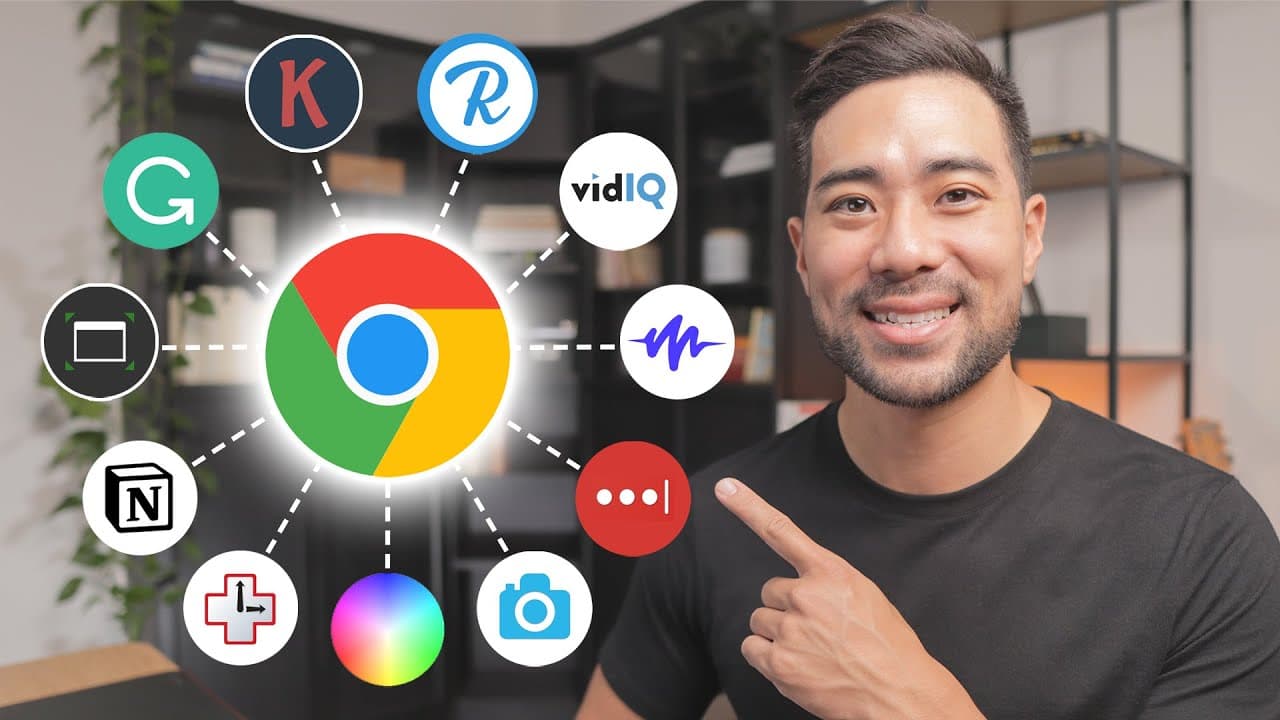
Discover 11 must-have Chrome extensions designed to boost productivity and streamline tasks for digital marketers and creators. From effective SEO tools to efficient design aids, these extensions enhance your online workflow and overall effectiveness.
Transcript
- Hey, all, it's Aurelius. I hope you're doing well. In this video, I'm going to share with you 11 useful Chrome extensions for digital marketers and digital creators. These Chrome extensions will make you more productive, more organised, and overall, make your life a lot easier. So let's get to it. By the way, timestamps and links to all these Chr... Read More
Key Insights
- 📷 GoFullPage is a Chrome extension that allows users to take full webpage screenshots, making it useful for creating screen tutorials or showcasing websites to clients.
- 🔍 vidIQ is a Chrome extension that provides video creators with extra analytics at a glance, including competitor analysis, keyword search volume, and related keyword suggestions.
- 🔧 Keywords Everywhere is another Chrome extension that offers keyword research tools such as search volume, cost per click, competition, and trend data, helping creators choose the right keywords for their content.
- 💻 Window Resizer is a Chrome extension that allows users to resize their browser window to specific dimensions, making it useful for designing websites or creating screen tutorials with a specific aspect ratio.
- 🌈 Colorzilla is a Chrome extension that helps users identify and save specific colors from websites, providing the RGB and HEX codes for easy use in design projects.
- 🔐 LastPass is a password management tool that securely stores and autofills usernames and passwords, and also offers a secure password generator for creating strong and unique passwords.
- 🔗 Rebrandly is a Chrome extension that shortens and brands long URLs, allowing users to create custom branded short links to share and track clicks. ⏰ RescueTime is a productivity tool that tracks and analyzes the time spent on websites and applications, helping users identify how they are spending their time and improve productivity.
- 📌 Notion's Web Clipper is a Chrome extension that allows users to save and organize articles, videos, and other online content for later reading or reference within the Notion app.
- ✍️ Grammarly is a Chrome extension that provides real-time grammar and spelling checks, helping users improve the quality of their written content, whether it's emails, blog posts, or social media updates.
- 🔊 Speechify is a Chrome extension that reads out text on websites, offering different voice options and speed settings for a customizable listen-along experience, suitable for multitasking or assistive purposes.
Install to Summarize YouTube Videos and Get Transcripts
Explore YouTube Video Summarizer or Get YouTube Transcript Extractor
Questions & Answers
Q: How can GoFullPage be beneficial for digital creators and marketers?
GoFullPage allows digital creators and marketers to take full webpage screenshots, which is useful for creating tutorials, showcasing websites, and providing visual examples to clients. It saves time and effort compared to capturing multiple screenshots and allows users to download the image as either a PDF or PNG file.
Q: How does vidIQ help video creators in terms of analytics and competitor analysis?
vidIQ offers extra analytics at a glance for YouTube videos, such as the number of followers, average views, average subscribers, and more. Its competitor analysis feature provides insights on top channels, related opportunities, and an overall score. This information helps video creators understand their niche, identify trends, and optimize their content strategy.
Q: What are some key features of RescueTime and how can it help with productivity?
RescueTime tracks the time spent on websites and applications to provide users with an overview of their productive time and productivity score. It allows users to review their daily or weekly activity, categorize apps and websites as productive or distracting, and analyze their time allocation. This data helps users identify time-wasting activities, make improvements, and increase overall productivity.
Q: How can Notion's Web Clipper be useful for digital creators and marketers?
Notion's Web Clipper allows users to save articles, videos, and other content they come across online into their Notion workspace. This is helpful for digital creators and marketers who may come across valuable resources but don't have the time to read or watch them immediately. By saving them in a designated workspace, they can easily access and reference the content later.
Summary & Key Takeaways
-
GoFullPage is a Chrome extension that allows users to take full webpage screenshots, making it useful for creating tutorials and showcasing websites.
-
vidIQ is a Chrome extension designed for video creators, providing extra analytics and competitor analysis to optimize YouTube content.
-
Keywords Everywhere provides search volume, cost per click, and trend data for keywords, helping users with keyword research and content creation.
-
Window Resizer allows users to resize their Chrome browser to different resolutions, making it convenient for web design and testing.
-
Colorzilla is a Chrome extension that helps users identify and save specific colors from websites for design purposes.
-
LastPass is a password management tool that not only autofills login information but also generates secure passwords and syncs with mobile devices.
-
Rebrandly is a link shortener and tracking tool that allows users to customize their own branded links, providing analytics on link performance.
-
RescueTime is a productivity tool that tracks and analyzes time spent on websites and applications, helping users understand and optimize their productivity.
-
Notion's Web Clipper allows users to save articles, videos, and other content they come across online into their Notion workspace for later reading.
-
Grammarly is a writing assistance tool that checks grammar, punctuation, and spelling in real-time, helping users improve their writing.
-
Speechify is a Chrome extension that reads out text on websites, providing a convenient way to listen to articles or multitask while working.
Read in Other Languages (beta)
Share This Summary 📚
Summarize YouTube Videos and Get Video Transcripts with 1-Click
Try YouTube Summary with ChatGPT & Claude or YouTube Transcript Generator
Explore More Summaries from Aurelius Tjin 📚

Summarize YouTube Videos and Get Video Transcripts with 1-Click
Try YouTube Summary with ChatGPT & Claude or YouTube Transcript Generator