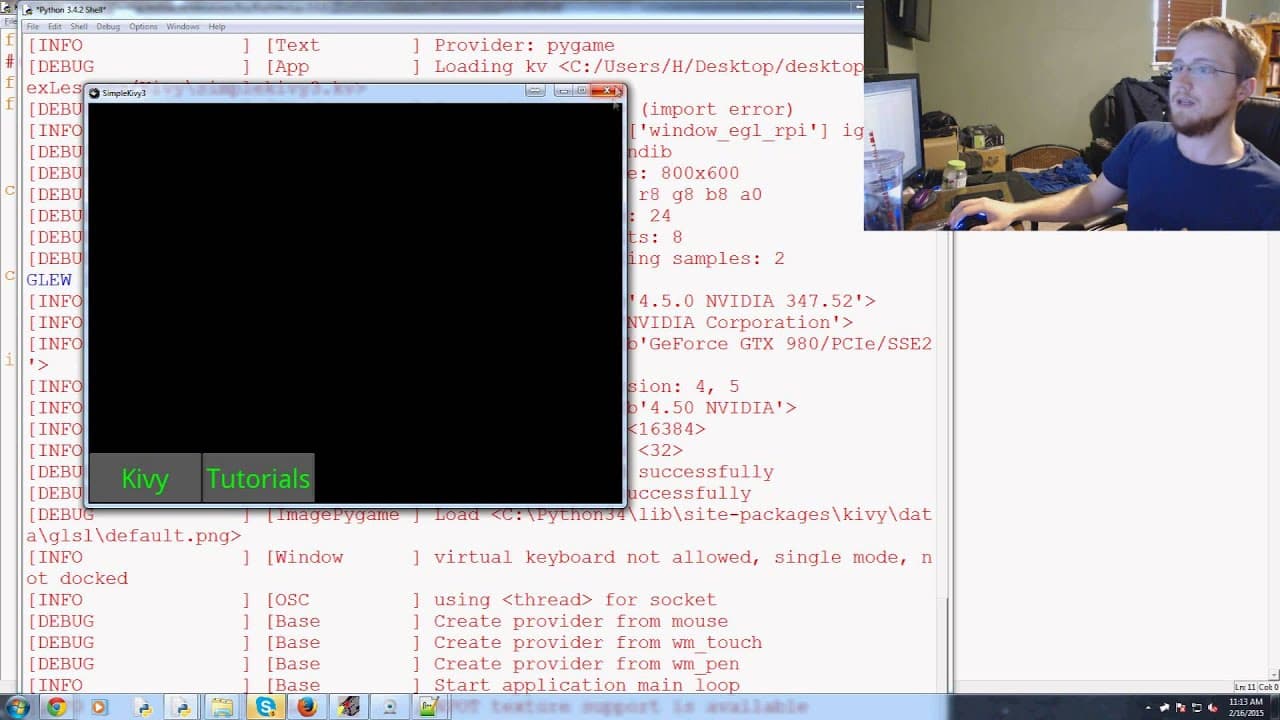
Kivy with Python tutorial Part 5 - Dynamic Resizable Placement
TL;DR
This video tutorial explains how to use key V language within Python to create GUI elements and implement dynamic code for positioning and styling.
Transcript
what is going on everybody welcome to the fifth TV basics with python tutorial video in this video we're going to just be slowly adding upon the last video so what I'm going to do is I'm going to call this now simple key VIII's TV 3 save that and my referenced kv file will be simple key v 3 here ok so let's just run that make sure I did everything ... Read More
Key Insights
- 🤩 Key V language enables the creation of GUI elements with different styles, such as font size and color.
- 🆘 Parent buttons in GUI programming help in reducing redundant code and allow for easy customization of multiple elements.
- 🙈 Relative positioning in key V language ensures that GUI elements remain in the desired position even when the window is resized.
- 🙈 The combination of Python and key V language enables the implementation of dynamic code within GUI programming.
- 🧘 Understanding the coordinates and properties of GUI elements is crucial to positioning them correctly.
- ❓ Experimentation and testing are essential in GUI programming to ensure the desired output and functionality.
- 🙈 The key V language provides a structured approach to GUI programming and allows for customization and flexibility.
Install to Summarize YouTube Videos and Get Transcripts
Explore YouTube Video Summarizer or Get YouTube Transcript Extractor
Questions & Answers
Q: What is the purpose of using parent buttons in GUI programming?
Parent buttons allow for reusability of code by inheriting style properties from a common parent, reducing the need for redundant code for similar elements.
Q: How can the position of GUI elements be customized using key V language?
The position of GUI elements can be customized by referencing the X and Y coordinates of the root app and adjusting the position using the self.height property.
Q: What is the advantage of using relative positioning?
Relative positioning allows GUI elements to be positioned in relation to a reference point, such as the top of the window, ensuring they remain in the desired position even when the window is resized.
Q: Can dynamic code be implemented within the key V language?
Yes, Python logic can be added on the other side of colons in the key V language, allowing for more dynamic code implementation.
Summary & Key Takeaways
-
This tutorial builds upon the previous video, demonstrating how to use key V language to add buttons with different font sizes and colors.
-
The video shows how to use parent buttons to avoid redundant code and how to customize the position and text of GUI elements.
-
Relative positioning is also explained, with an example of positioning an element at the top of the window.
Read in Other Languages (beta)
Share This Summary 📚
Summarize YouTube Videos and Get Video Transcripts with 1-Click
Try YouTube Summary with ChatGPT & Claude or YouTube Transcript Generator
Explore More Summaries from sentdex 📚
Summarize YouTube Videos and Get Video Transcripts with 1-Click
Try YouTube Summary with ChatGPT & Claude or YouTube Transcript Generator