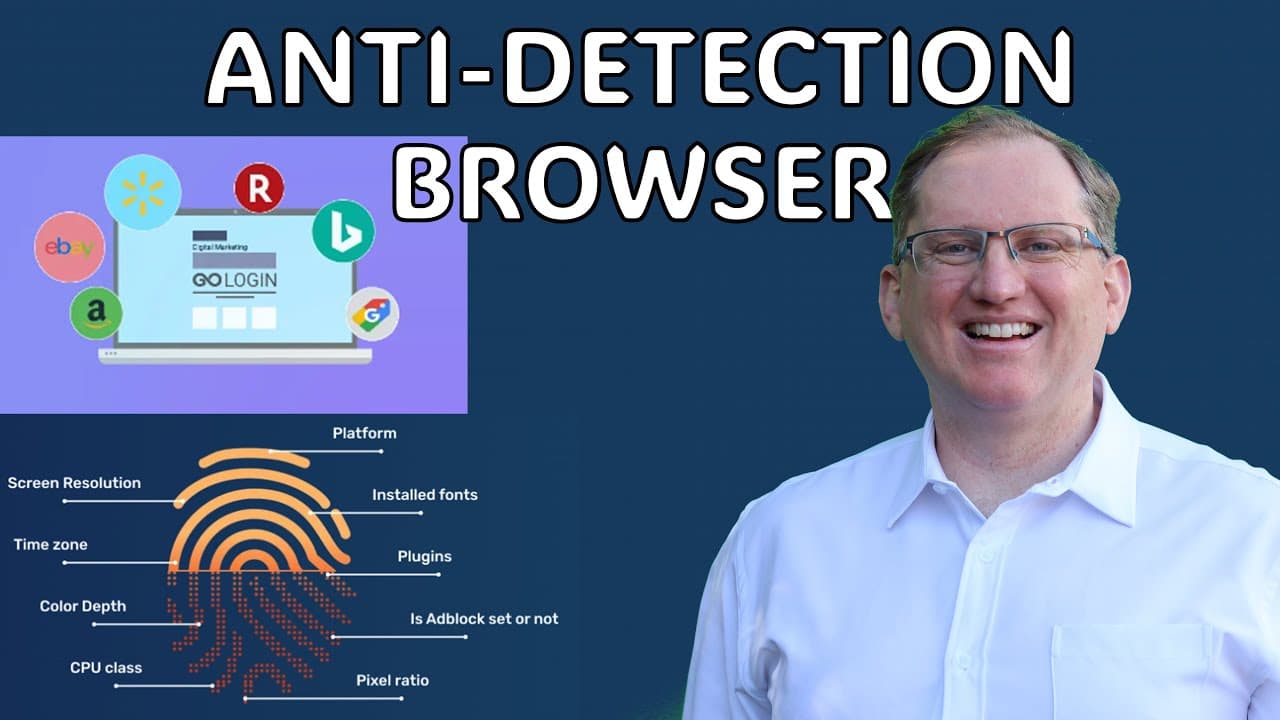
GoLogin Anti-detection Browser - manage multiple accounts with untracked browsing
TL;DR
GoLogin is an anti-detection tool that enhances online privacy and simplifies account management.
Transcript
hi friends welcome back to the channel as a Tex Avy audience you probably already know that your experience when you browse the web is going to be different from mine and different from everyone else's so when someone browses the web they have their own personal digital fingerprint and it Alters what you actually see so things like cookies pixels t... Read More
Key Insights
- 👤 GoLogin manages digital fingerprints to provide users with a more private browsing experience, minimizing tracking and personalization.
- 🪡 The browser offers multiple profiles for seamless account management, appealing to digital marketers with diverse client needs.
- 👤 By integrating proxy usage, GoLogin gives users the ability to control their geographical browsing location, adding another layer of privacy.
- 😄 The user interface closely resembles Chrome, ensuring ease of transition for those familiar with standard browsers.
- 💦 GoLogin is designed specifically for professionals who require privacy and anonymity while working online, streamlining their processes.
- 😒 The tool supports a variety of use cases, including social media management, web scraping, and competitor research.
- 🥶 A free trial allows potential users to explore GoLogin's capabilities before making a financial commitment, enhancing customer satisfaction.
Install to Summarize YouTube Videos and Get Transcripts
Explore YouTube Video Summarizer or Get YouTube Transcript Extractor
Questions & Answers
Q: How does GoLogin enhance online privacy?
GoLogin enhances online privacy through its anti-detection capabilities, which prevent websites from tracking user data. By managing digital fingerprints and employing different proxies, users can browse without their online behavior being monitored or targeted by cookies, creating a more private browsing environment.
Q: Who can benefit the most from using GoLogin?
Digital marketers, social media managers, and researchers stand to benefit the most from GoLogin. It allows these professionals to switch between various accounts and perform tasks without compromising their privacy or being affected by algorithm-driven content, making their work more efficient.
Q: What features of GoLogin set it apart from standard browsers?
GoLogin differentiates itself from standard browsers by bundling multiple privacy tools and functionalities, including fingerprint management, proxy usage, and the ability to create separated profiles for different accounts. This level of control and anonymity is not typically available in conventional web browsers.
Q: Is GoLogin easy to install and use?
Yes, GoLogin is relatively simple to install, requiring only a small download size. Upon installation, users are greeted with an interface similar to Chrome, making it easy to navigate. The ability to create multiple profiles helps streamline usage for different accounts in a familiar environment.
Q: What is the process for using GoLogin for managing multiple accounts?
Users can access multiple profiles within GoLogin, allowing them to manage different accounts. By selecting the desired profile, users can open a new browsing instance tailored for that specific account, making it convenient for marketers juggling various clients across social media platforms.
Q: What are the pricing options for GoLogin?
GoLogin offers various pricing tiers, accommodating freelancers to larger agencies with differing needs. The plan includes a 7-day free trial available through referral links, enabling users to evaluate the tool before committing financially, ensuring it’s a valuable investment.
Summary & Key Takeaways
-
GoLogin is a powerful anti-detection tool designed to enhance online privacy and allow users to manage multiple accounts seamlessly. It combines privacy browsing with features like fingerprint management and proxy use.
-
The tool is particularly beneficial for digital marketers and researchers who require a neutral browsing experience, free from tracking influences. It supports managing various client accounts efficiently through separated profiles.
-
The user-friendly interface mimics Chrome, providing familiar browsing features while emphasizing privacy and control over one’s digital fingerprint through proxy settings and account switching capabilities.
Read in Other Languages (beta)
Share This Summary 📚
Summarize YouTube Videos and Get Video Transcripts with 1-Click
Try YouTube Summary with ChatGPT & Claude or YouTube Transcript Generator
Explore More Summaries from Dr Lyndon Walker 📚





Summarize YouTube Videos and Get Video Transcripts with 1-Click
Try YouTube Summary with ChatGPT & Claude or YouTube Transcript Generator