How to Create a Wireless Second Display on Linux?
TL;DR
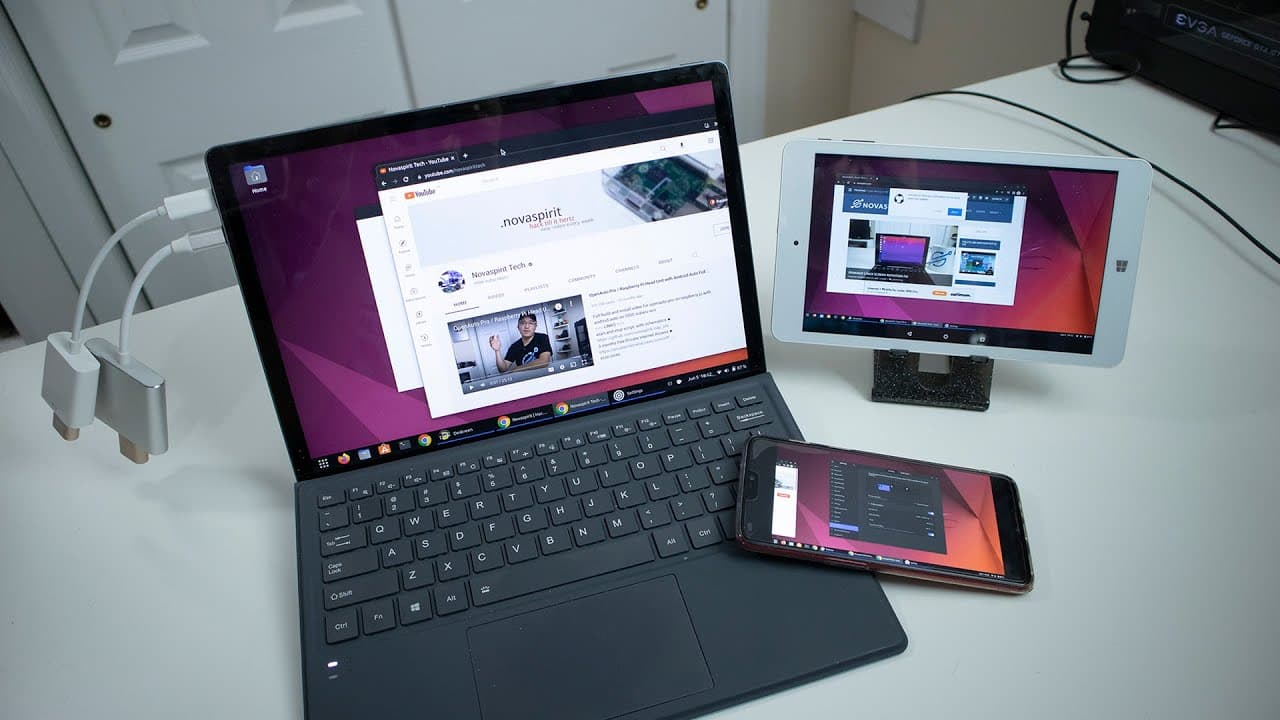
You can create a wireless second display on Linux using HDMI dummy plugs and software like Desk Screen or Waylist. These applications allow you to mirror your screen or extend your display wirelessly through a web browser, enhancing your workflow without needing additional monitors. This method is compatible with both X11 and Wayland environments.
Transcript
hey guys what's going on it's don here from nova spare tech and welcome back to the channel and today i'm going to be showing you guys a little cool trick to wirelessly mirror or create a second display for linux so let's get started now a couple of weeks ago i did a video on gnome rdp and how great it was then i started jumping into this rabbit ho... Read More
Key Insights
- 🔌 Wireless screen mirroring on Linux is feasible using HDMI dummy plugs and appropriate software.
- 🛜 Desk Screen and Waylist are two recommended applications that provide wireless display capabilities, each with unique features.
- 🔌 Utilizing a dummy plug can enhance workflow without extra hardware investment, providing an economical solution for multi-display setups.
- 👤 Both applications are compatible with either X11 or Wayland environments, catering to a broader user base.
- 🎮 Desktop control from secondary devices enhances usability, particularly with Waylist's features.
- 🛜 Performance may vary based on the wireless connection, suggesting that wired connections could yield better results for more demanding tasks.
- 🥶 This approach can effectively repurpose old devices like tablets, extending their lifespan and utility.
Install to Summarize YouTube Videos and Get Transcripts
Explore YouTube Video Summarizer or Get YouTube Transcript Extractor
Questions & Answers
Q: What is the primary method discussed for creating a second display in Linux?
The method focuses on using HDMI dummy plugs to create a virtual monitor that can then be used wirelessly with software applications. This allows individuals to extend their screens without needing a physical monitor, maximizing their workspace using devices they may already own.
Q: What are Desk Screen and Waylist, and how do they differ?
Desk Screen and Waylist are applications tailored for Linux that allow users to mirror or extend their displays wirelessly. Desk Screen creates a mirror of the screen accessible through a web browser, while Waylist offers more interactive capabilities, enabling control of the desktop from the connected device. The latter is also updated more frequently.
Q: Can both applications work on different Linux environments?
Yes, both Desk Screen and Waylist are compatible with various Linux environments, specifically X11 and Wayland. This makes them versatile options for users, regardless of which display server they are running, although compatibility may vary with older browser versions.
Q: What are the advantages of using HDMI dummy plugs for this setup?
HDMI dummy plugs allow users to simulate the presence of a monitor, enabling additional display capabilities without needing to invest in multiple physical monitors. This method is cost-effective and allows for greater flexibility, especially when using older devices or tablets as secondary displays.
Summary & Key Takeaways
-
This content demonstrates how to wirelessly create a second display on Linux using HDMI dummy plugs, allowing for versatile screen management.
-
The creator evaluates various software options, predominantly Desk Screen and Waylist, both designed to enable wireless screen sharing and offer distinct functionalities for Linux users.
-
The process involves installing the chosen application and connecting through a web browser, facilitating screen mirroring without needing additional physical monitors.
Read in Other Languages (beta)
Share This Summary 📚
Summarize YouTube Videos and Get Video Transcripts with 1-Click
Try YouTube Summary with ChatGPT & Claude or YouTube Transcript Generator
Explore More Summaries from Novaspirit Tech 📚






Summarize YouTube Videos and Get Video Transcripts with 1-Click
Try YouTube Summary with ChatGPT & Claude or YouTube Transcript Generator