How to Control Microscopes with Software
TL;DR
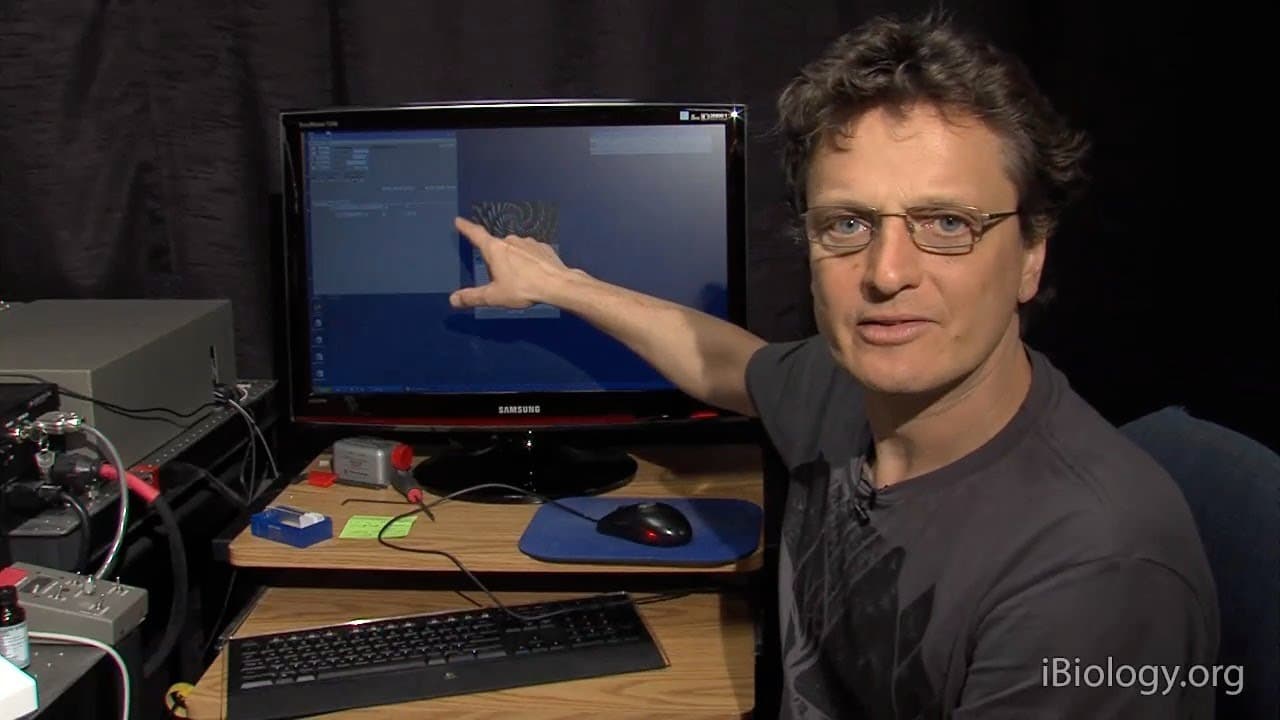
Microscope software, such as Micro-Manager, is essential for controlling motorized components and digital cameras. It allows users to configure hardware settings, manage exposure times, and utilize features like live imaging and region of interest (ROI) selection. Understanding and manipulating histograms is crucial for optimal image capture and dynamic range utilization.
Transcript
In this section, we're going to talk about software controlled microscopes. So, as you're well aware, these microscopes these days are fully motorized. They have digital cameras, they have shutters, you really want to operate all of those components together. Open shutter, take a picture, close the shutter, etc .. And you really need computer contr... Read More
Key Insights
- Modern microscopes are fully motorized and require software for operation.
- Micro-Manager is a freely available software for controlling microscope hardware.
- Configuration files are essential for software to recognize connected hardware.
- Auto shutter synchronization prevents sample bleaching by controlling light exposure.
- Histograms help visualize pixel values and ensure full dynamic range usage.
- Live imaging is useful for focusing and adjusting microscope settings.
- Binning groups pixels to enhance brightness and reduce image size.
- Regions of interest (ROI) allow faster image capture by focusing on specific areas.
Install to Summarize YouTube Videos and Get Transcripts
Explore YouTube Video Summarizer or Get YouTube Transcript Extractor
Questions & Answers
Q: How does microscope software control exposure time?
Microscope software allows users to set specific exposure times for capturing images. This is done by configuring the camera settings within the software interface. The exposure time determines how long the camera sensor is exposed to light, affecting the brightness and detail of the captured image. Proper exposure time settings are crucial for obtaining high-quality images without overexposing or underexposing the sample.
Q: What is the role of a configuration file in microscope software?
A configuration file in microscope software specifies the hardware components connected to the system. It informs the software about the types of cameras, shutters, and other motorized parts in use. This setup is essential for the software to communicate effectively with the hardware, enabling precise control over imaging parameters and ensuring that all components work in harmony for optimal image capture.
Q: Why is histogram analysis important in microscopy?
Histogram analysis is crucial in microscopy as it provides a visual representation of pixel intensity distribution in an image. By examining the histogram, users can assess the dynamic range utilization and adjust exposure settings to optimize image quality. Proper histogram analysis ensures that the full range of sensor capabilities is used, preventing image saturation and enhancing the visibility of fine details in the sample.
Q: What is the benefit of using live imaging in microscope software?
Live imaging in microscope software provides a real-time feed from the camera, allowing users to make immediate adjustments to focus and other settings. This feature is particularly beneficial for tasks that require precise positioning and alignment, such as focusing on specific sample areas. Live imaging enhances workflow efficiency by enabling continuous observation and immediate feedback during experiments.
Q: How does binning affect image capture in microscopy?
Binning in microscopy involves grouping multiple pixels together to act as a single larger pixel. This process increases the signal-to-noise ratio and enhances image brightness, making it particularly useful in low-light conditions. While binning reduces image resolution, it allows for faster readout speeds and improved sensitivity, which can be advantageous for capturing dynamic events or when working with dim samples.
Q: What is the purpose of the region of interest (ROI) tool in microscope software?
The region of interest (ROI) tool in microscope software allows users to select and focus on a specific area of the sample for imaging. By restricting the camera's attention to a smaller region, the ROI tool speeds up image acquisition and processing. This targeted approach is beneficial for experiments where only certain parts of a sample are of interest, reducing data size and enhancing processing efficiency.
Q: How does microscope software facilitate multi-channel imaging?
Microscope software facilitates multi-channel imaging through features like Multi-D acquisition, which allows users to capture images in different fluorescence channels. By setting up specific exposure times and configurations for each channel, the software can sequentially capture images with different filters or dichroics. This capability enables researchers to overlay images from multiple channels, providing comprehensive insights into the sample's composition and behavior.
Q: What is the advantage of using z-stacks in microscopy?
Z-stacks in microscopy involve capturing a series of images at different focal planes to create a three-dimensional representation of the sample. This technique allows researchers to analyze the depth and structure of specimens, providing more detailed and informative visualizations. Z-stacks are particularly useful for studying thick samples or when precise spatial information is required, as they enable the reconstruction of intricate 3D models from 2D images.
Summary & Key Takeaways
-
Microscope software is crucial for managing digital cameras and motorized components. Configuration files inform the software of connected hardware, enabling precise control over exposure times and image capture settings. Features like auto shutter synchronization and histograms are vital for optimizing imaging results.
-
Micro-Manager is a widely used, free software package that supports various microscope hardware. It allows users to perform live imaging, adjust focus, and utilize binning to enhance image brightness. The software's ROI tool enables faster image processing by targeting specific areas.
-
Advanced imaging techniques, such as z-stacks and channel overlays, are facilitated through the software's Multi-D acquisition feature. This allows researchers to capture detailed 3D images and analyze different fluorescence channels, enhancing the depth and quality of scientific observations.
Read in Other Languages (beta)
Share This Summary 📚
Summarize YouTube Videos and Get Video Transcripts with 1-Click
Try YouTube Summary with ChatGPT & Claude or YouTube Transcript Generator
Explore More Summaries from iBiology Techniques 📚

Summarize YouTube Videos and Get Video Transcripts with 1-Click
Try YouTube Summary with ChatGPT & Claude or YouTube Transcript Generator