How to Build a DIY 3D Printed Mini ITX Case
TL;DR
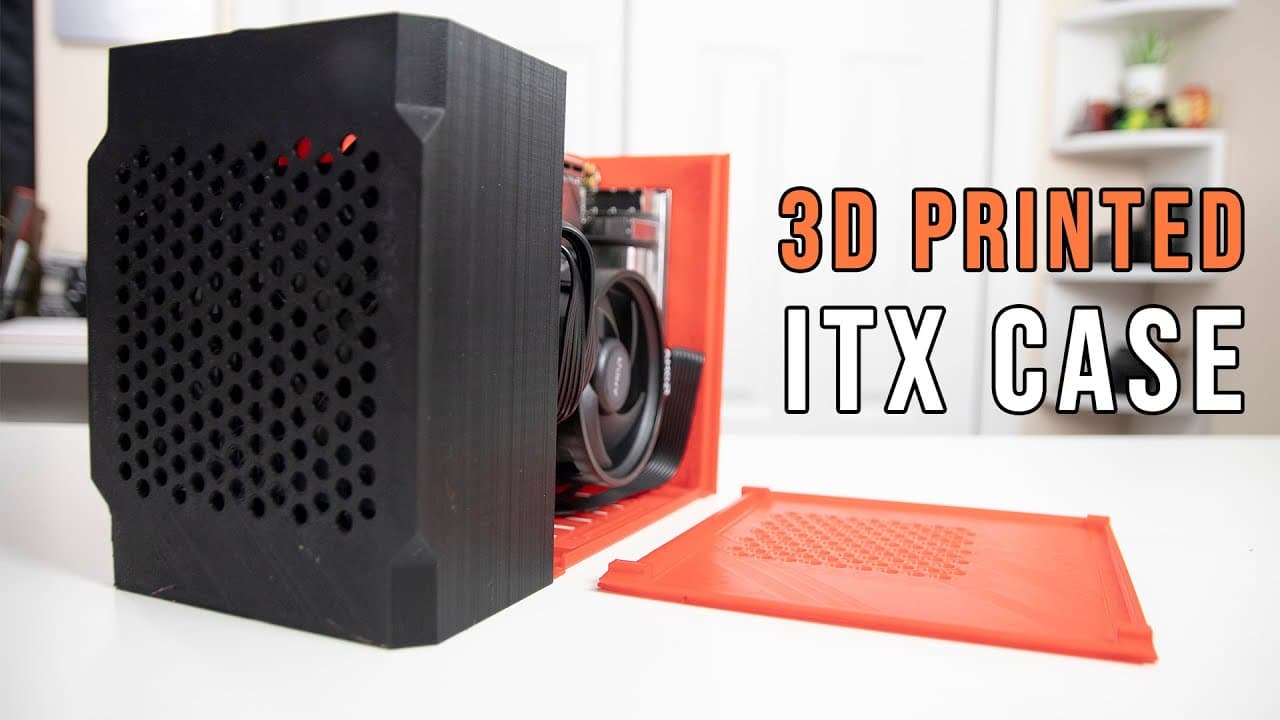
To build a DIY 3D printed mini ITX case, print various components using PLA and ABS, with a total print time of about 60 hours. Ensure a snug fit for hardware and employ a modular power supply to facilitate assembly. Proper bed leveling is crucial to avoid warping during printing.
Transcript
hey guys don here from nova spare tech and welcome back to our channel and today i'm going to be showing you guys a fully 3d printed 4.7 liter itx case so let's get started now before we begin if you want to 3d print your own itx case everything will be linked down in the description below now this is one of the bigger prints that i've ever done an... Read More
Key Insights
- 👣 Don's video demonstrates the complete process of designing and building a 3D printed ITX case, making it accessible for DIY enthusiasts.
- 🥵 The mix of PLA and ABS materials provides both rigidity and heat resistance, essential for high-performance computing applications.
- 🛌 Proper bed leveling is highlighted as a critical step in successful 3D printing to avoid issues like warping.
- 🫵 The time-lapse feature captures the 3D printing journey, providing a succinct view of the multiple stages involved in creating complex structures.
- 🚠 The snug fit design requires efficient cable management and careful planning for effective assembly, emphasizing the need for modular components.
- 👻 Community resources on platforms like Thingiverse can expand the functionality of printed ITX cases, allowing users to customize for their specific needs.
- 🏃 Early testing showed promising thermal management, indicating the effectiveness of the material choices during short runs.
Install to Summarize YouTube Videos and Get Transcripts
Explore YouTube Video Summarizer or Get YouTube Transcript Extractor
Questions & Answers
Q: What materials are recommended for the 3D printed ITX case components?
Don used PLA for most parts of the case due to its ease of use and printing capabilities. However, he opted for ABS for specific components like the middle spline which require better heat resistance. Using a combination of these materials allows for both sturdy construction and adequate thermal management, essential for the hardware's longevity.
Q: How long did the entire printing process take for the ITX case?
The complete printing process for the ITX case took approximately 60 hours. This timeframe includes the printing of all individual components such as the shroud, panels, and spleens. Notably, some parts printed on different 3D printers varied in printing duration, highlighting the importance of printer capabilities in achieving design goals.
Q: What challenges did Don encounter while printing the ITX case?
One of the significant challenges Don faced was warping in some parts, specifically the case panels, which resulted from improper bed leveling during printing. This affected the final alignment and aesthetics. Setting the correct bed level is crucial in 3D printing, as it ensures that the first layer adheres properly and reduces the chance of warping in subsequent layers.
Q: What assembly tips does Don provide for building the ITX case?
Don recommends tapping all screws lightly before securing them to ensure everything aligns properly without forcing pieces together. He highlights the snug fit of components within the case, suggesting the use of modular power supplies as they facilitate easier cable management and installation given the limited space in an ITX build.
Q: Are there any upgrades or modifications suggested for this ITX case?
Yes, Don mentions modifications available on platforms like Thingiverse, allowing for adjustments to fit larger graphics cards or additional components like SSDs. He suggests exploring these community recommendations to enhance versatility and accommodate various hardware configurations in future builds.
Q: How does the design of the case contribute to airflow?
The ITX case has been designed with airflow in mind, featuring strategically placed openings that ensure optimum ventilation for the components inside. Despite the snug fit, this design effectively allows the system to run cool, which is vital during extensive use or gaming scenarios where heat generation is high.
Summary & Key Takeaways
-
In this video, Don showcases the creation of a 3D printed ITX case, detailing the printing process and challenges faced. He shares insights on completing the build and the design elements involved in the case construction.
-
The printing took about 60 hours in total, with various components printed using different materials like PLA and ABS. The video includes a time-lapse of the entire printing process, highlighting both successes and struggles.
-
Don emphasizes the importance of modular power supplies and snug fits in the case design, providing tips on effective assembly and future modifications for larger components.
Read in Other Languages (beta)
Share This Summary 📚
Summarize YouTube Videos and Get Video Transcripts with 1-Click
Try YouTube Summary with ChatGPT & Claude or YouTube Transcript Generator
Explore More Summaries from Novaspirit Tech 📚






Summarize YouTube Videos and Get Video Transcripts with 1-Click
Try YouTube Summary with ChatGPT & Claude or YouTube Transcript Generator