How a GTD Master Trainer Uses PARA
TL;DR
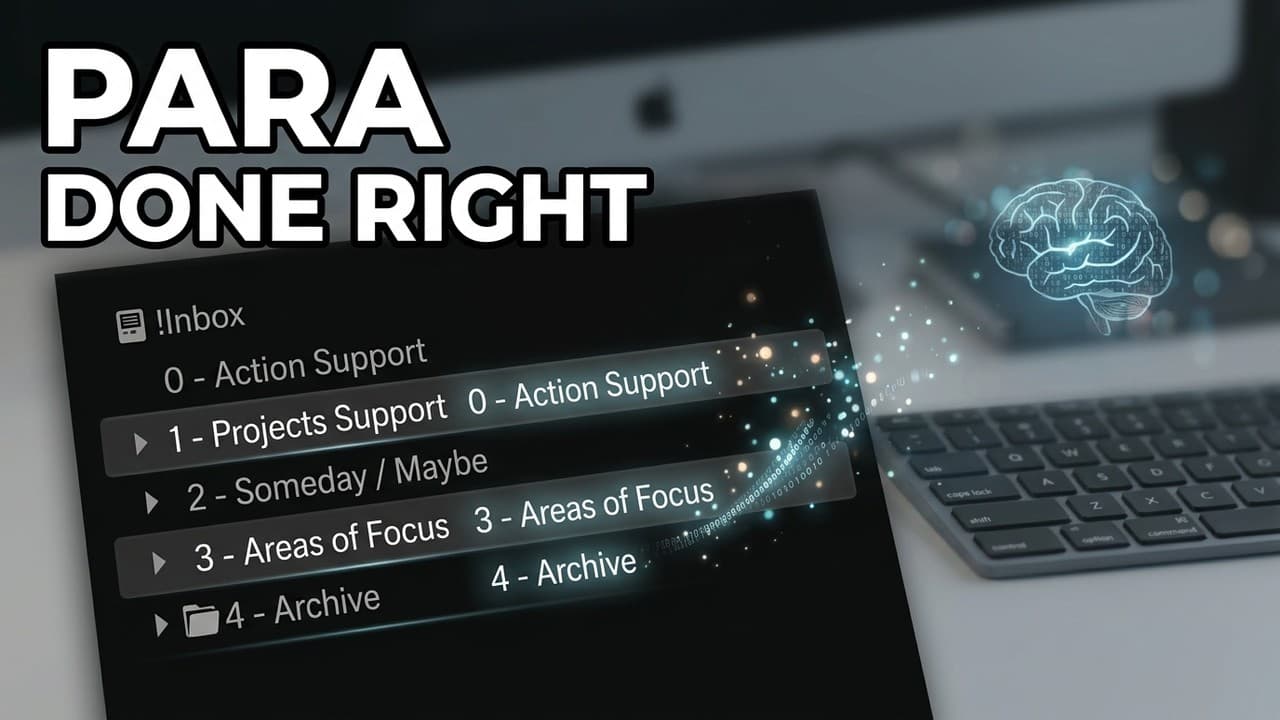
Muhammad Ali shares how he has implemented the second brain and patter system, including stack organization and tag categorization.
Transcript
hey Thiago this is Muhammad Ali and I have taken a course building a second plane you've communicated a few times and I'd love to show you how I'm currently implementing building a second brain and the patter system it's evolved with time and probably some more being but I think it's out of reach the stage where I'll be using this version of it for... Read More
Key Insights
- 🧠 Muhammad Ali's implementation of the second brain system involves organizing notes and projects into different stacks for better management.
- 👻 Having separate stacks like Someday Maybe and Action Support allows for flexibility in adapting to changing priorities.
- 📔 Muhammad's use of tags in the Resources notebook helps categorize and find specific notes for research and referencing purposes.
- 💋 The slip box system aids Muhammad in collecting insights from his readings and creating a network of interconnected nodes for future writing.
- 🪡 Muhammad's implementation highlights the need for personalization and flexibility in organizing and categorizing notes to fit individual workflow preferences.
- 👻 The stack and notebook organization system allows Muhammad to focus on different areas of his life and easily find relevant information when needed.
- 🎵 Muhammad's approach to managing notes and projects demonstrates the importance of adaptability and agility in a rapidly changing environment.
Install to Summarize YouTube Videos and Get Transcripts
Explore YouTube Video Summarizer or Get YouTube Transcript Extractor
Questions & Answers
Q: How does Muhammad Ali organize incoming notes before processing them?
Muhammad uses the Inbox stack to store incoming notes that still need to be processed. This stack acts as a temporary storage for one week's worth of notes.
Q: What is the purpose of the Action Support stack?
The Action Support stack is used to store single notes that are directly related to an action. Muhammad finds it more efficient to have a separate notebook for these types of notes rather than including them in other projects.
Q: What is the Someday Maybe stack and why is it given a separate stack?
The Someday Maybe stack is where Muhammad stores projects or ideas that he may want to pursue in the future. By giving it a separate stack, he has the flexibility to move projects back and forth quickly, allowing him to adapt to the fast-changing nature of his work.
Q: How does Muhammad categorize his notes in the Resources notebook?
Muhammad categorizes his notes in the Resources notebook using tags. He prefixes the tags with a hash sign to indicate different topic types or entities. He may also tag notes with document types, such as receipts or questions.
Summary & Key Takeaways
-
Muhammad Ali uses multiple stacks, including Inbox, Action Support, Project Support, Someday Maybe, Areas of Focus, and Archive, to organize his notes and ongoing projects.
-
He has a separate notebook called "Resources" where he gathers information for research work or future reference.
-
Muhammad also utilizes a slip box system to gather insights from his readings and create a network of interconnected nodes.
Read in Other Languages (beta)
Share This Summary 📚
Summarize YouTube Videos and Get Video Transcripts with 1-Click
Try YouTube Summary with ChatGPT & Claude or YouTube Transcript Generator
Explore More Summaries from Tiago Forte 📚




Summarize YouTube Videos and Get Video Transcripts with 1-Click
Try YouTube Summary with ChatGPT & Claude or YouTube Transcript Generator