Notion productivity workflow (2024)
TL;DR
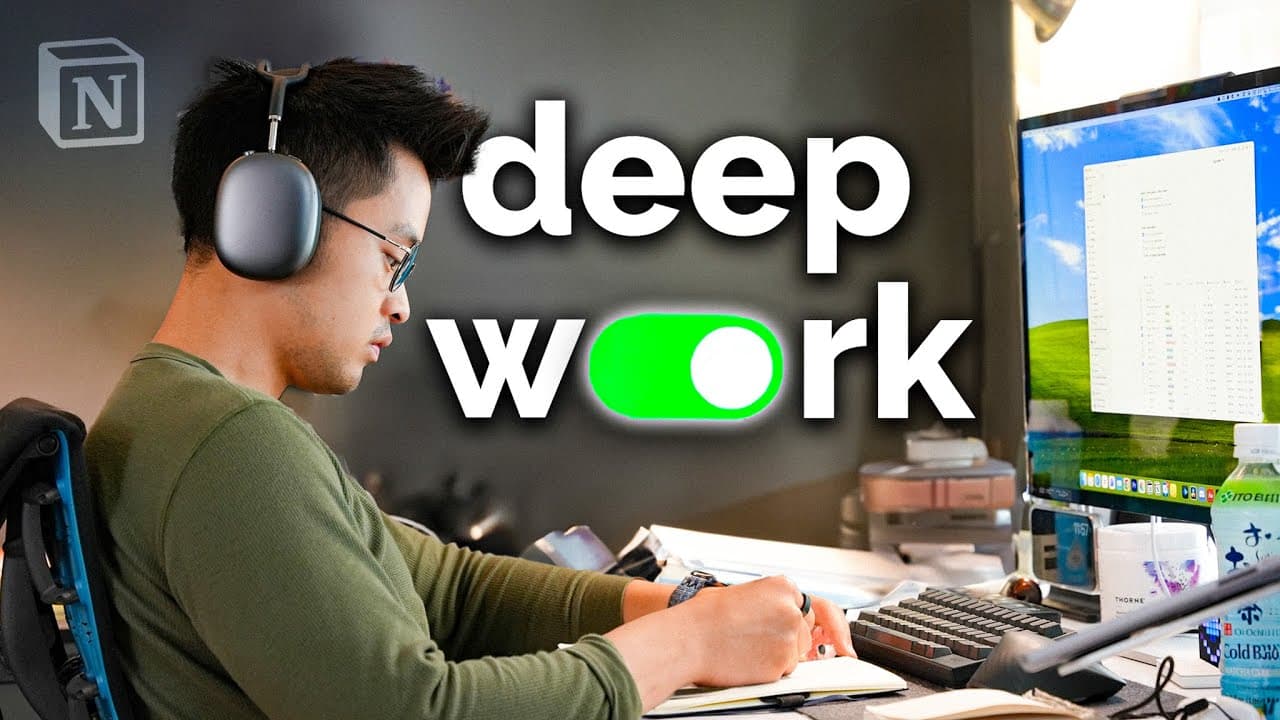
A day in life using Notion for productivity and projects.
Transcript
as someone who usually prefers analog mediums like I've been keeping a journal for 6 years now I've also been using notion for about 5 years for productivity projects because certain things just are too complex or require more modularity and for those I really prefer using a digital medium like notion so in this video I wanted to walk through my da... Read More
Key Insights
- The speaker uses both analog journals and Notion for tracking various aspects of life, preferring analog for habit tracking and Notion for complex projects.
- Notion is used extensively for running and marathon training, with embedded trackers to monitor progress and calculate average pace.
- For deep work sessions, Notion is utilized as a document handler and project management tool, especially effective for collaborative efforts.
- The speaker emphasizes simplicity in Notion pages, avoiding overly complex templates to maintain sustainability and ease of use.
- Notion aids in planning video content, integrating with calendars for scheduling and organizing upcoming projects.
- The speaker does not use Notion for to-do lists, preferring dedicated apps and analog methods for task management.
- Notion AI is highlighted as a useful feature for summarizing notes and extracting key takeaways from existing content.
- Projects with clear timelines, such as language learning or passion projects, benefit from Notion's modularity and organization capabilities.
Install to Summarize YouTube Videos and Get Transcripts
Explore YouTube Video Summarizer or Get YouTube Transcript Extractor
Questions & Answers
Q: How does the speaker use Notion for running and marathon training?
The speaker uses Notion to track running progress by embedding a tracker that monitors weekly mileage and calculates average pace. This setup allows for easy visualization of progress and motivates continued improvement. The speaker maintains simple pages to avoid complexity while setting short-term and long-term running goals, including the ambition to run the Tokyo Marathon.
Q: What is the speaker's approach to deep work sessions using Notion?
During deep work sessions, the speaker uses Notion as a primary document handler for writing and planning. Notion's collaborative features make it ideal for group projects, allowing easy sharing and editing. The speaker appreciates Notion's modularity, using it to organize tasks, schedules, and notes efficiently without resorting to overly complex templates.
Q: Why does the speaker prefer analog methods for habit tracking?
The speaker finds analog methods more satisfying for habit tracking, as they offer a tactile and straightforward approach. A physical journal is used to track daily habits and metrics, providing a tangible way to monitor progress. The speaker believes dedicated to-do apps are more effective for task management than creating complex systems in Notion.
Q: How does the speaker utilize Notion for video content planning?
Notion is used to plan video content by organizing scripts, shot lists, and schedules. The speaker integrates Notion with their calendar to manage upcoming videos and deadlines. This structured approach helps in coordinating content creation while maintaining a simple and accessible workflow, avoiding unnecessary complexity.
Q: What features of Notion AI does the speaker find beneficial?
The speaker finds Notion AI beneficial for summarizing notes and extracting key takeaways from existing content. This feature enhances efficiency in note-taking and information retrieval, allowing the speaker to quickly distill important insights from their notes. Notion AI's ability to streamline the organization of information is highly valued.
Q: How does the speaker suggest starting with Notion for new users?
The speaker recommends new users start with simple pages and avoid downloading complex templates. They suggest using Notion as a basic note storage tool, gradually exploring its features. This approach helps users maintain a sustainable and manageable workflow without getting overwhelmed by the platform's capabilities.
Q: What types of projects does the speaker find most suited for Notion?
The speaker finds Notion most suited for projects with clear timelines, such as language learning or passion projects. Notion's modularity and organizational capabilities make it ideal for tracking progress, setting goals, and managing tasks over specific periods, like 30-day sprints or 90-day projects.
Q: What is the speaker's perspective on using Notion for collaborative work?
The speaker views Notion as highly effective for collaborative work due to its ability to share and edit documents seamlessly. Notion's features, like static web pages and modular task boards, facilitate teamwork and communication, making it a preferred choice for group projects over simpler text editors or note-taking apps.
Summary & Key Takeaways
-
The speaker describes a productive day using Notion, balancing analog and digital tools for different tasks. Notion is favored for complex projects, while an analog journal tracks habits and daily metrics. This approach has been refined over five years of usage.
-
Notion is instrumental in tracking running progress, with embedded trackers for mileage and pace calculations. The speaker values simple, aesthetically pleasing pages for monitoring goals without overwhelming complexity. Notion's modularity supports various personal and collaborative projects.
-
While Notion excels in project management and content planning, it is not used for habit tracking or to-do lists. The speaker prefers analog methods and dedicated apps for those tasks. Notion AI is appreciated for enhancing note-taking efficiency and summarizing information.
Read in Other Languages (beta)
Share This Summary 📚
Summarize YouTube Videos and Get Video Transcripts with 1-Click
Try YouTube Summary with ChatGPT & Claude or YouTube Transcript Generator
Explore More Summaries from Reysu 📚


Summarize YouTube Videos and Get Video Transcripts with 1-Click
Try YouTube Summary with ChatGPT & Claude or YouTube Transcript Generator