How to Build and Optimize a Support Vector Machine in Python
TL;DR
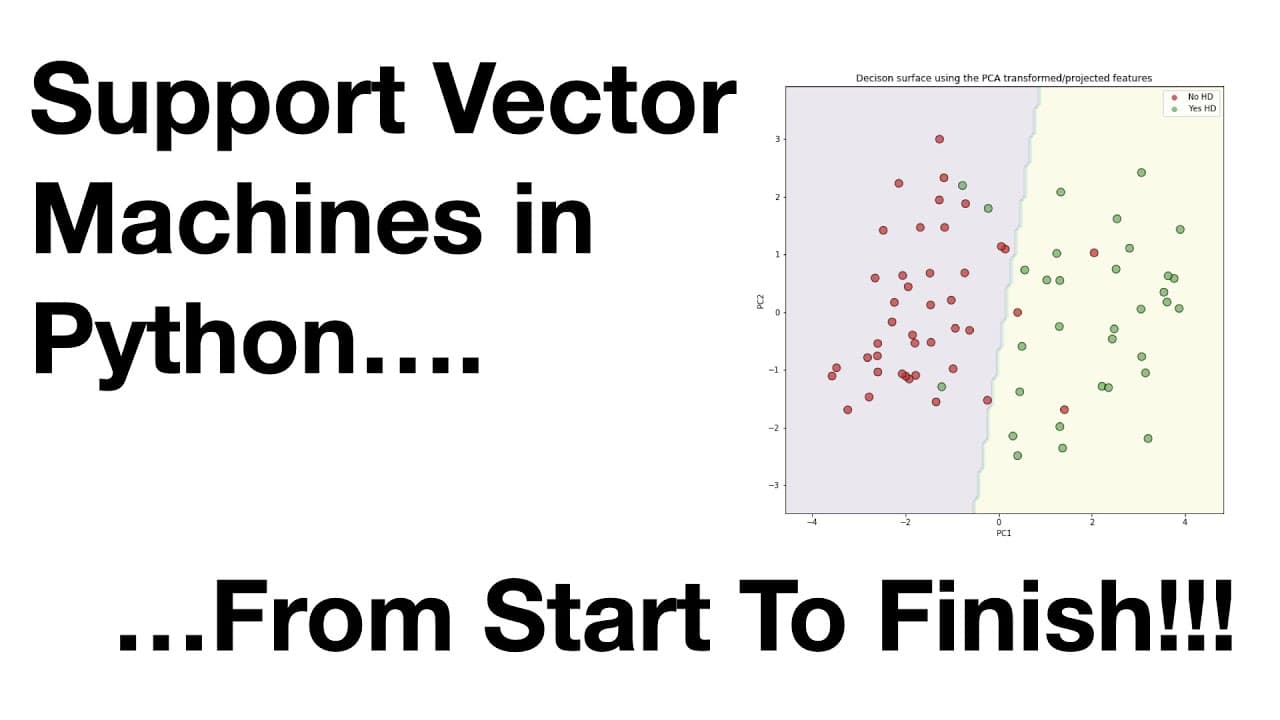
To build and optimize a support vector machine (SVM) in Python using scikit-learn, start by importing and cleaning your dataset, then handle any missing values. Use down sampling for classification, apply one-hot encoding for categorical data, and train the SVM with optimal parameters found through grid search cross-validation. Finally, evaluate and interpret your SVM's decision boundaries to understand its performance on credit card payment defaults.
Transcript
support vector machines quest hey yeah alright let's get started first thing I need to do is share my screen with you let's get let's get back going alright here we go oh so welcome hello I'm Josh dormer and welcome to the stack quest on support vector machines in Python from start to finish in this lesson we will build a support vector machine for... Read More
Key Insights
- 🧑🏭 Support vector machines are particularly useful for classification when the focus is on accuracy rather than understanding the underlying factors.
- 🍵 The tutorial covers various important steps in the model-building process, including handling missing data and down sampling the dataset.
- 😅 One-hot encoding is an essential step for transforming categorical data into a format suitable for support vector machines.
- 😵 Optimization techniques, such as grid search cross-validation, can be used to find the best parameters for the support vector machine model.
Install to Summarize YouTube Videos and Get Transcripts
Explore YouTube Video Summarizer or Get YouTube Transcript Extractor
Questions & Answers
Q: Why are support vector machines considered one of the best machine learning algorithms?
Support vector machines are highly effective when getting the correct answer is more important than understanding why, particularly with small datasets. They also tend to work well without much optimization.
Q: How can missing data be handled in a dataset?
Missing data can be either removed from the dataset or imputed by making educated guesses about the missing values. In this tutorial, the missing data rows are removed.
Q: How does one-hot encoding work for categorical data?
One-hot encoding converts categorical data into multiple binary columns, with each column representing a different category. For example, the "marriage" column with values 1, 2, and 3 would be transformed into three separate columns: "marriage_1", "marriage_2", and "marriage_3".
Q: What are the key steps involved in building a support vector machine model?
The key steps include importing the necessary modules, loading the data, handling missing data, down sampling the dataset, formatting the data for support vector machines, building a preliminary model, optimizing the model, and evaluating and interpreting the final model.
Summary & Key Takeaways
-
This tutorial demonstrates how to use scikit-learn to build a support vector machine for classification using the radial basis function.
-
The data used in this tutorial is from the UCI machine learning repository and aims to predict credit card payment defaults.
-
The tutorial covers importing data, handling missing data, down sampling the dataset, formatting the data for support vector machines, building a preliminary support vector machine, optimizing the model, and evaluating and interpreting the final support vector machine.
Read in Other Languages (beta)
Share This Summary 📚
Summarize YouTube Videos and Get Video Transcripts with 1-Click
Try YouTube Summary with ChatGPT & Claude or YouTube Transcript Generator
Explore More Summaries from StatQuest with Josh Starmer 📚



Summarize YouTube Videos and Get Video Transcripts with 1-Click
Try YouTube Summary with ChatGPT & Claude or YouTube Transcript Generator