Run Ubuntu Natively on Windows 10
TL;DR
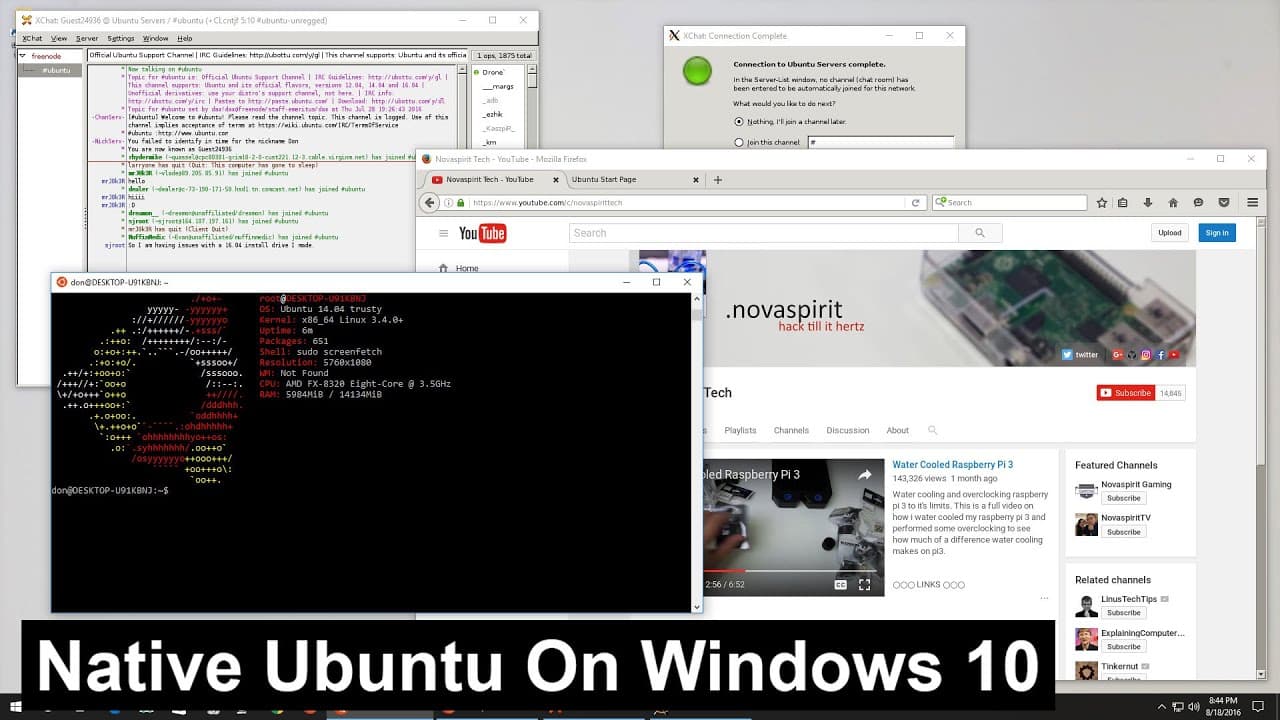
This guide demonstrates how to run Ubuntu Linux on Windows 10 using the Anniversary Update.
Transcript
hey guys what's going on it's Don here from Nova Spirit Tech and with the recent windows anniversary update I was really excited about this new feature that they Implement which is running Ubuntu Linux natively on Windows 10 and I'm going to show you how so let's get started so guys the first thing you're going to need is the Windows 10 anniversary... Read More
Key Insights
- 💋 The Windows Anniversary Update introduced significant features, including the capability to run Ubuntu Linux natively on Windows 10, marking a notable integration of Linux in Windows environments.
- 👻 Activating developer mode is essential for accessing features that allow the installation and running of non-Windows Store applications.
- 🫥 The Windows Subsystem for Linux (WSL) provides a command-line interface for executing Linux commands, and necessary installations must be performed through the Control Panel.
- 🈸 For graphical application support, Xming must be installed and configured correctly to allow Linux GUI apps to run on Windows seamlessly.
- 💬 User engagement, such as likes and comments, is encouraged as feedback for the content creator, promoting an interactive community around technology tutorials.
- 🧡 The integration of Ubuntu into Windows expands the options for developers and tech enthusiasts, enabling a diverse range of tools and applications to be used in one environment.
- 🏃 Regular updates and continuing education on this system will help users maximize the benefits and functionality of running Ubuntu on Windows.
Install to Summarize YouTube Videos and Get Transcripts
Explore YouTube Video Summarizer or Get YouTube Transcript Extractor
Questions & Answers
Q: What is the first step to run Ubuntu natively on Windows 10?
The first step is to ensure that you have updated to the Windows 10 Anniversary Update. If you haven't, you can force an update through the appropriate link provided. After updating, you need to activate developer mode through the settings, under 'Update and Security', which will allow you to run applications not available in the Windows Store.
Q: How do you enable the Windows Subsystem for Linux on your PC?
To enable the Windows Subsystem for Linux, go to the Control Panel, change the view to small icons, select 'Programs', and then click on 'Turn Windows features on or off'. Scroll down to find and check the box for 'Windows Subsystem for Linux beta'. After confirming, you will need to restart your computer to apply the changes.
Q: What is the purpose of Xming in this setup?
Xming serves as an X server for Windows, enabling users to run GUI applications from Ubuntu natively on Windows. After installing both Ubuntu and Xming, users need to export their display to use graphical applications seamlessly. This expands the functionality of running Linux applications directly in the Windows environment.
Q: What should a user do after installing Ubuntu to test the installation?
After the installation, a user can test if Ubuntu is working correctly by executing commands to update the package list, such as using sudo apt update. To further verify the functionality of GUI applications, the user can install specific applications like X Chat and ensure that Xming is set up properly to run these applications.
Summary & Key Takeaways
-
The video explains the procedure for enabling the Windows Subsystem for Linux on Windows 10, highlighting the necessity to update to the Anniversary version first.
-
It details the steps, including activating developer mode, downloading necessary packages, and installing the Bash command shell for Ubuntu compatibility.
-
The presenter demonstrates running a GUI application using Xming after installation, showcasing the successful integration of Ubuntu within a Windows environment.
Read in Other Languages (beta)
Share This Summary 📚
Summarize YouTube Videos and Get Video Transcripts with 1-Click
Try YouTube Summary with ChatGPT & Claude or YouTube Transcript Generator
Explore More Summaries from Novaspirit Tech 📚






Summarize YouTube Videos and Get Video Transcripts with 1-Click
Try YouTube Summary with ChatGPT & Claude or YouTube Transcript Generator