What Is the OSI Model's Transport Layer and Its Role?
TL;DR
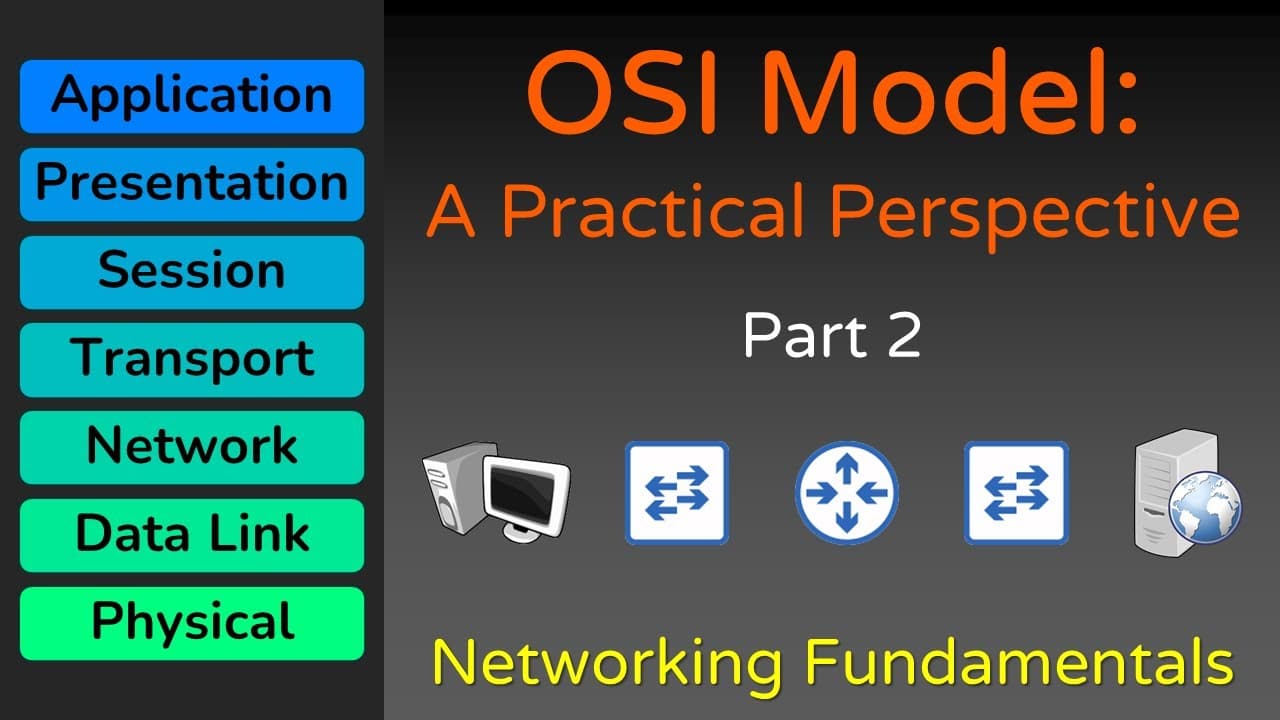
The transport layer of the OSI model, known as layer 4, ensures service-to-service delivery of data using port numbers to direct traffic to the correct application. It distinguishes between data streams through protocols like TCP, which favors reliability, and UDP, which prioritizes efficiency. Understanding this layer is essential for grasping how data is transmitted across networks.
Transcript
Read and summarize the transcript of this video on Glasp Reader (beta).
Key Insights
- The OSI model is crucial for understanding how data moves through the internet, with each layer having a specific function.
- Layer 4, the transport layer, ensures service-to-service delivery through protocols like TCP and UDP, using port numbers to direct data correctly.
- TCP and UDP serve different purposes: TCP prioritizes reliability, while UDP focuses on efficiency, both essential for data stream distinction.
- The encapsulation process involves adding headers at each layer to facilitate data delivery, while de-encapsulation removes these headers at the receiving end.
- Layer 4 headers include source and destination ports, crucial for ensuring data reaches the correct application on a host.
- Layers 5, 6, and 7 of the OSI model are often combined into a single application layer, simplifying their roles in data transmission.
- Networking devices like switches and routers operate at specific OSI layers, using headers to make data transmission decisions.
- The OSI model is a conceptual framework, not rigid rules, allowing for flexibility in how data transmission is implemented in real-world scenarios.
Install to Summarize YouTube Videos and Get Transcripts
Explore YouTube Video Summarizer or Get YouTube Transcript Extractor
Questions & Answers
Q: What is the main function of the transport layer in the OSI model?
The transport layer, or layer 4, ensures service-to-service delivery of data by distinguishing data streams using port numbers. It uses protocols like TCP, which prioritizes reliability, and UDP, which focuses on efficiency, to ensure that data is directed to the correct application on a host.
Q: How do TCP and UDP differ in their approach to data transmission?
TCP and UDP are both layer 4 protocols but serve different purposes. TCP prioritizes reliability, ensuring data packets are delivered in order and without errors. In contrast, UDP focuses on efficiency, allowing for faster data transmission by foregoing error-checking and order guarantees, making it suitable for applications like streaming.
Q: What is the encapsulation process in networking?
Encapsulation is the process of adding headers to data at each OSI layer to facilitate its delivery across a network. Each layer adds its own header, which contains information necessary for the data's transmission, such as source and destination addresses. This process ensures the data reaches its intended recipient correctly.
Q: Why are layers 5, 6, and 7 often combined in the OSI model?
Layers 5, 6, and 7 of the OSI model are often combined into a single application layer because their distinct functions have become less relevant in modern networking. Many applications implement these functions together, simplifying the model and aligning with the more commonly used TCP/IP model, which combines them into one layer.
Q: How do networking devices like switches and routers use the OSI model?
Networking devices operate at specific OSI layers to make data transmission decisions. Switches typically operate at layer 2, focusing on the data link layer, while routers operate at layer 3, the network layer. They use the headers added during encapsulation to determine how to forward data to its destination.
Q: What is the purpose of using port numbers in data transmission?
Port numbers are used in data transmission to direct data to the correct application on a host. Each application is associated with specific port numbers, allowing the transport layer to distinguish between multiple data streams and ensure data is delivered to the appropriate service, facilitating service-to-service communication.
Q: What role does the OSI model play in understanding data flow?
The OSI model provides a conceptual framework for understanding how data flows through a network. Each layer has a specific function, contributing to the overall goal of data transmission between hosts. It helps network professionals conceptualize the processes involved in moving data across the internet, despite its flexibility in real-world applications.
Q: Can the OSI model's layers be strictly adhered to in real-world networking?
While the OSI model provides a useful framework for understanding networking, it is not strictly adhered to in real-world applications. Exceptions exist, such as devices operating across multiple layers or protocols that don't fit neatly into one layer. The model serves as a guideline, allowing for flexibility in implementation.
Summary & Key Takeaways
-
The video discusses the OSI model's transport layer, emphasizing its role in service-to-service data delivery using ports. It explains TCP and UDP protocols and how they manage data streams to ensure the correct application receives the data.
-
Encapsulation and de-encapsulation processes are vital for data transmission, with headers added and removed at each OSI layer. The video highlights the importance of layers 1-4 for understanding data flow through the internet.
-
The OSI model serves as a conceptual framework for networking, allowing flexibility in implementation. Devices like switches and routers operate at specific layers, using headers to make decisions, while layers 5-7 are often combined into an application layer.
Read in Other Languages (beta)
Share This Summary 📚
Summarize YouTube Videos and Get Video Transcripts with 1-Click
Try YouTube Summary with ChatGPT & Claude or YouTube Transcript Generator
Explore More Summaries from Practical Networking 📚




Summarize YouTube Videos and Get Video Transcripts with 1-Click
Try YouTube Summary with ChatGPT & Claude or YouTube Transcript Generator