Why I CANNOT Use Glasp on Some Websites?

Oct 27, 2026
1 min read
0 views
To avoid the accidental highlight on the sensitive places, we disable the Glasp browser extension at some domains such as Google Products (Docs, Gmail, Google Calendar, etc), Note-taking apps (Notion, etc), bank apps, etc.
We have a default list of excluded domains but it doesn't cover the entire web. So please update your own exclude domains from your user page 👇
To Add Exclude Domains
Glasp is a PDF & Web highlighter that helps you collect and organize your favorite quotes and thoughts from the web. You can also access other like-minded people’s learning and build your AI clone from your highlights and notes.
To See/Remove Your Excluded Domains
Go to your user settings page: https://glasp.co/settings
Scroll down to
Excluded DomainssectionClick
×to remove excluded domain (so that you will be able to highlight on the domain again)
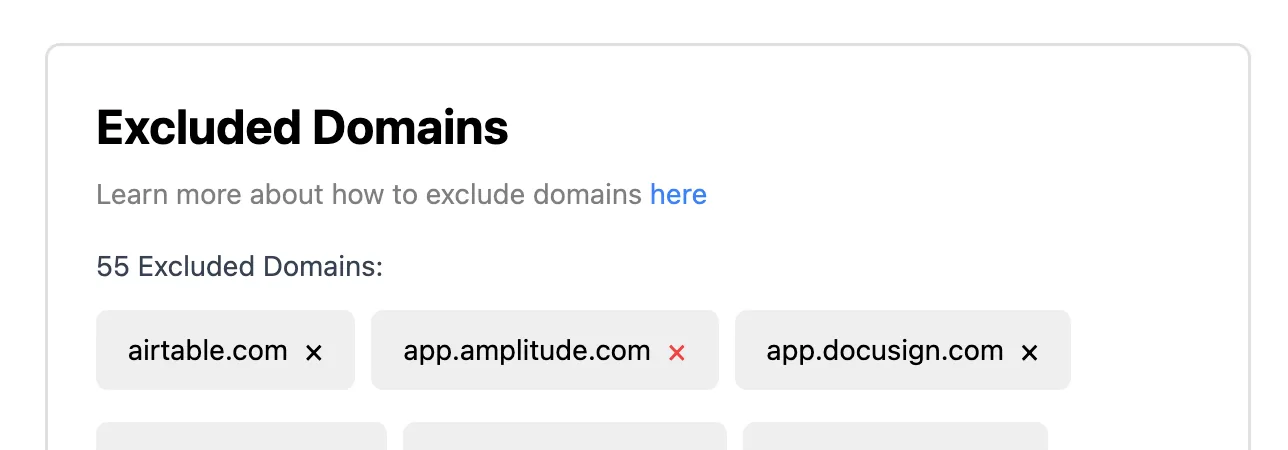
Scroll down to Excluded Domains section