How to Use the AI Clone Feature on Glasp

Sep 27, 2025
5 min read
121 views

👉 Video guide: Build Your "AI Clone" with Glasp (YouTube)
Have you ever wished you had an AI version of yourself that could answer questions based on everything you have read and learned? With Glasp's AI Clone feature (formerly known as Ask Digital Me), you can build exactly that. Your AI Clone learns from your highlights and notes on Glasp, and it generates personalized answers and recommendations based on your learning history. The more you highlight, the smarter it gets.
This feature is powerful for:
Quickly recalling and searching your past learnings in a conversational way
Sharing your knowledge with others through your AI Clone
Chatting with other people's AI Clones and learning from their reading history
In this tutorial, we will walk you through how to use the AI Clone feature, from opening your own clone to asking questions, checking sources, and exploring other people's clones.
Step 1: Sign up for Glasp and build your knowledge base
If you are new to Glasp, please sign up and install the Glasp browser extension first. You can refer to this tutorial.
👉 How to Install the Glasp Browser Extension & Start Highlighting the Web
Your AI Clone is built from your highlights and notes. So, the more articles, PDFs, and YouTube videos you highlight, the better your AI Clone can answer. If you have just signed up and don't have enough highlights yet, you can still try other people's AI Clones in Step 6.
Step 2: Open your AI Clone
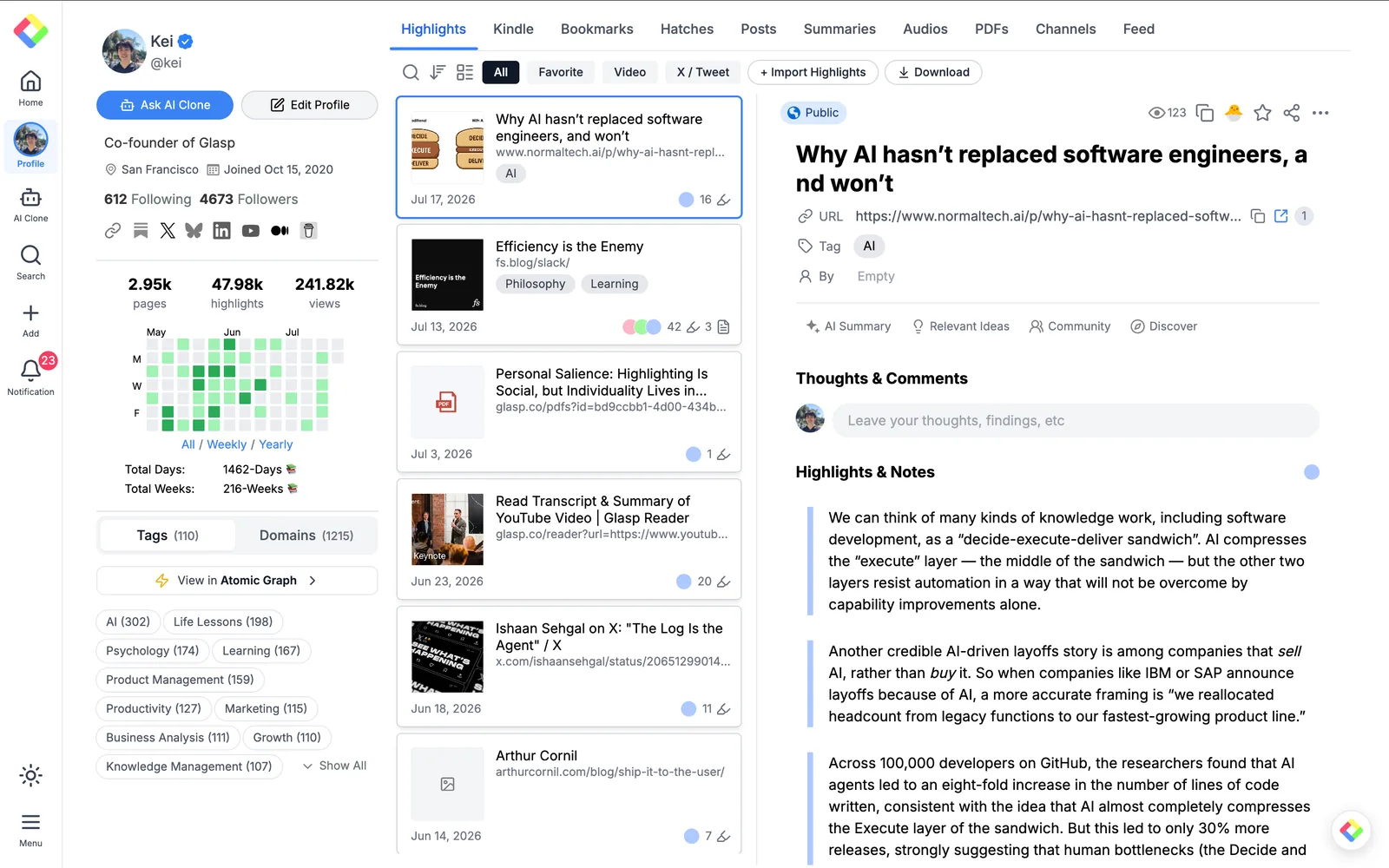
Go to your profile page on Glasp. You can see the Ask AI Clone button at the top left of your profile, next to the Edit Profile button. You can also click AI Clone in the left sidebar.
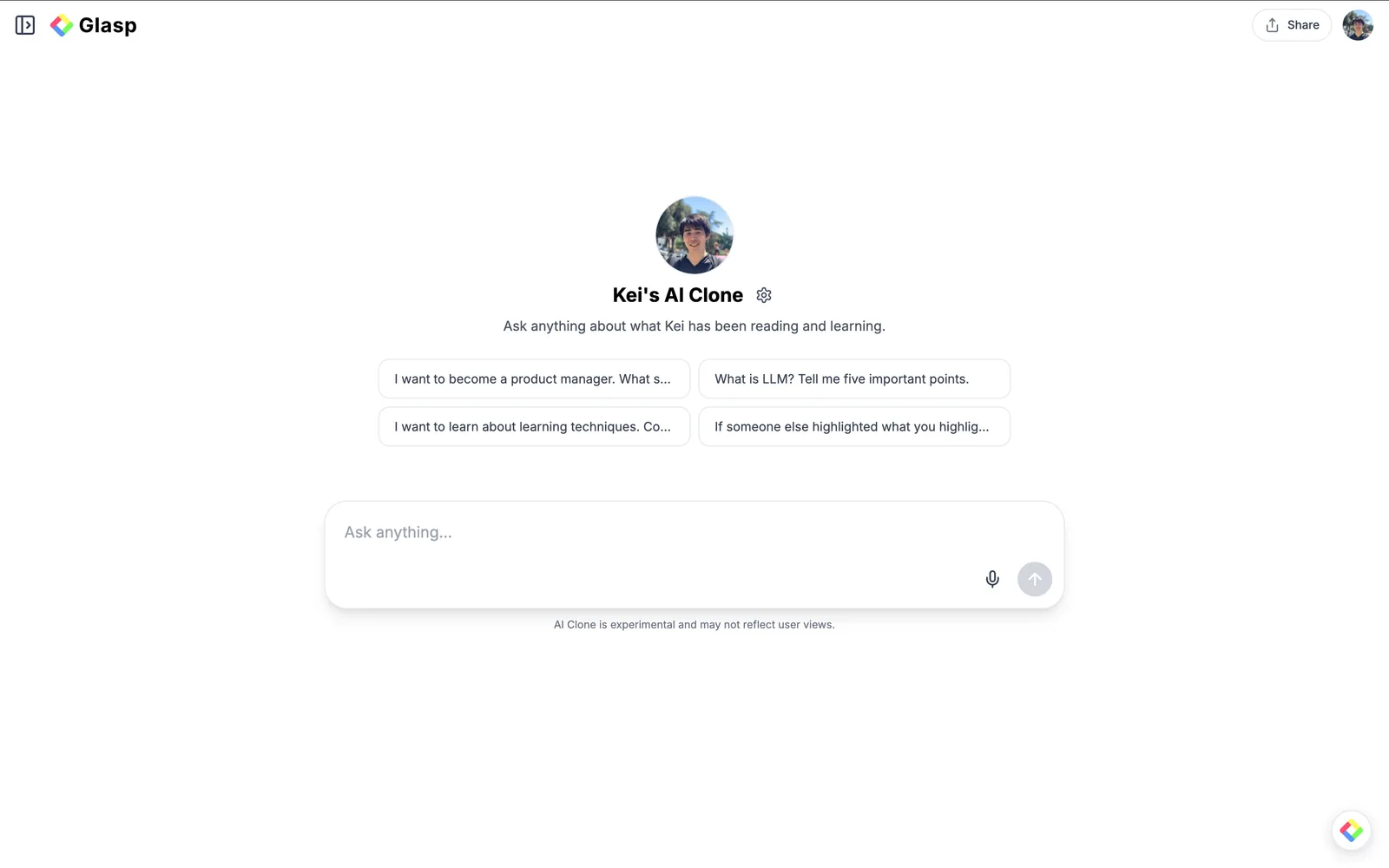
Step 3: Ask anything
It opens your AI Clone's chat page. You can type any question in the Ask anything box, use the microphone icon to ask by voice, or start from one of the suggested questions.
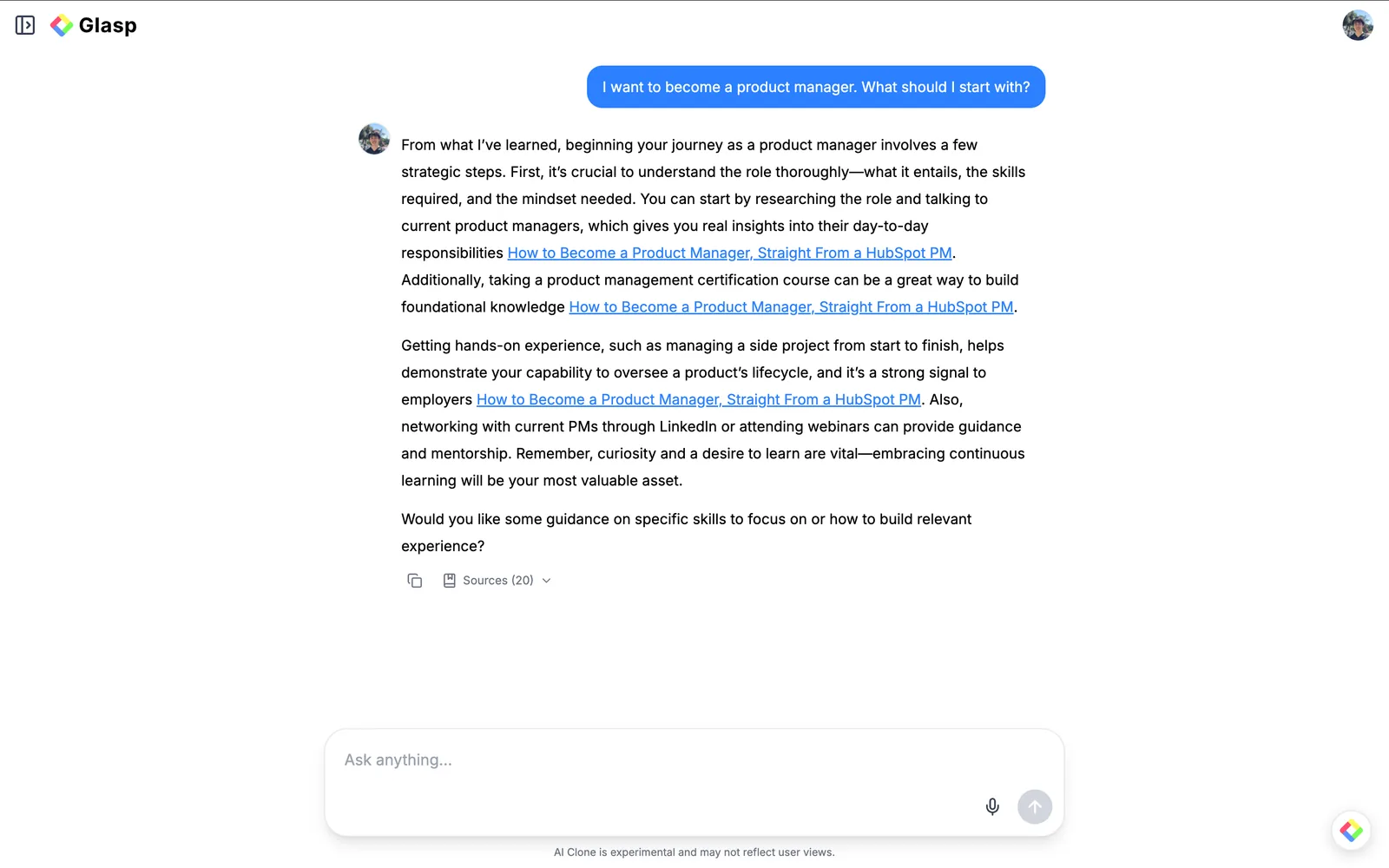
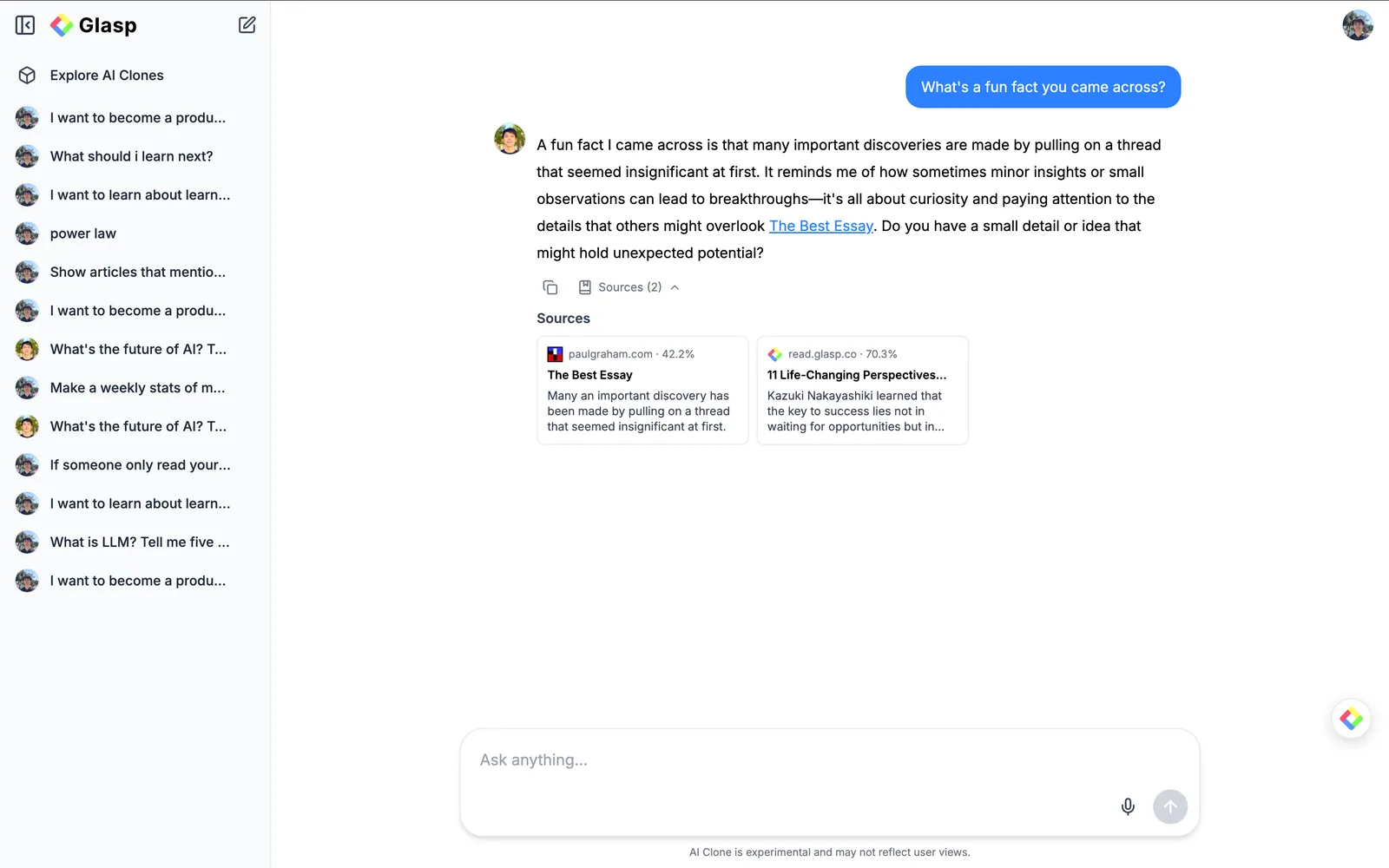
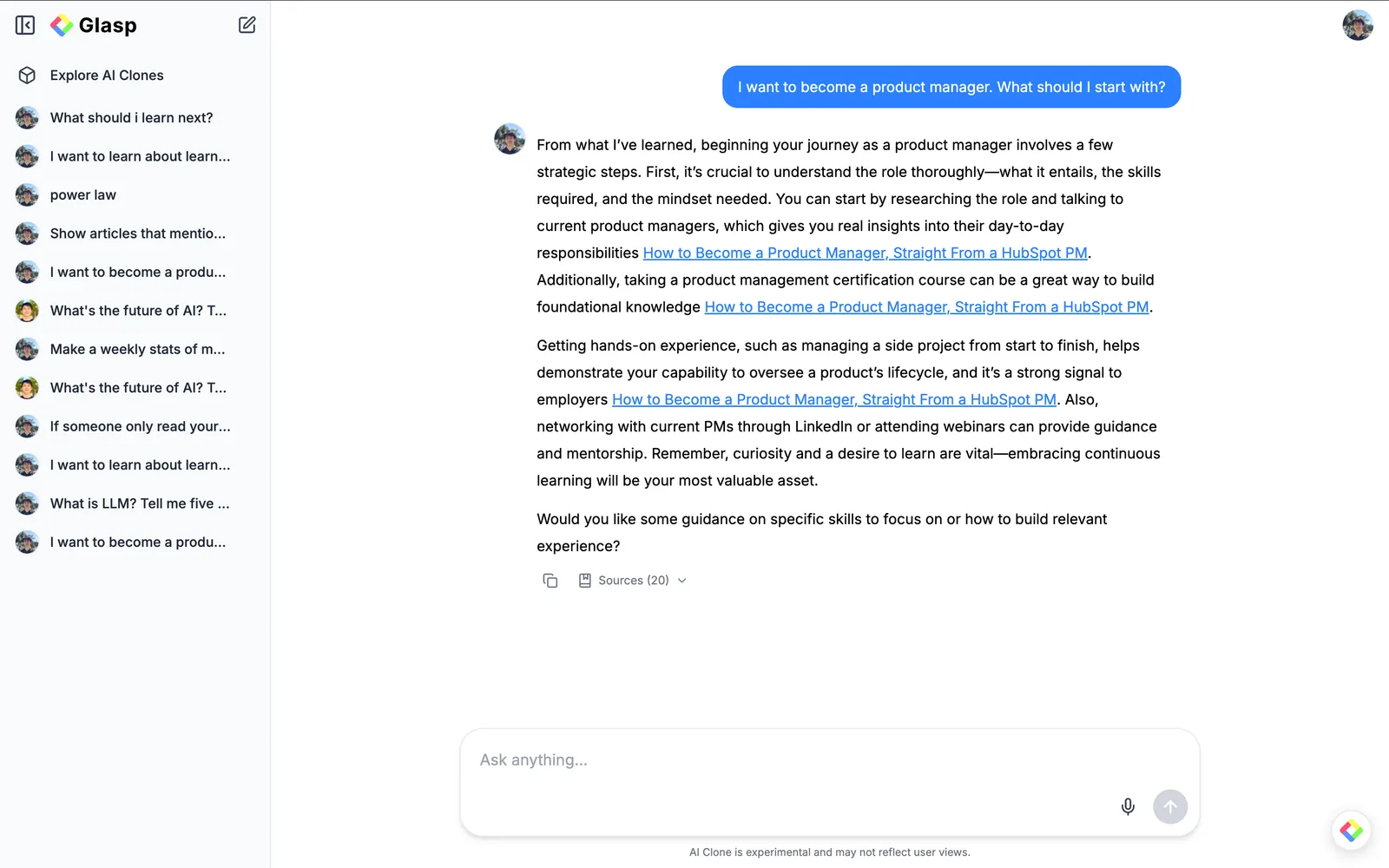
For example, if you ask "I want to become a product manager. What should I start with?", your AI Clone answers based on what you have highlighted, with links to the original articles.
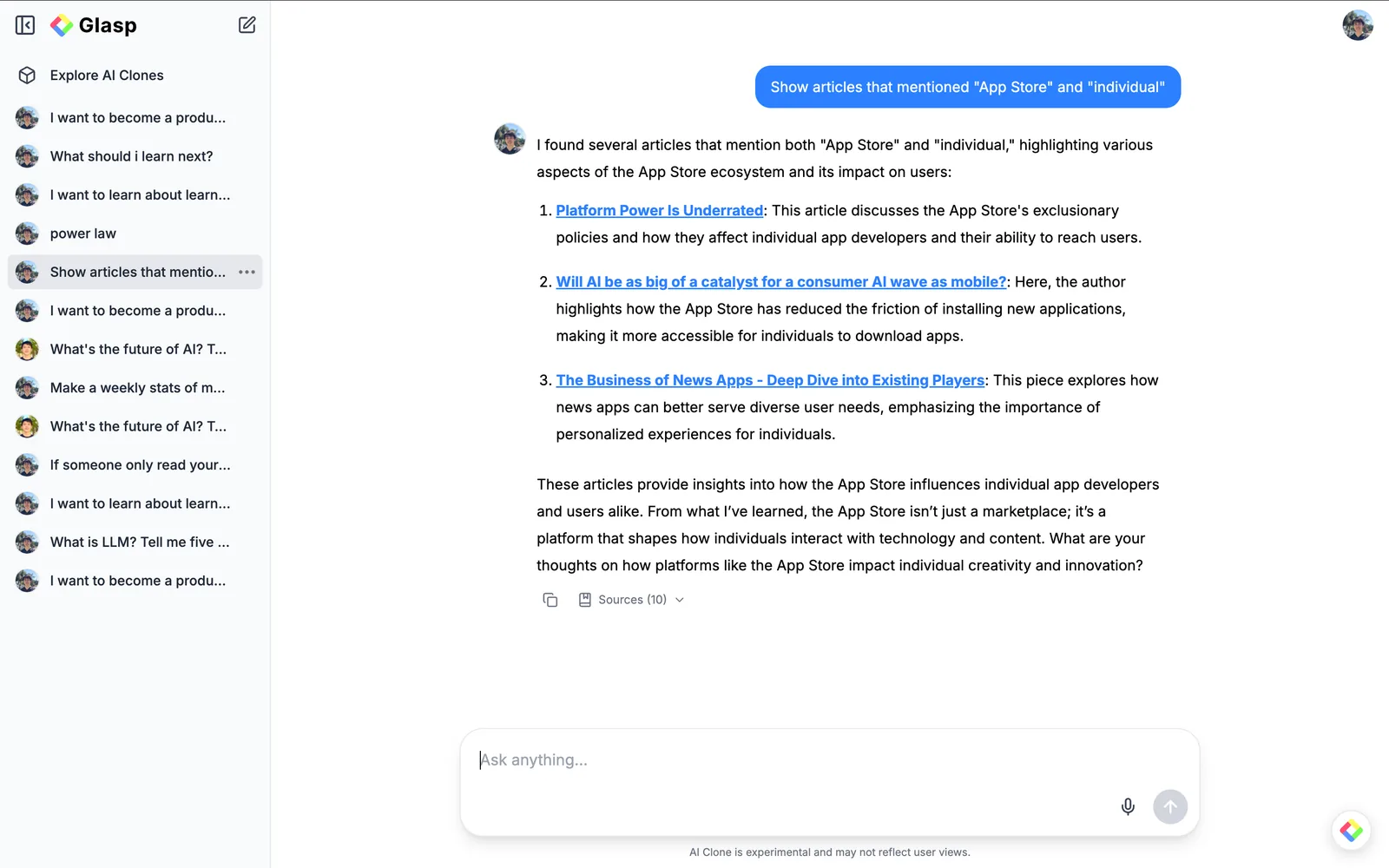
You can also use it like a search engine for your own knowledge. For example, you can ask it to show articles that mention specific words, and it lists the related articles from your highlights.
Note: AI Clone is experimental, and the answers may not always reflect your views. Please check the sources for important information.
Step 4: Check the sources
Each answer shows a Sources section at the bottom. Click it to see which articles and highlights the answer was generated from, along with how much each source contributed. So, you can always trace an answer back to the original content.
Step 5: Continue and revisit conversations
Your conversations are saved in the sidebar on the left. You can open the sidebar to revisit past chats or click the compose icon at the top to start a new conversation.
Step 6: Chat with other people's AI Clones
You can also ask questions to other users' AI Clones. Visit someone's profile page and click the Ask AI Clone button.
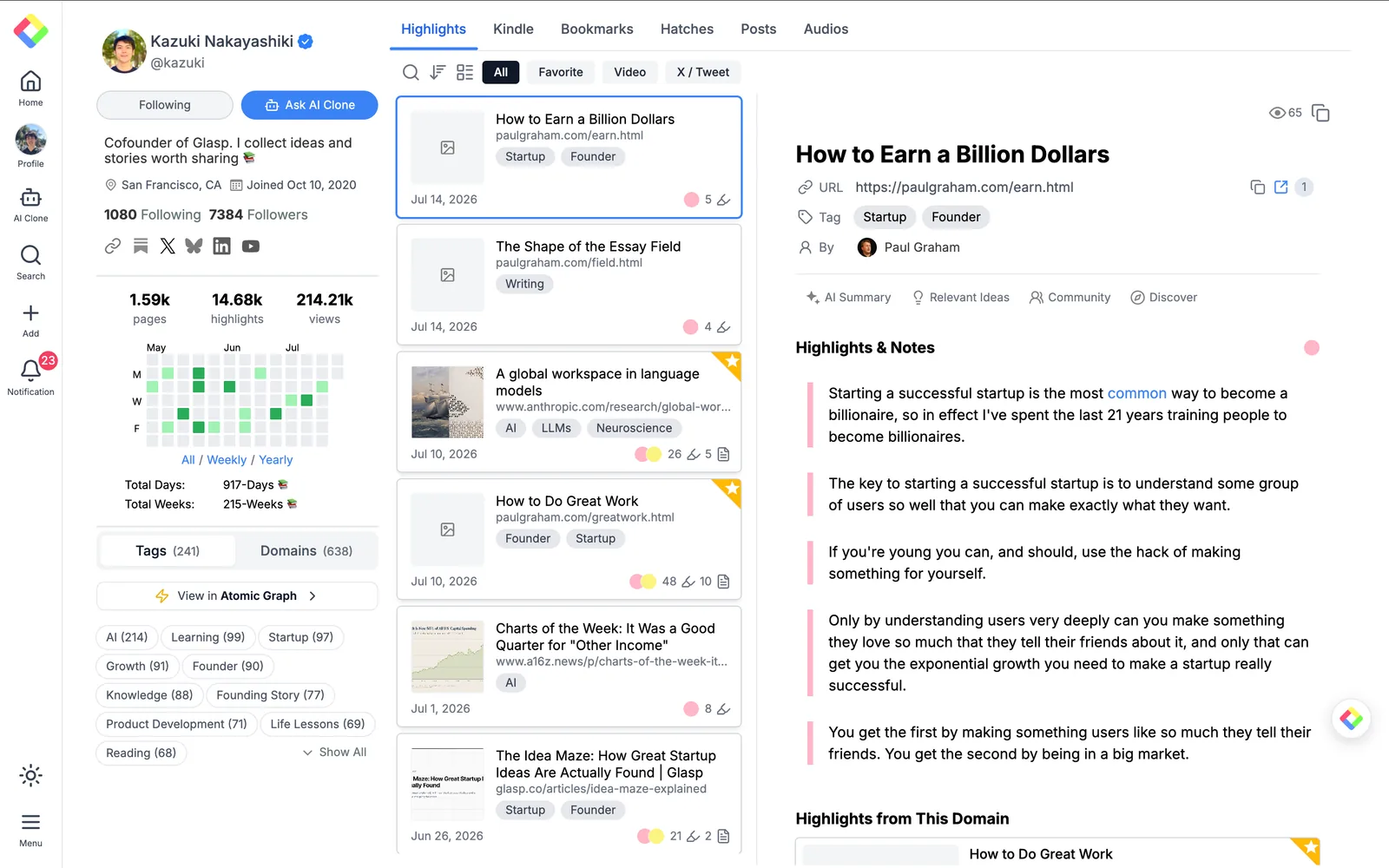
Their AI Clone answers based on what they have been reading and learning, with sources from their highlights. It is a great way to learn from people you admire. You can also discover clones from Explore AI Clones in the sidebar.
It's easy and fun, right? With the AI Clone feature, your highlights and notes become a living knowledge base that you and others can talk to. Keep highlighting, and your AI Clone will keep getting smarter.
FAQs
Q. What is the AI Clone on Glasp?
AI Clone is an AI-powered version of you that answers questions based on your highlights and notes on Glasp. It was formerly called Ask Digital Me.
Q. Do I need highlights to use my AI Clone?
Yes. Your AI Clone generates answers from your highlights and notes, so it needs some content to work with. The more you highlight, the better the answers become.
Q. Can other people talk to my AI Clone?
Yes. Other users can visit your profile and click Ask AI Clone to chat with your clone. It answers based on your public highlights.
Q. Can I ask questions to other people's AI Clones?
Yes. Visit their profile page and click Ask AI Clone, or find clones from Explore AI Clones in the sidebar of the AI Clone page.
Q. How do I know where an answer came from?
Each answer includes a Sources section showing the articles and highlights it was generated from, along with how much each source contributed to the answer.
Q. Are the answers always accurate?
AI Clone is experimental, and the answers may not always reflect the user's actual views. Please check the sources when accuracy matters.
Q. Is my AI Clone private?
Your AI Clone only uses the highlights and notes you have added, and you control the visibility of each of them. Nothing is shared without your permission, so your knowledge stays yours.
Q. Can Claude or ChatGPT read my Glasp highlights?
Yes. With the Glasp MCP Connector, AI assistants such as Claude, ChatGPT, and Claude Code can search and read your own highlights, notes, Kindle highlights, and AI summaries, including your YouTube summaries. The connection is read-only and private to you. See How to Connect Glasp to Claude, ChatGPT, and Claude Code (MCP Connector).
Q. Can I use Glasp on my phone?
Yes. Glasp has native apps for iPhone, iPad, and Android, and the Glasp Safari extension for iPhone and iPad comes with the iOS app. Your highlights sync between the apps, the web, and the desktop extension. See How to Use the Glasp Mobile App on iOS, iPad, and Android.
Before you leave
If you have any questions, please refer to the FAQ or contact us.
👉 FAQs
👉 X
See you next time,
Glasp team