How to Download Your Subscription Receipt

Oct 27, 2026
1 min read
1 views
Follow these three simple steps to download your payment receipt:
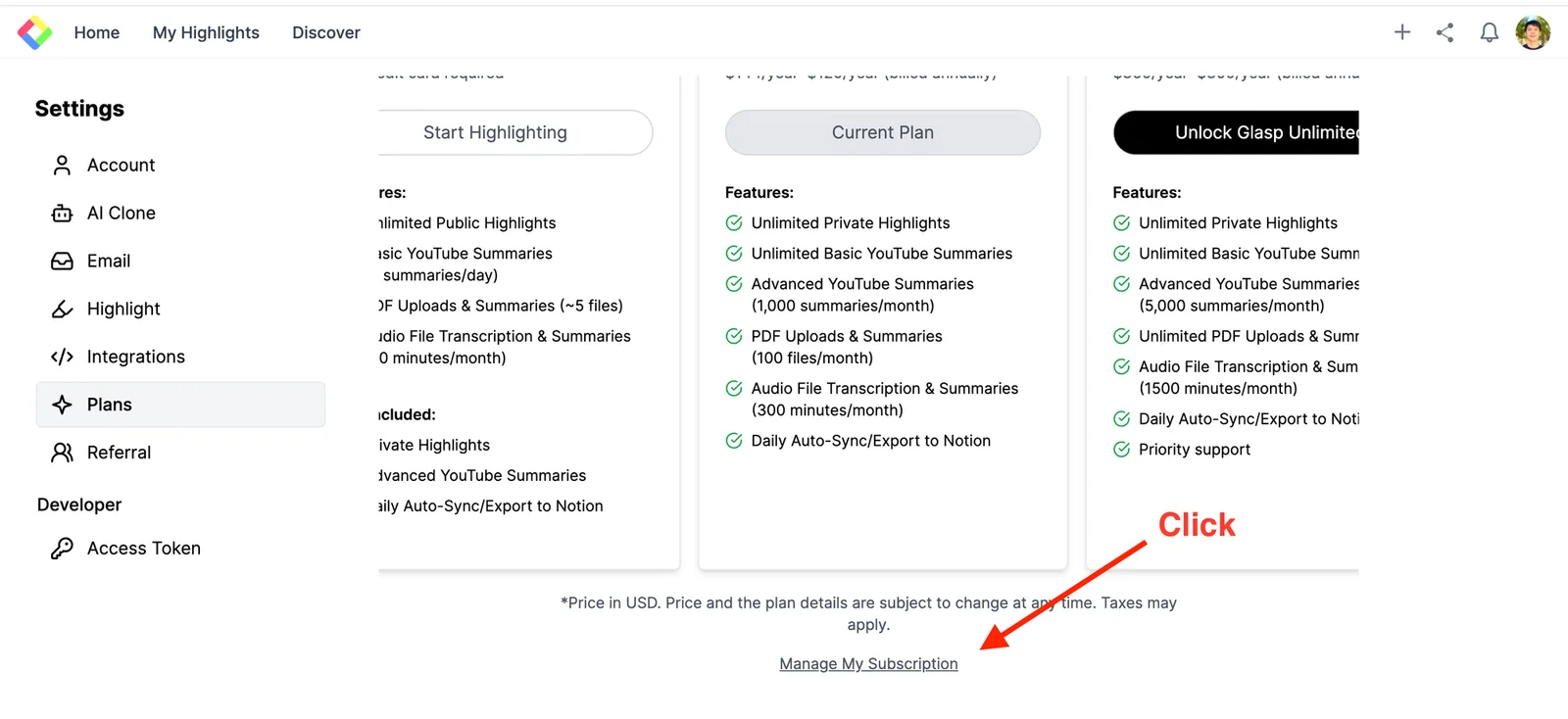
Access Your Subscription Settings:
Go to your User Settings and click on "Manage My Subscription".
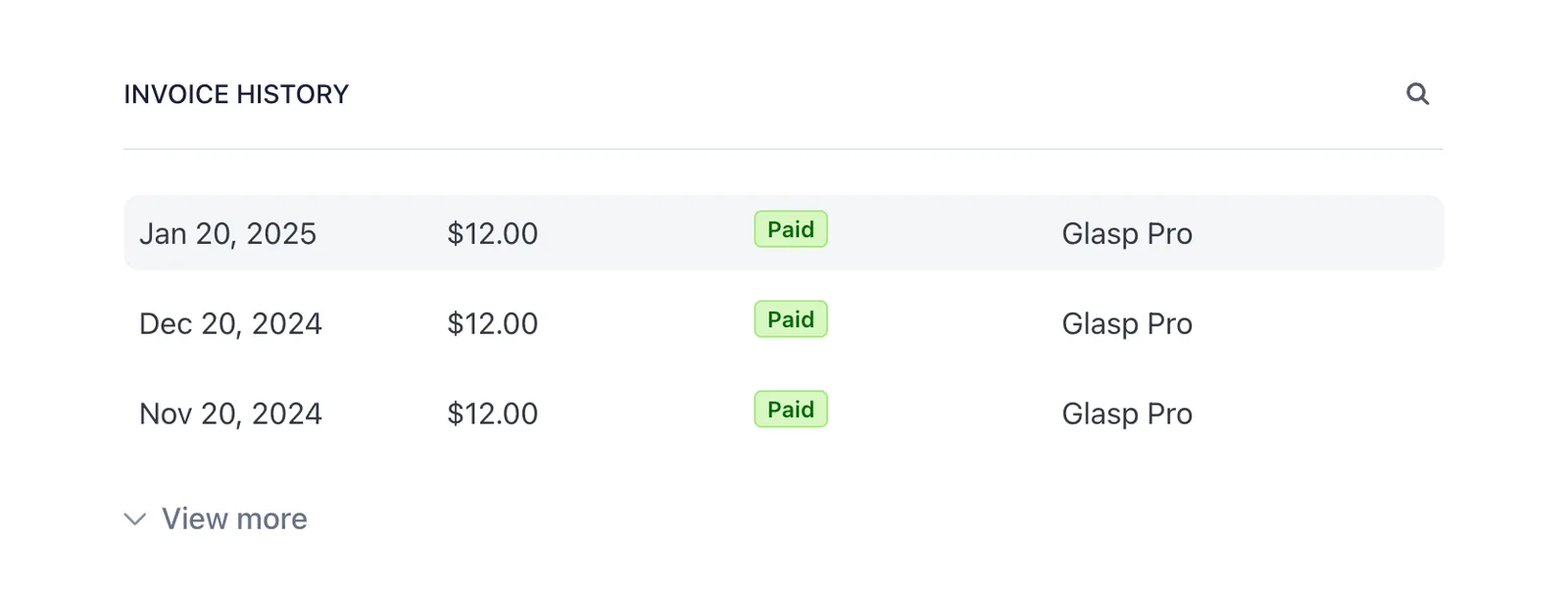
Locate Invoice history:
Scroll down to the "Invoice history" section and click on the invoice you’d like to download.
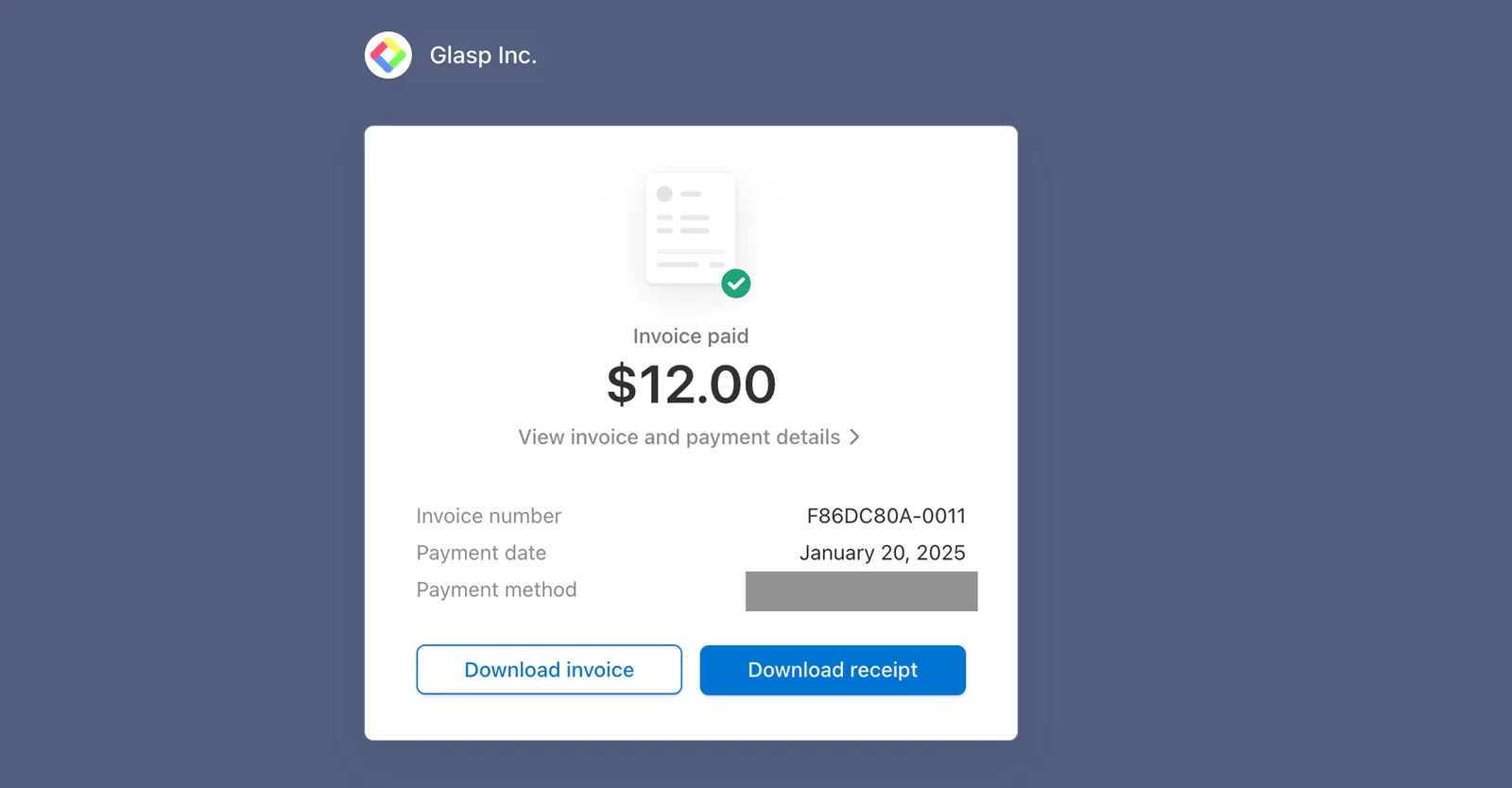
Download Your Receipt:
Click on "Download receipt" to save your payment receipt.
Comments
Add a comment