Dashboards, Posters, & more for R & Python in Quarto 1.4
TL;DR
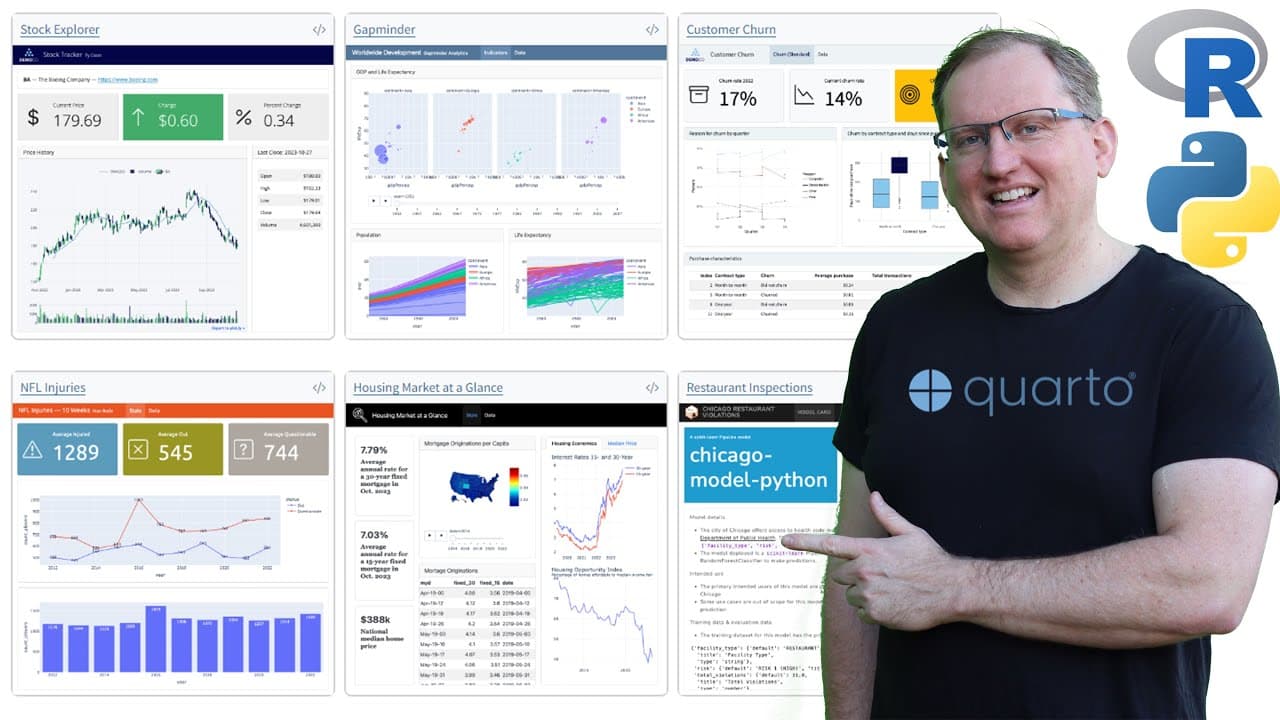
Quto 1.4 introduces enhanced dashboards, typesetting, and manuscript frameworks for R and Python users.
Transcript
hi friends welcome back to the channel quto 1.4 has just been released and if you're an r or python user you should definitely check out these new features so I'm going to do some deep Dives on a couple of these in the future today I just wanted to do a bit of a summary of these cool new things starting off the very first one is dashboards got a co... Read More
Key Insights
- 🦖 The dashboard feature adds versatility for data presentation in R and Python, catering to developers' need for interactivity.
- 👶 Typist establishes a new standard for typesetting within Quto, reminiscent of LaTeX but more accessible for average users.
- 😵 The new cross-referencing capabilities enhance document organization and make it easier to manage large bodies of work.
- 🛩️ Smaller improvements like email generation and light box treatment for images make Quto 1.4 a more comprehensive tool for various users.
- 🤗 The introduction of Shiny for Python opens new avenues for those who primarily code in Python and are interested in data visualization.
- 💁 Templates for different document types facilitate quicker project turnaround for academics, saving time and effort during formatting.
- 👤 Overall, Quto 1.4 balances added features with user-friendliness, making it appealing to both advanced users and newcomers.
Install to Summarize YouTube Videos and Get Transcripts
Explore YouTube Video Summarizer or Get YouTube Transcript Extractor
Questions & Answers
Q: What is the significance of the new dashboard feature in Quto 1.4 for R and Python users?
The new dashboard feature in Quto 1.4 greatly enhances data visualization capabilities for both R and Python users. It allows users to create interactive dashboards directly in Quto, eliminating the need for separate tools like Shiny in R. The examples gallery also provides inspiration and code snippets for users to start developing their own dashboards, enhancing overall productivity and accessibility of data analysis.
Q: How does the Typist feature improve typesetting for users?
Typist in Quto 1.4 provides a streamlined typesetting experience similar to LaTeX, but with added ease of use and templates. Users can leverage pre-designed formats for various academic papers, letters, and newsletters without extensive technical knowledge. This is particularly beneficial for educators and researchers who need to present complex scientific data elegantly, making the writing process more efficient.
Q: What changes have been made regarding inline code syntax in Quto 1.4?
Quto 1.4 simplifies inline code implementation by allowing users to use a single dash instead of the previous triple dash. This minor adjustment can significantly reduce the amount of typing required, which is beneficial for users who frequently integrate code within their documents, making the coding process smoother and more intuitive.
Q: In what ways does Quto 1.4 facilitate manuscript preparation for scientific publishing?
The updates in Quto 1.4 address manuscript preparation by providing better frameworks for organizing and formatting scientific works. Users can write their manuscripts directly within Quto, incorporating code blocks and data visualizations seamlessly. This integration aids transparency, as the coding process becomes part of the manuscript, potentially appealing to online journals that value reproducibility in research.
Summary & Key Takeaways
-
Quto 1.4 offers exciting new features, particularly in dashboard creation for R and Python users, enhancing functionality and usability.
-
The introduction of a typesetting feature, called Typist, simplifies the formatting process for academic and publication purposes, making it user-friendly with available templates.
-
Other updates include easier inline code, cross-referencing, and enhancements for Python users, paving the way for more seamless integration in scientific writing.
Read in Other Languages (beta)
Share This Summary 📚
Summarize YouTube Videos and Get Video Transcripts with 1-Click
Try YouTube Summary with ChatGPT & Claude or YouTube Transcript Generator
Explore More Summaries from Dr Lyndon Walker 📚





Summarize YouTube Videos and Get Video Transcripts with 1-Click
Try YouTube Summary with ChatGPT & Claude or YouTube Transcript Generator