The most common react state pitfall I see beginners fall into
TL;DR
Beginners often misuse React's state management, leading to inconsistencies.
Transcript
how's it going everyone so I want to have a quick talk about one of the most common pitfalls I've seen beginners fall into when they're trying to use State and react so let's say we have a page here and in that page let's just say there's a button and when you click on that button it does something so handle click um let's just go ahead and make it... Read More
Key Insights
- ↩️ React's state management is based on the useState hook, which returns both the current state and a function to update it.
- ❓ State updates in React do not happen immediately; instead, they queue updates to ensure efficient rendering and prevent multiple updates happening at once.
- 🥺 It’s important to remember that state values may lag behind what the UI displays due to the batching of updates, leading to potentially unpredictable behavior if not handled correctly.
- 🤙 Using a new variable to calculate the next state before calling the setter can prevent relying on stale data and ensure accurate updates during state-dependent actions.
- 🦻 Debugging tools, such as the React DevTools, can help visualize the state changes and understand the lifecycle of components, aiding in troubleshooting issues related to state.
- 🫷 Beginners should focus on the synchronous nature of setState, even when it's pushed to an event queue, to build a solid foundation in React's design principles.
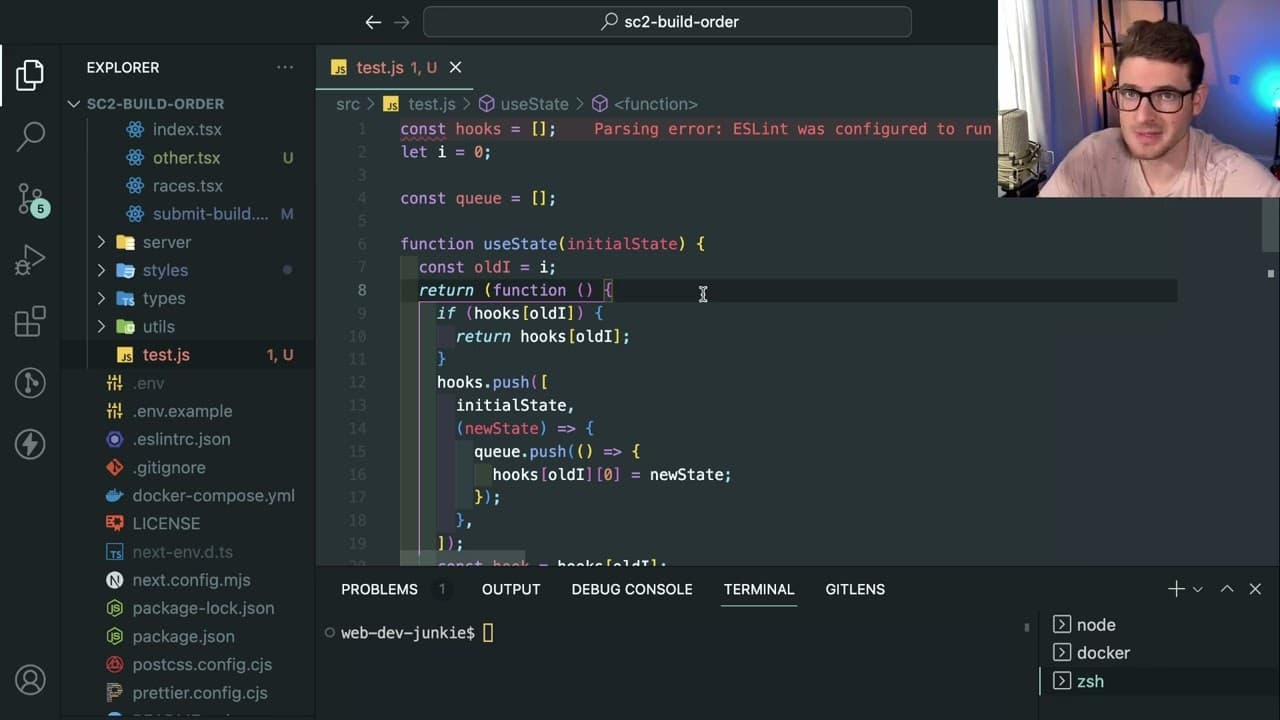
- 👋 Understanding React's internals, like how hooks function and state is stored, reinforces best practices in state management and helps in reducing common optimizations errors.
Install to Summarize YouTube Videos and Get Transcripts
Explore YouTube Video Summarizer or Get YouTube Transcript Extractor
Questions & Answers
Q: What is the common mistake beginners make when using state in React?
A common mistake beginners make is trying to use the state value immediately after calling the state setter function, failing to realize that React batches state updates, which means the change may not be reflected immediately in the UI or any associated requests.
Q: How does the setState function work in React?
The setState function in React is designed to be synchronous in the context of JavaScript. However, behind the scenes, it pushes state updates to a queue that waits to process all changes together, allowing React to efficiently manage re-renders without unnecessary updates and improving performance.
Q: What is a recommended workaround for accessing updated state values in React?
A recommended workaround is to calculate the new state value separately using the previous state and then pass that value directly into the setter function. This ensures that you're always working with the latest data, effectively mitigating issues stemming from stale state references.
Q: Why is using useEffect for state management sometimes discouraged?
Using useEffect inappropriately, such as to trigger fetch requests every time a state variable changes, can add unnecessary complexity and lead to inconsistent behavior, particularly when it reacts to initial renderings instead of user-triggered updates. It’s generally better to handle such logic within event handlers.
Summary & Key Takeaways
-
Beginners frequently struggle with React's state management, particularly when attempting to increment state variables while simultaneously using outdated values during requests.
-
The setState function in React is synchronous but queues state updates for later processing, creating potential confusion about the current state visible in the UI versus the internal state.
-
It's crucial to manage state updates efficiently using callbacks or hooks to ensure the correct values are used when performing actions based on state changes.
Read in Other Languages (beta)
Share This Summary 📚
Summarize YouTube Videos and Get Video Transcripts with 1-Click
Try YouTube Summary with ChatGPT & Claude or YouTube Transcript Generator
Explore More Summaries from Web Dev Cody 📚





Summarize YouTube Videos and Get Video Transcripts with 1-Click
Try YouTube Summary with ChatGPT & Claude or YouTube Transcript Generator