Coding an Accordion component using React
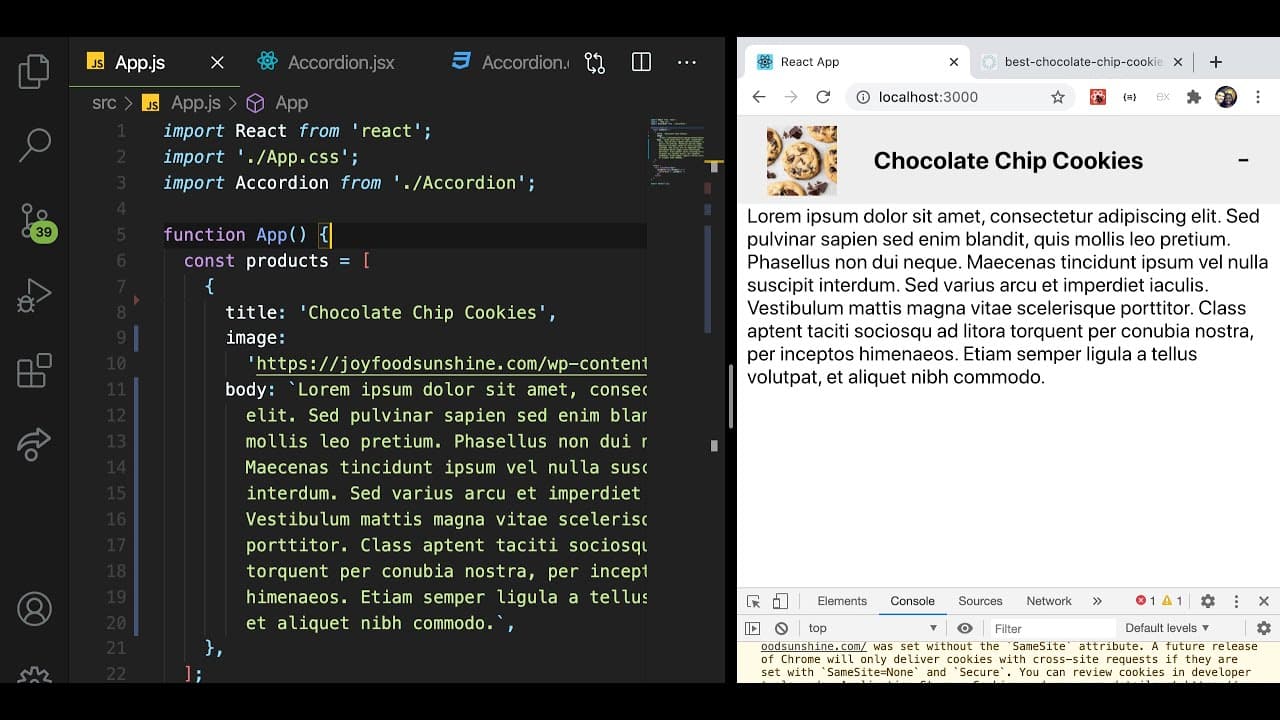
TL;DR
A comprehensive tutorial on creating a React accordion component for beginners.
Transcript
hey everyone welcome back to another web dev junkie video my name is cody seibert and in this video i'm going to be showing you how to build an accordion component using a react so if you're a beginner at react or a beginner in programming this will be a great tutorial to watch because i'm going to be just covering a small amount of features in rea... Read More
Key Insights
- 👣 React's
useStatehook is pivotal for tracking component state in interactive applications. - 👻 Dynamic props provide flexibility, allowing components to adapt to varying data without hardcoding values.
- 👤 Toggling visibility through event handlers demonstrates effective user interaction in UI design.
- 👨💻 Separating components into distinct files improves code structure and maintainability in larger applications.
- 👤 The use of CSS for styling enhances the user experience and visual aesthetics of UI components.
- 🎨 Understanding the mapping of properties to dynamically generate content is crucial for responsive designs.
- 🌍 Providing real-world application scenarios helps contextualize learning for developers.
Install to Summarize YouTube Videos and Get Transcripts
Explore YouTube Video Summarizer or Get YouTube Transcript Extractor
Questions & Answers
Q: What is the main focus of the tutorial?
The main focus of the tutorial is to teach viewers how to build an accordion component using React. The instructor aims to guide beginners through the process of managing component state with hooks, creating interactive elements, and developing reusable components.
Q: Why is managing state important in a React accordion?
Managing state in a React accordion is essential because it allows the component to track whether it is open or closed. The use of the useState hook enables the conditional rendering of the accordion body, providing users with a dynamic and responsive experience based on their interactions.
Q: How can props enhance the functionality of the accordion?
Props enhance the functionality of the accordion by allowing the component to receive dynamic data, such as titles, images, and body content. This makes the accordion versatile, enabling it to display different content based on the props passed from the parent component, thereby promoting reusability.
Q: What techniques are used to toggle the accordion state?
The tutorial demonstrates using the useState hook to manage a boolean value representing the accordion's state. The instructor shows how to set this value when the header is clicked, allowing users to toggle between open and closed states flawlessly by employing the logical NOT operator.
Q: What coding practices does the tutorial encourage regarding component separation?
The tutorial encourages good coding practices such as separating components to enhance clarity and maintainability. By extracting the accordion logic into its own component file, the tutorial highlights the importance of organizing React applications for better scalability and easier readability.
Q: How does the tutorial suggest styling the accordion's elements?
The tutorial briefly discusses styling the accordion's elements using CSS. It highlights using classes for the header, body, and indicator, aligning the indicator, and adjusting dimensions for images to ensure the UI elements are visually appealing and user-friendly.
Q: In what scenarios might this accordion component be utilized in real-world applications?
This accordion component can be utilized in real-world applications where displaying large amounts of information, such as product descriptions, FAQs, or any content that benefits from collapsing and expanding sections for better user navigation and streamlined interfaces.
Q: What final tips does the instructor offer for improving the accordion component code?
The instructor suggests refining the code by managing CSS separately for the accordion component and considering advanced techniques like CSS Modules for better scoping. The overall message focuses on maintaining a clean codebase and leveraging React’s component-driven architecture for better development practices.
Summary & Key Takeaways
-
The video tutorial demonstrates how to build an accordion component in React, focusing on managing state with hooks.
-
It provides step-by-step guidance on creating a clickable header that toggles the display of additional content.
-
The tutorial emphasizes the importance of dynamic props for versatility and responsive UI design.
Read in Other Languages (beta)
Share This Summary 📚
Summarize YouTube Videos and Get Video Transcripts with 1-Click
Try YouTube Summary with ChatGPT & Claude or YouTube Transcript Generator
Explore More Summaries from Web Dev Cody 📚





Summarize YouTube Videos and Get Video Transcripts with 1-Click
Try YouTube Summary with ChatGPT & Claude or YouTube Transcript Generator