Products
Features
YouTube Video Summarizer
Summarize YouTube videos
Web & PDF Highlighter
Highlight web pages & PDFs
Chat with PDF
Ask any PDF questions with AI
Ask AI Clone
Chat with your highlights & memories
Audio Transcriber
Transcribe audio files to text
Glasp Reader
Read and highlight articles
Kindle Highlight Export
Export your Kindle highlights
Idea Hatch
Hatch ideas from your highlights
Integrations
Obsidian Plugin
Notion Integration
Pocket Integration
Instapaper Integration
Medium Integration
Readwise Integration
Snipd Integration
Hypothesis Integration
Apps & Extensions
Chrome Extension
Safari Extension
Edge Add-ons
Firefox Add-ons
iOS App
Android App
Discover
Discover
Ideas
Discover new ideas and insights
Articles
Curated articles and insights
Books
Book recommendations by great minds
Posts
Essays and notes from readers
Quotes
Inspiring quotes collection
Videos
Curated videos and summaries
Explore Glasp
Glasp Newsletter
Weekly insights and updates
Glasp Talk
Interview series with great minds
Glasp Blog
Latest news and articles
Glasp Use Cases
Learn how others use Glasp
Build & Support
Glasp API
Access Glasp's API for developers
MCP Connector
Connect Glasp to Claude & ChatGPT
Community
Glasp Reddit Community
Students
Student discount and benefits
FAQs
Frequently Asked Questions
AboutPricing
DashboardLog inSign up

How To Inpaint Anything in Stable Diffusion WebUI - Just 3 clicks!
45.5K views
•
June 16, 2023
by
Nerdy Rodent
YouTube video player
How To Inpaint Anything in Stable Diffusion WebUI - Just 3 clicks!

TL;DR

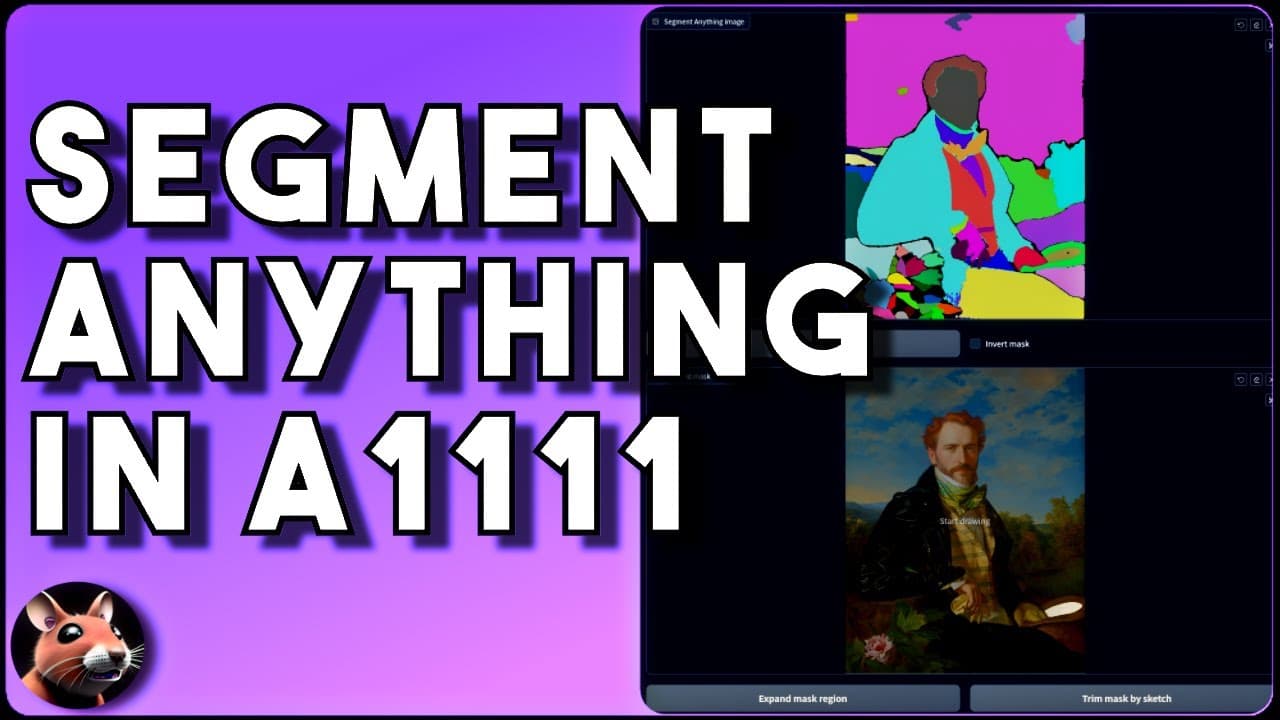
Using the Segment Anything tool in the Automatic 1111 web interface, users can easily segment images and create masks for selective edits using generative AI art.

Transcript

generative AI art some people love it some people haven't yet learned to love its wonders but for those of you who have embraced the power of AI we sometimes think wouldn't it be great if you could just click on a thing and a picture to change it like I want to change these curtains to to all be read but I have to do a mask and it's all feeling all... Read More

Key Insights

  • 😄 Generative AI art offers a powerful way to manipulate and edit images with ease.
  • 😷 The Segment Anything tool simplifies the process of segmenting images and creating masks for selective edits.
  • 🔨 The Control Net and In Paint Anything extensions are essential for using the Segment Anything tool effectively.
  • 🥰 Different models and options are available to cater to various preferences and requirements in AI art.

Install to Summarize YouTube Videos and Get Transcripts

Explore YouTube Video Summarizer or Get YouTube Transcript Extractor

Questions & Answers

Q: How does the Segment Anything tool in the Automatic 1111 web interface work?

The tool allows users to upload an image, run the Segment Anything function, select specific segments, create a mask, and apply text prompts to generate the desired output.

Q: What extensions are needed for the Segment Anything tool?

The tool requires the installation of Control Net and In Paint Anything extensions, which can be obtained from the extensions tab on the Automatic 1111 web interface.

Q: Are there different models available for the In Paint Anything extension?

Yes, users can choose from various models such as base, large, or huge, with HQ versions also being available. The selection of the model depends on user preferences and requirements.

Q: Can the Segment Anything tool be used for out painting?

Yes, by leveraging the In Paint Anything extension, users can use the tool for out painting as well. It offers a different creative outcome by utilizing the control net in painting mode.

Summary & Key Takeaways

  • The Segment Anything tool allows users to quickly and easily segment images, create masks, and apply selective edits using generative AI art.

  • Two necessary extensions, Control Net and In Paint Anything, are required for the tool to work.

  • The installation process for the extensions is explained, along with the availability of different models to choose from.


Read in Other Languages (beta)

English

Share This Summary 📚

Summarize YouTube Videos and Get Video Transcripts with 1-Click

Download browser extensions on:

Try YouTube Summary with ChatGPT & Claude or YouTube Transcript Generator

Explore More Summaries from Nerdy Rodent 📚

CodeGen Vs GPT-J-6B Vs Santacoder - can they code? thumbnail
CodeGen Vs GPT-J-6B Vs Santacoder - can they code?
Nerdy Rodent
Qwen Image Edit Workflow Power-Ups - make 4096x4096 images with EASE! thumbnail
Qwen Image Edit Workflow Power-Ups - make 4096x4096 images with EASE!
Nerdy Rodent
How to Install and Use Text-Generation-Webui - includes FREE 1-click installer! thumbnail
How to Install and Use Text-Generation-Webui - includes FREE 1-click installer!
Nerdy Rodent
Will AnimateDiff v3 Give Stable Video Diffusion A Run For It's Money? thumbnail
Will AnimateDiff v3 Give Stable Video Diffusion A Run For It's Money?
Nerdy Rodent
Flux.1 Kontext Prompting Guide thumbnail
Flux.1 Kontext Prompting Guide
Nerdy Rodent
Reposer = Consistent Stable Diffusion Generated Characters in ANY pose from 1 image! thumbnail
Reposer = Consistent Stable Diffusion Generated Characters in ANY pose from 1 image!
Nerdy Rodent

Summarize YouTube Videos and Get Video Transcripts with 1-Click

Download browser extensions on:

Try YouTube Summary with ChatGPT & Claude or YouTube Transcript Generator

Apps & Extensions

  • Chrome Extension
  • Safari Extension
  • Edge Add-ons
  • Firefox Add-ons
  • iOS App
  • Android App

Key Features

  • YouTube Video Summarizer
  • Web & PDF Summarizer
  • Web & PDF Highlighter
  • Chat with PDF
  • Ask AI Clone
  • Audio Transcriber
  • Glasp Reader
  • Kindle Highlight Export
  • Idea Hatch

Integrations

  • Obsidian Plugin
  • Notion Integration
  • Pocket Integration
  • Instapaper Integration
  • Medium Integration
  • Readwise Integration
  • Snipd Integration
  • Hypothesis Integration

More Features

  • APIs
  • MCP Connector
  • Blog & Post
  • Embed Links
  • Image Highlight
  • Personality Test
  • Quote Shots

Company

  • About us
  • Blog
  • Community
  • FAQs
  • Job Board
  • Newsletter
  • Pricing
Terms

•

Privacy

•

Guidelines

© 2026 Glasp Inc. All rights reserved.