How to Generate Custom AI QR Codes Using Python
TL;DR
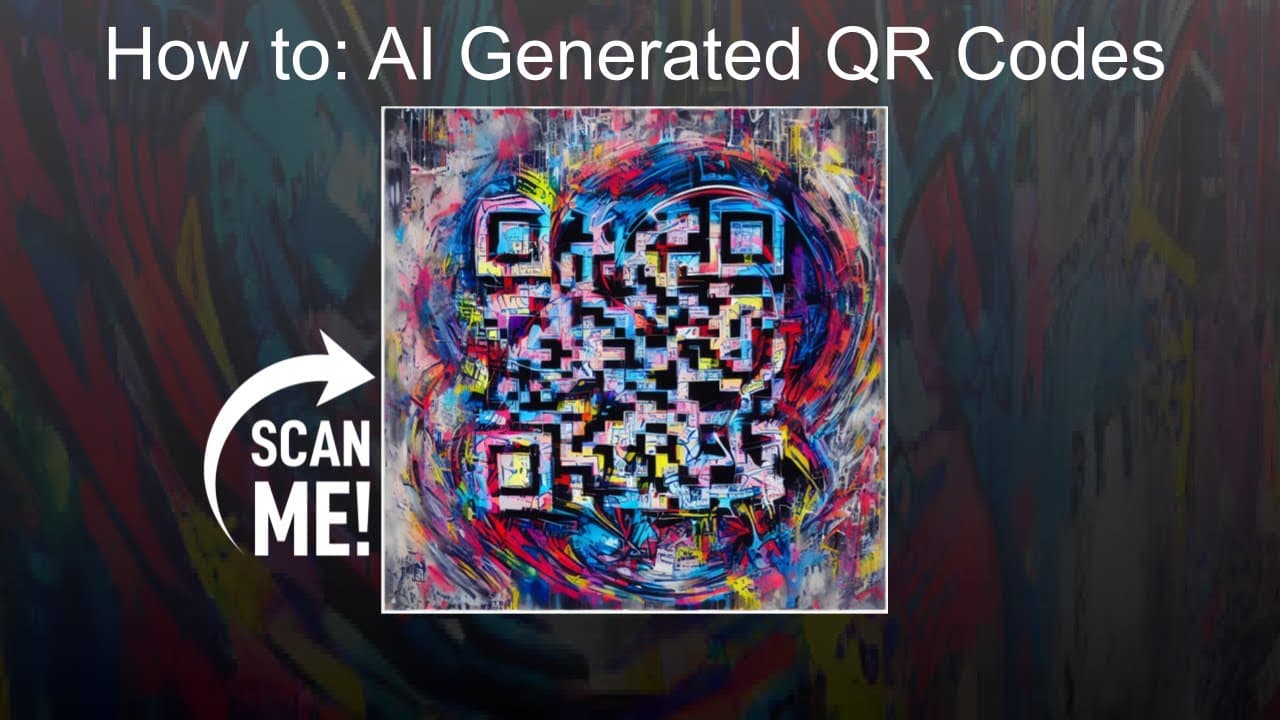
You can generate custom AI QR codes using Python by employing the Hugging Face diffusers library. First, import necessary libraries, define a function for creating a QR code, and use a ControlNet model with a Stable Diffusion pipeline to produce visually appealing designs. Adjust error correction levels and conditioning scales for optimal results.
Transcript
hello everyone and welcome to my YouTube channel in today's video I'm going to show you how you can create your own AI generated QR codes using Python and hugging faces Library called diffusers so to start with we will import a few things let's import torch let's import a library called QR code to generate the QR codes but there's a bunch of resour... Read More
Key Insights
- 👨💻 Using Python and the Hugging Faces Library, users can create custom QR codes with AI-generated designs.
- 👻 The ControlNet model and Stable Diffusion Pipeline allow for precise control over the generated QR codes.
- 👨💻 The error correction level determines the QR code's ability to withstand damage or interference.
- 👨💻 Adjusting the control and conditioning scale can create more visually distinct QR codes.
- 👨💻 Users can experiment with different prompts and parameters to generate unique QR codes.
- 👨💻 PIL (Python Imaging Library) is used to handle image operations such as displaying the generated QR codes.
- 😀 The video also mentions the availability of a QR code generator app for easier customization and generation.
Install to Summarize YouTube Videos and Get Transcripts
Explore YouTube Video Summarizer or Get YouTube Transcript Extractor
Questions & Answers
Q: What libraries are needed to generate AI generated QR codes using Python?
The necessary libraries are torch, QR code, and diffusers from Hugging Faces Library.
Q: How can the background of the QR code image be generated?
The video demonstrates how to generate a background image filled with pixel value 255, resulting in a white background.
Q: Can the appearance of the QR code be customized?
Yes, the content, error correction level, and control and conditioning scale can be adjusted to customize the QR code's appearance.
Q: Is it possible to generate multiple QR codes at once?
Yes, the speaker explains how to modify the function to generate multiple QR codes with different content and parameters.
Summary & Key Takeaways
-
This video demonstrates how to import necessary libraries and define models to generate QR codes using Python.
-
The speaker explains step-by-step how to create a function to generate QR codes with custom content and error correction.
-
The video showcases the use of the ControlNet model and Stable Diffusion Pipeline to generate visually appealing QR codes.
Read in Other Languages (beta)
Share This Summary 📚
Summarize YouTube Videos and Get Video Transcripts with 1-Click
Try YouTube Summary with ChatGPT & Claude or YouTube Transcript Generator
Explore More Summaries from Abhishek Thakur 📚

Summarize YouTube Videos and Get Video Transcripts with 1-Click
Try YouTube Summary with ChatGPT & Claude or YouTube Transcript Generator