How to Use AI to Enhance Video Quality to 4K
TL;DR
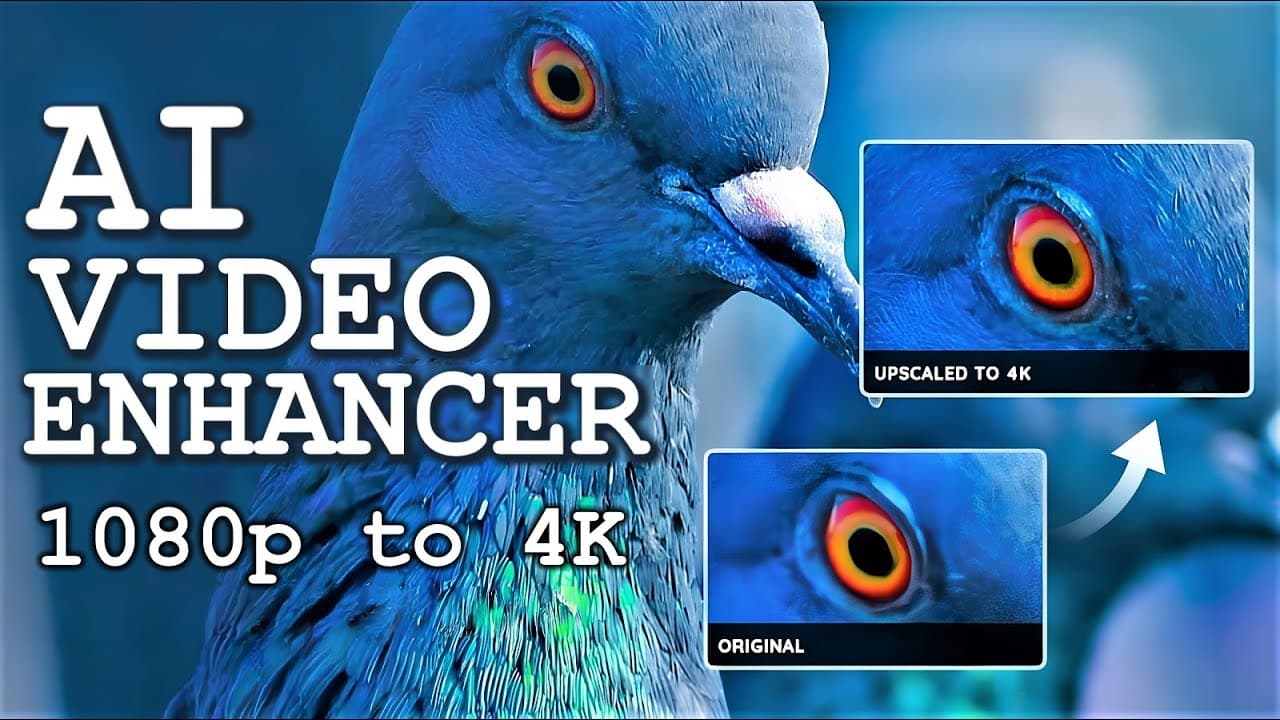
You can enhance video quality to 4K using AVC Labs' AI video enhancer, which upscales low-resolution footage, removes noise, and sharpens details. It's especially useful for content creators working with challenging filming conditions, enabling clearer results even from grainy or low-light videos. The tool includes options for facial enhancement and background blur, making it versatile for various video projects.
Transcript
hello all of you amazing viewers and welcome back to another Matt vidpro video speaking of video video quality if you have ever been a creator that records videos actual video footage like I have you'll know about the struggles to get good video quality especially with different cameras a lot of camera companies actually don't support really nice v... Read More
Key Insights
- 🎥 AVC Labs' AI video enhancer tool offers a solution to the struggle of getting good video quality, especially with different cameras that may lack support for high-quality video.
- 😀 The tool can upscale videos, remove noise and grain, enhance facial details, and add blur to moving faces, offering a range of useful features for content creators.
- 🎮 The video enhancement process may take some time, depending on the length of the video and the processing power of the user's computer, but newer graphics cards will likely process the videos faster.
- 🎮 While the AI video enhancer can improve video quality, it may smooth out fine details and struggle with retaining all the original data, making it less suitable for cinematic footage.
- 🎥 The tool can be particularly beneficial for content creators who film in challenging situations or low-light conditions, where video quality may suffer due to noise and grain.
- 🌱 AVC Labs offers different pricing plans for the AI video enhancer, including monthly and yearly options, with a lifetime purchase option also available.
Install to Summarize YouTube Videos and Get Transcripts
Explore YouTube Video Summarizer or Get YouTube Transcript Extractor
Questions & Answers
Q: How does AVC Labs' AI video enhancer tool work?
AVC Labs' AI video enhancer uses advanced algorithms to upscale low-resolution videos to higher resolutions, improving video quality by enhancing sharpness and detail.
Q: Can this tool remove noise and grain from videos?
Yes, the AI video enhancer from AVC Labs includes a denoising feature that effectively eliminates noise and grain, resulting in cleaner and clearer videos.
Q: Is it possible to enhance facial details in videos using this tool?
Yes, the AI video enhancer can significantly enhance facial details in videos, making them look sharper and more defined.
Q: Can this tool add blur to moving faces in videos?
Yes, AVC Labs' AI video enhancer has the ability to add Gaussian or image blur to moving faces in videos, allowing users to protect the privacy of individuals in the footage.
Summary & Key Takeaways
-
AVC Labs has developed an AI video enhancer tool that can upscale lower resolution videos to higher resolutions, providing better video quality.
-
The tool also includes features such as denoising to remove noise and grain from videos, enhancing facial details, and adding blur to moving faces.
-
This AI technology can be beneficial for content creators, especially in challenging filming situations, by improving video quality and removing distractions.
Read in Other Languages (beta)
Share This Summary 📚
Summarize YouTube Videos and Get Video Transcripts with 1-Click
Try YouTube Summary with ChatGPT & Claude or YouTube Transcript Generator
Explore More Summaries from MattVidPro AI 📚



Summarize YouTube Videos and Get Video Transcripts with 1-Click
Try YouTube Summary with ChatGPT & Claude or YouTube Transcript Generator