How to Convert Any Image into Line Art
TL;DR
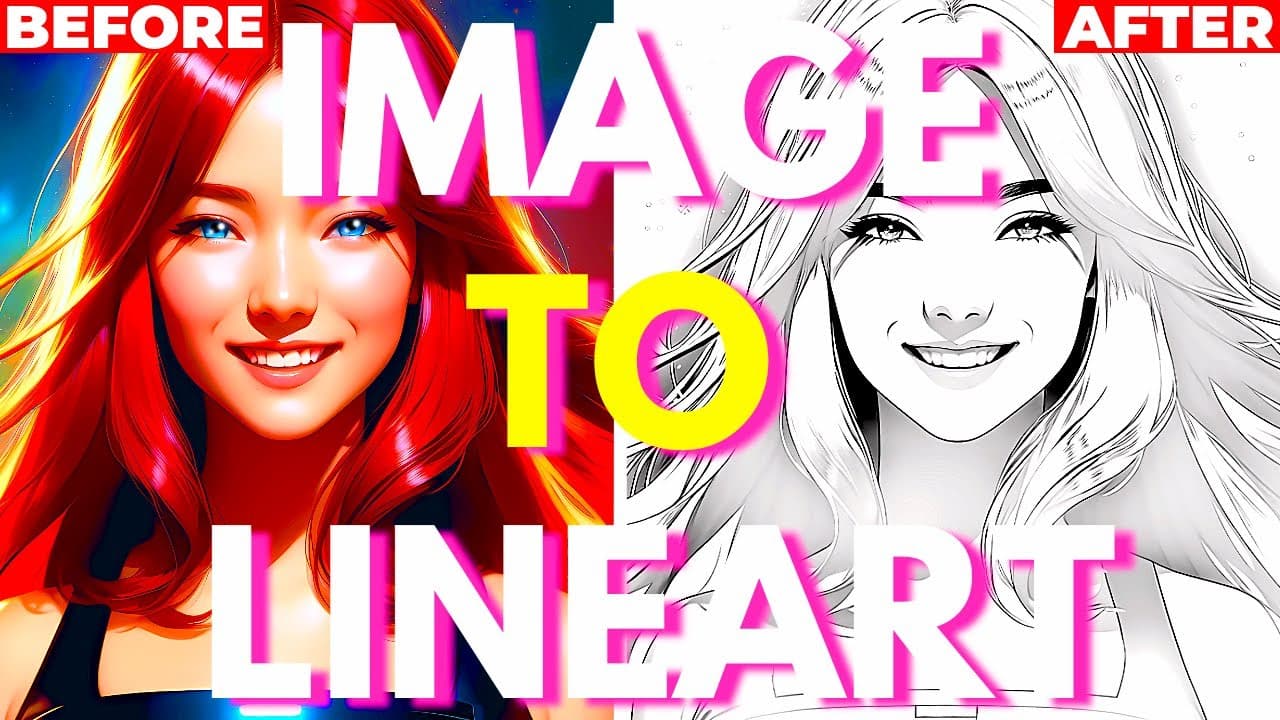
Convert any image into stunning line art using Stable Diffusion by uploading a white background, adjusting settings, and using the ControlNet tool. Enhance details by fine-tuning the guidance value, and apply inpainting techniques for added intricacy in specific areas.
Transcript
hello everybody and did you know you can easily convert an image into its line art version inside stable diffusion very very easily and here's how to do it so first you're simply going to generate a random image so here's mine it looks really really good but now if I want to convert that same image into a line on version here's how to do it so firs... Read More
Key Insights
- 🥰 Stable Diffusion offers a simple method to convert images into line art, with various customizable settings.
- 🥰 Adjusting the guidance start value can add more details to the line art, but it may affect the overall contrast.
- 🥳 The inpainting feature in Stable Diffusion allows for the addition of specific details to different parts of the image.
- 🖤 Using a website like photop.com, you can further modify the line art by adjusting contrast and converting it to black and white.
Install to Summarize YouTube Videos and Get Transcripts
Explore YouTube Video Summarizer or Get YouTube Transcript Extractor
Questions & Answers
Q: How do I convert an image into line art using Stable Diffusion?
To convert an image into line art using Stable Diffusion, follow these steps: replace the image background with white, adjust the settings like width, height, and noisy strength, select the Kini preprocessor and Candy model in the control net, replace the prompt with a line drawing, and generate the final result.
Q: How can I add more details to the line art?
To add more details to the line art, increase the guidance start value in the control net. Higher values capture more details but may result in decreased contrast. Additionally, you can use the special inpainting trick to enhance specific areas of the image using the impaint feature in Stable Diffusion.
Q: How can I adjust the contrast of the line art?
To adjust the contrast of the line art, you can use a website like photop.com. Copy the line art image, paste it into a new project, and create a new adjustment layer for levels. By manipulating the sliders, you can increase or decrease the contrast of the black line art. You can also use a black and white adjustment layer to ensure only black lines appear.
Q: How can I create a blue pencil sketch drawing from the line art?
To create a blue pencil sketch drawing from the line art, select a blue color, create a new layer, and use the gradient tool to fill the image with blue. Change the layer mode to screen. This will transform the black and gray line art into a blue pencil sketch drawing. Adjustments can be made using the levels adjustment layer.
Summary & Key Takeaways
-
Use Stable Diffusion to convert an image into line art by replacing the background with a white image and adjusting the width, height, and noisy strength.
-
Choose the Kini preprocessor and Candy model in the control net, and replace the prompt with a line drawing.
-
Increase the guidance start value for more details in the line art, but keep in mind that higher values may lead to loss of contrast. Use the special inpainting trick to add more details to specific areas.
Read in Other Languages (beta)
Share This Summary 📚
Summarize YouTube Videos and Get Video Transcripts with 1-Click
Try YouTube Summary with ChatGPT & Claude or YouTube Transcript Generator
Explore More Summaries from Aitrepreneur 📚



Summarize YouTube Videos and Get Video Transcripts with 1-Click
Try YouTube Summary with ChatGPT & Claude or YouTube Transcript Generator