How to add pagination to a MERN app (with React-Query example)
TL;DR
This video explains how to implement pagination in a MERN stack to-do application.
Transcript
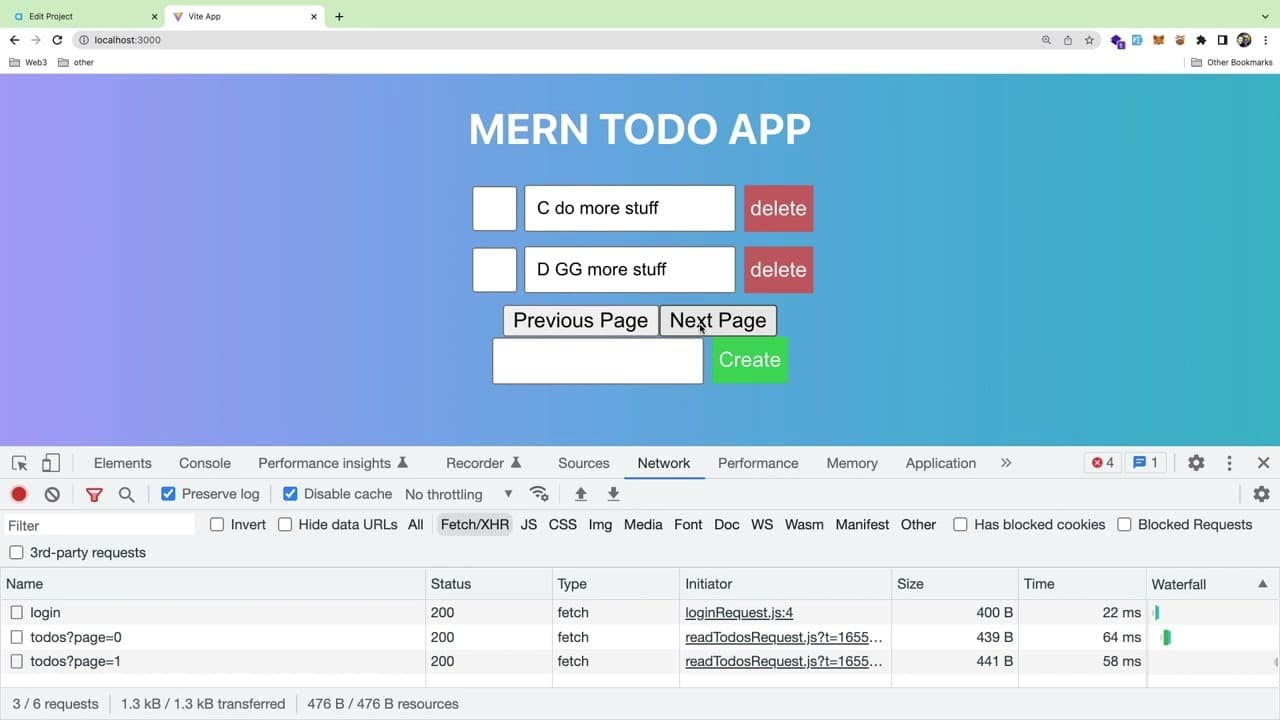
all right so someone on my discord asked if i could kind of walk him through how you add a pagination to a mirn stack application i'm going to build off of this existing mern to do list application i have a video about how i built this if you want to check it out but i guess the goal is we want to put some buttons down here where you can kind of go... Read More
Key Insights
- 👤 Pagination enhances both user experience and application performance by limiting the amount of data fetched in each query.
- 👤 Implementing pagination involves backend setup with Express and Mongoose where user-defined page numbers limit the data retrieved.
- ⚾ In a MERN stack, React Query simplifies data management for pagination by refetching data based on current page states.
- 👤 Frontend pagination buttons can be managed using React state to enable users to move between pages seamlessly.
- ⏺️ It’s essential to consider the total number of records in the database to effectively render pagination buttons, ensuring navigation remains intuitive.
- ⏮️ Developers must be cautious to handle edge cases like disabling the "previous" button when on the first page.
- 💗 Integrating pagination can become complex as the dataset grows, necessitating dynamic UI methods to represent page numbers.
Install to Summarize YouTube Videos and Get Transcripts
Explore YouTube Video Summarizer or Get YouTube Transcript Extractor
Questions & Answers
Q: Why is pagination important when dealing with large datasets?
Pagination is crucial for managing large datasets as it prevents overwhelming the user and the database. Instead of fetching all records at once, it allows the application to retrieve a manageable number of entries, which improves user experience and decreases server load, leading to more efficient database performance.
Q: How is pagination implemented in the backend of a MERN stack application?
In the backend, pagination can be implemented by modifying the query in the Mongoose model to include parameters for skip and limit. This allows users to specify which page of data they want to retrieve, thus only fetching a specific number of records based on the page requested.
Q: What method does the video suggest for handling pagination on the front end?
The video recommends using React Query for managing pagination on the front end. It suggests setting up a state to track the current page and integrating that state into the query to refetch data as the page changes, ensuring the interface accurately reflects the current dataset.
Q: How can a developer prevent users from requesting an excessively large amount of data?
A developer can restrict the maximum limit for items per page, setting a cap in the backend. This limits users from retrieving an unwieldy amount of data, which could slow down the application and degrade performance, ensuring efficient data management.
Summary & Key Takeaways
-
The video provides a step-by-step guide on adding pagination to a MERN stack to-do list application, emphasizing user experience and database efficiency.
-
It explains the backend setup for pagination using Express and Mongoose, allowing users to pass a page number and limiting the number of records fetched.
-
Frontend implementation with React Query is discussed, detailing state management and data fetching for different pages, while considering the complexities of pagination in large datasets.
Read in Other Languages (beta)
Share This Summary 📚
Summarize YouTube Videos and Get Video Transcripts with 1-Click
Try YouTube Summary with ChatGPT & Claude or YouTube Transcript Generator
Explore More Summaries from Web Dev Cody 📚





Summarize YouTube Videos and Get Video Transcripts with 1-Click
Try YouTube Summary with ChatGPT & Claude or YouTube Transcript Generator