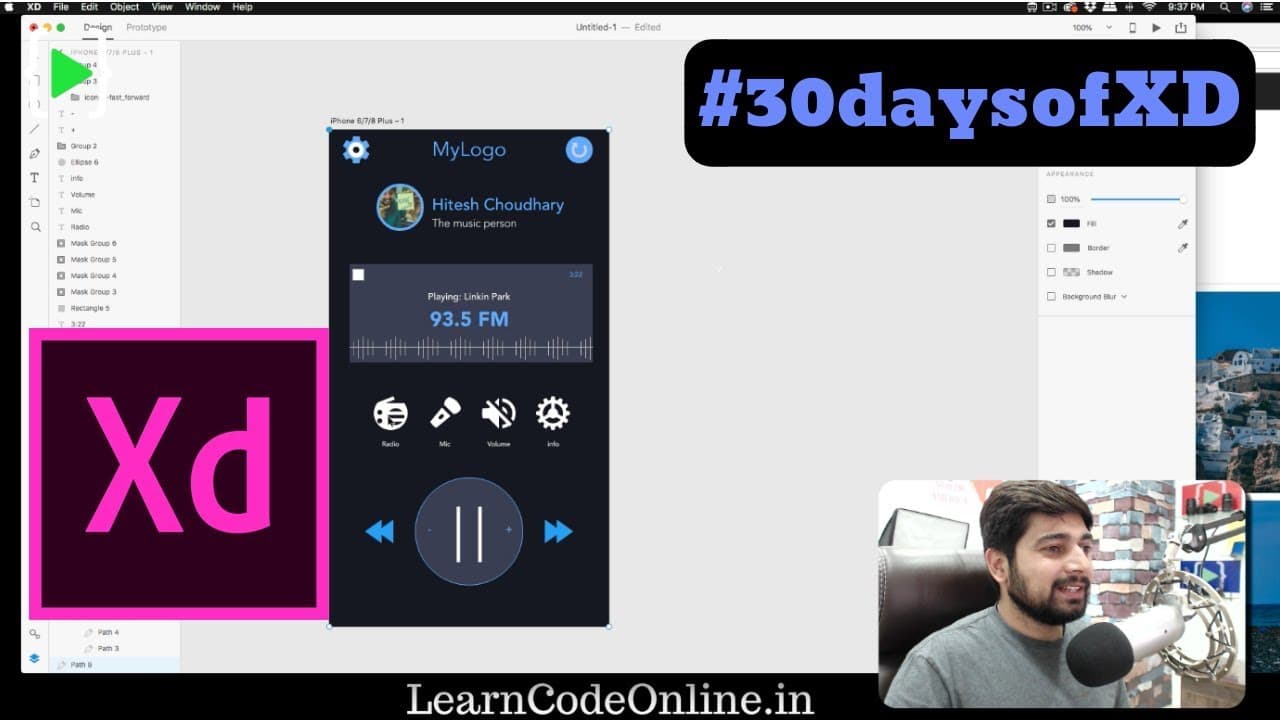
Design a dark theme radio UI with me #30daysofxd
TL;DR
Designing a radio app using Adobe XD with detailed instructions and tips for grid alignment and icon selection.
Transcript
hey did everyone have a shear back again with another video and yes this is the second video of the day and in this video we're gonna talk about Adobe XD so yes I haven't forgotten about my challenge of 30 days of Adobe XD a lot of people thought that this 30 days are gonna be just back-to-back no it's not gonna happen like that it's gonna be whene... Read More
Key Insights
- 🎨 Grid alignment is crucial for achieving precision and consistency in Adobe XD designs.
- 😀 Utilizing resources like icons8 for icons can enhance the visual appeal of the app design.
- 😀 Creativity plays a key role in personalizing and customizing app designs to stand out.
- 🫵 Assignments and practice tasks can help viewers enhance their design skills and creativity.
- 🫵 Providing detailed instructions and tips can guide viewers through the design process effectively.
- 🎨 Emphasizing the importance of color schemes and font selection for a cohesive design aesthetic.
- 🎨 Troubleshooting common design issues like object alignment and color choices for better results.
Install to Summarize YouTube Videos and Get Transcripts
Explore YouTube Video Summarizer or Get YouTube Transcript Extractor
Questions & Answers
Q: What tools and resources are used in designing the radio app in Adobe XD?
The designer utilizes Adobe XD for the app design process along with icons from websites like icons8 for visual elements. Colors and fonts are carefully selected for a cohesive design.
Q: How does grid alignment help in achieving pixel-perfect design in Adobe XD?
Grid alignment ensures precise placement of design elements like rectangles and text for a neat and organized layout. The designer highlights the importance of aligning objects with the grid for a polished look.
Q: How can users incorporate their creativity while designing a radio app in Adobe XD?
Users are encouraged to showcase their creativity by customizing the app design with unique color schemes, icon choices, and layouts. Experimentation with different design elements can lead to a personalized and innovative radio app.
Q: What is the assignment given to viewers at the end of the video?
Viewers are tasked with designing their own radio app using Adobe XD and sharing their creations on the designer's Facebook page. The assignment encourages practicing design skills and exploring creative concepts.
Summary & Key Takeaways
-
Detailed walkthrough of designing a radio app in Adobe XD.
-
Emphasis on grid alignment for pixel-perfect precision.
-
Utilization of icons and color schemes to enhance the app's visual appeal.
Read in Other Languages (beta)
Share This Summary 📚
Summarize YouTube Videos and Get Video Transcripts with 1-Click
Try YouTube Summary with ChatGPT & Claude or YouTube Transcript Generator
Explore More Summaries from Hitesh Choudhary 📚






Summarize YouTube Videos and Get Video Transcripts with 1-Click
Try YouTube Summary with ChatGPT & Claude or YouTube Transcript Generator