A quick start guide for using Convex with Next.js
TL;DR
A tutorial on setting up and using Convex with Next.js for a to-do application.
Transcript
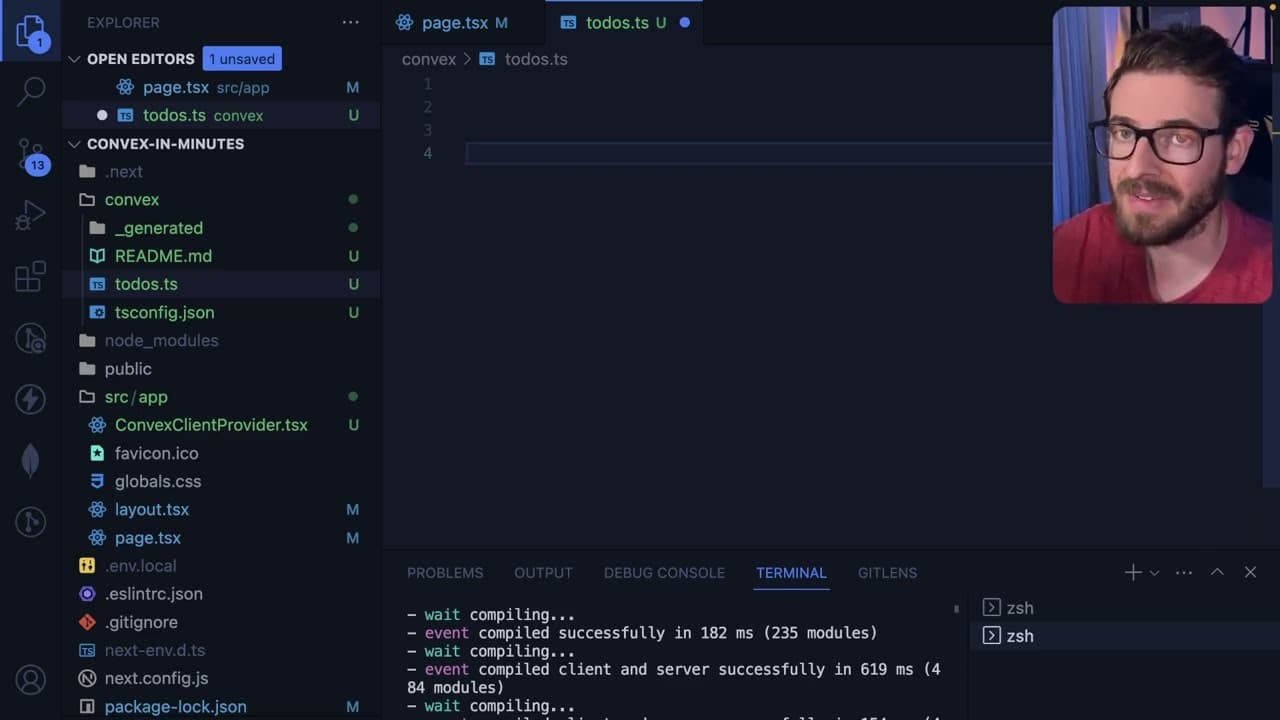
so as I mentioned yesterday I'm hosting a hackathon and it is sponsored by convex and I wanted to make a quick little tutorial video just to show you how to get started with convex it's actually super straightforward I'm going to go to their next.js quick start guide and we're going to try to follow this so I'm gonna go ahead and run this to set up... Read More
Key Insights
- 👻 Convex allows for rapid development by providing straightforward tools for integrating backend functionalities directly into Next.js applications.
- 😀 The tutorial emphasizes the importance of configuring a Convex client in a Next.js app to streamline interactions with the database.
- 👨💻 Mutations and queries in Convex provide a clear structure for managing data input and retrieval, contributing to clean and maintainable code.
- 👤 Real-time updates via websockets provide a significant advantage for applications requiring instant feedback to users, enhancing overall usability.
- 👤 Developers can create internal mutations for sensitive operations while using public mutations to facilitate user-driven interactions directly.
- 🧑💻 The dashboard serves as a valuable resource for tracking development progress and debugging, offering essential logs and monitoring tools.
- 📁 The integration of supporting features like authentication and file storage broadens the functionality available for application development with Convex.
Install to Summarize YouTube Videos and Get Transcripts
Explore YouTube Video Summarizer or Get YouTube Transcript Extractor
Questions & Answers
Q: What is Convex, and how does it integrate with Next.js?
Convex is a backend platform designed to work seamlessly with frontend frameworks like Next.js. It simplifies server-side logic by allowing developers to focus on defining functions (mutations and queries) that interact directly with a database, all while supporting real-time updates through websockets.
Q: How do you create a mutation in Convex for adding to-do items?
To create a mutation in Convex, you define a function that uses the mutation method, specifying its handling logic and required arguments. In this case, you create an addToDo mutation that takes text input from the user and inserts it into the "to-dos" database table.
Q: What are the benefits of using websockets in Convex?
Using websockets in Convex allows the frontend to receive real-time updates as the database changes. When data is modified or new entries are added in the backend, the UI automatically gets updated without needing to refresh or make additional requests, enhancing user experience significantly.
Q: Can you explain the internal versus public mutations in Convex?
Internal mutations in Convex are designed to be accessed only from the server and not exposed to the frontend, providing an extra layer of security for sensitive operations. Public mutations, on the other hand, are accessible from the frontend, allowing user actions to directly interact with the database.
Q: How does the query feature work in Convex, particularly for fetching to-do items?
The query feature in Convex lets you define a function that retrieves data from the database. When a query is invoked from the frontend, it establishes a websocket connection, allowing the UI to reactively fetch and display the current state of the to-do items as they are created or deleted by users.
Q: What additional features does Convex offer, such as file storage and scheduling?
Convex supports file storage, enabling developers to store and manage files directly in the database. Additionally, it includes scheduling capabilities, allowing for cron jobs to be set up for running specific actions at defined times, which is useful for tasks like periodically fetching data from third-party APIs.
Q: How does the Convex dashboard aid in development and debugging?
The Convex dashboard provides a comprehensive view of all projects, including access to logs for debugging, monitoring function executions, and managing database entries. It simplifies development by allowing developers to invoke functions manually and observe their behavior in real-time.
Q: What should participants of the hackathon expect to learn?
Participants in the upcoming hackathon can expect to gain practical experience in quickly setting up backend functionalities using Convex with Next.js. They will learn about defining mutations, queries, and effectively managing real-time updates, all while working on engaging projects like a to-do app.
Summary & Key Takeaways
-
The video provides a step-by-step tutorial on how to integrate Convex into a Next.js application, focusing on setting up a to-do list tracker.
-
It covers the essential setup, including installing dependencies, creating a Convex client provider, and defining mutations for adding to-do items to the database.
-
The tutorial also highlights querying the database, using websockets for real-time updates, and mentioning additional features like file storage, authentication, and scheduling.
Read in Other Languages (beta)
Share This Summary 📚
Summarize YouTube Videos and Get Video Transcripts with 1-Click
Try YouTube Summary with ChatGPT & Claude or YouTube Transcript Generator
Explore More Summaries from Web Dev Cody 📚





Summarize YouTube Videos and Get Video Transcripts with 1-Click
Try YouTube Summary with ChatGPT & Claude or YouTube Transcript Generator