Rotating about arbitrary point | Transformations | Geometry | Khan Academy
TL;DR
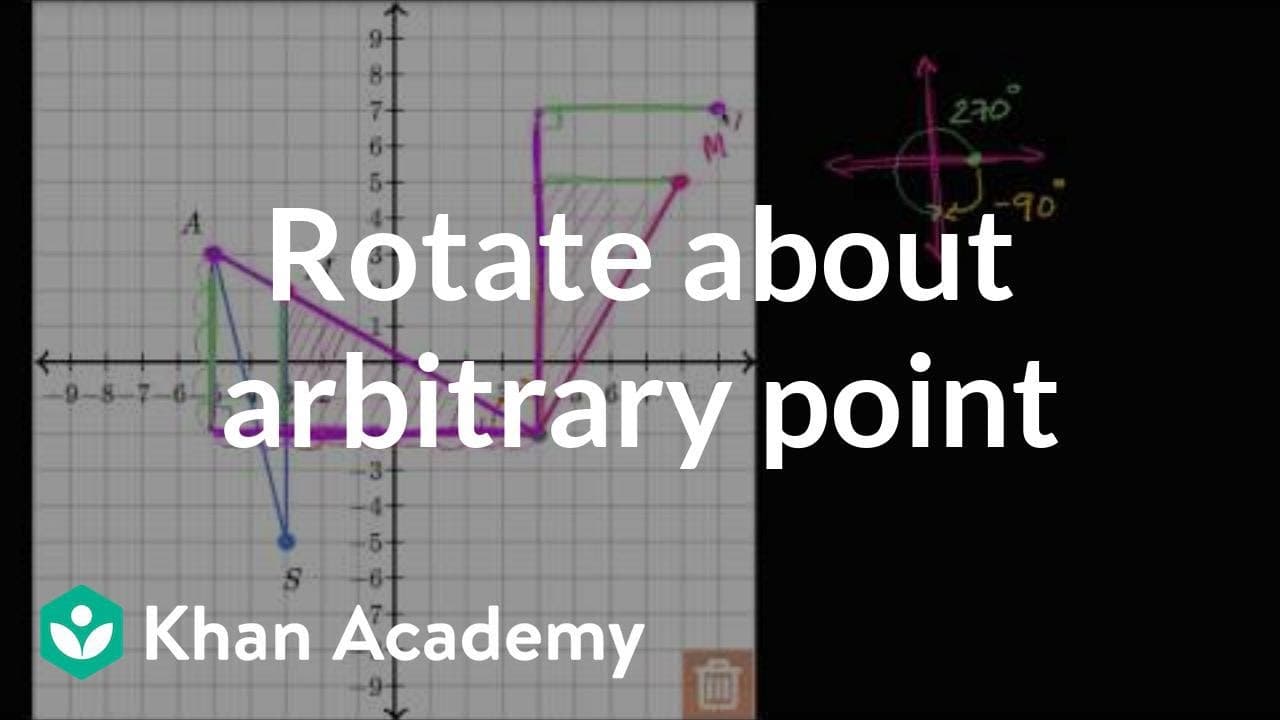
The content explains how to rotate a triangle by 270 degrees in the counter-clockwise direction using the interactive graph tool.
Transcript
- [Voiceover] Triangle SAM, S-A-M, and this is one over here, S-A-M, is rotated 270 degrees, about the point four comma negative two. So, this is four comma negative two right over here. Draw the image of this rotation using the interactive graph. We have this little interactive graph tool where we can draw points or if we wanna put them in the tra... Read More
Key Insights
- 🔄 Rotating a triangle by 270 degrees is equivalent to a negative 90 degree rotation in the counterclockwise direction.
- 👻 The interactive graph tool allows for a visual representation of the rotation process.
- 👉 Constructing right triangles helps determine the new positions of each point after the rotation.
Install to Summarize YouTube Videos and Get Transcripts
Explore YouTube Video Summarizer or Get YouTube Transcript Extractor
Questions & Answers
Q: How can the interactive graph tool be used to rotate a triangle?
The interactive graph tool allows you to draw points and construct right triangles to visualize the process of rotation. By dragging and rotating the triangles, you can understand the effects of different angle rotations.
Q: What is the significance of rotating a triangle by 270 degrees?
Rotating a triangle by 270 degrees is equivalent to a negative 90 degree rotation in the counterclockwise direction. This allows us to simplify the rotation and work with more familiar 90 degree rotations.
Q: What is the purpose of constructing right triangles in the rotation process?
Constructing right triangles helps determine the new positions of each point after the rotation. By visualizing the effects of a 90 degree clockwise rotation on the sides of the triangles, we can find the new coordinates of the points.
Q: How can the image of the rotated triangle be obtained?
After constructing the right triangles and rotating them, the image of the original triangle can be obtained by connecting the images of the points M, A, and S.
Summary & Key Takeaways
-
The content demonstrates the process of rotating triangle SAM by 270 degrees in the counterclockwise direction using a point of rotation.
-
By creating right triangles and rotating them by 90 degrees in the clockwise direction, the images of each point in the original triangle can be determined.
-
Connecting the images of the three points forms the image of the rotated triangle SAM.
Read in Other Languages (beta)
Share This Summary 📚
Summarize YouTube Videos and Get Video Transcripts with 1-Click
Try YouTube Summary with ChatGPT & Claude or YouTube Transcript Generator
Explore More Summaries from Khan Academy 📚



Summarize YouTube Videos and Get Video Transcripts with 1-Click
Try YouTube Summary with ChatGPT & Claude or YouTube Transcript Generator