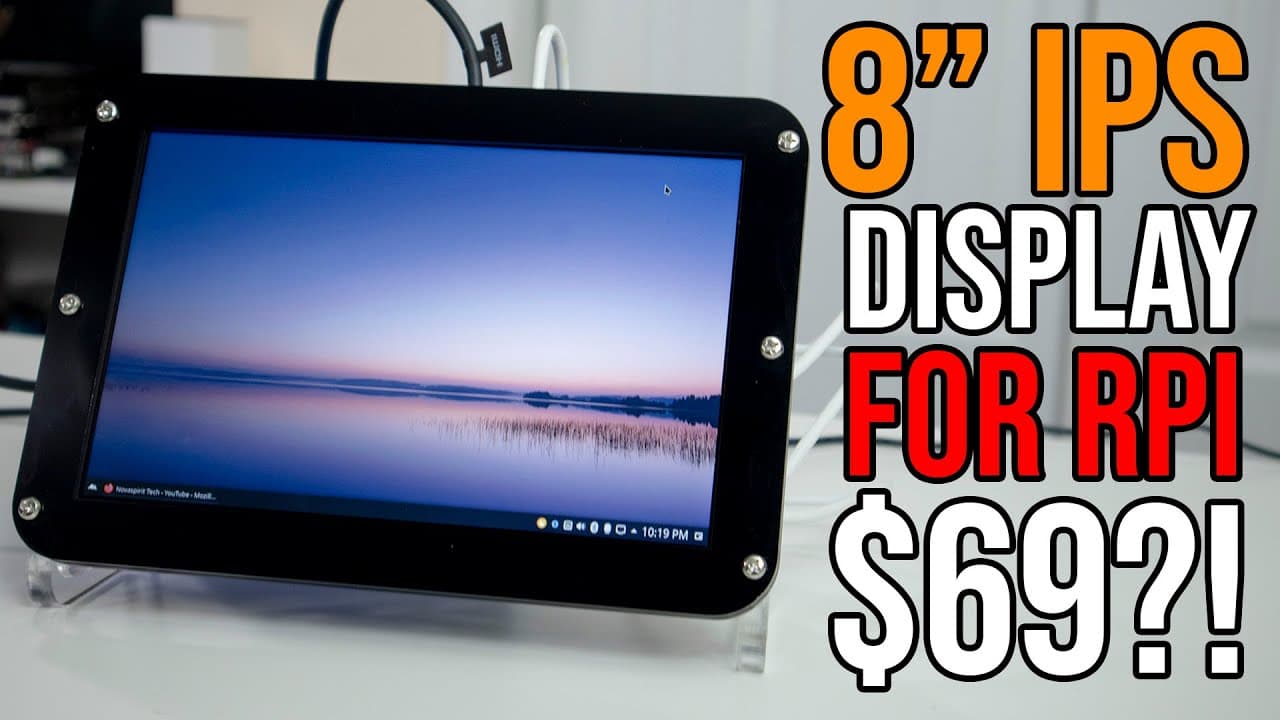
Wimaxit 8 Inch IPS Display For Raspberry Pi HDMI
TL;DR
The Wii Maxin 8-inch monitor offers impressive specs and versatility for Raspberry Pi users and multimedia applications.
Transcript
hey guys what's going on it's don here from novaspirittech and welcome back to the channel and today we are going to be taking a look at the wii maxin 8-inch monitor for the raspberry pi so let's get started now before we begin i do want to thank we max it for sending this monitor over to me and i got to be honest with you guys originally i wasn't ... Read More
Key Insights
- 😒 The Wii Maxin 8-inch monitor features an IPS display that delivers exceptional color and clarity, making it suitable for multimedia use.
- 🙂 With a brightness rating of 400 nits, this monitor excels in visibility even in well-lit environments, outperforming many competing devices.
- ❤️🩹 Priced at $69, the monitor combines affordability with high-end features, making it a strong contender in the market for compact displays.
- 🧑💻 Its compatibility with various systems beyond just Raspberry Pi expands its versatility significantly for tech enthusiasts and casual users alike.
- 🚵 The included mounting options for Raspberry Pi make it an appealing choice for developers and hobbyists designing compact projects.
- ✋ The monitor's ability to handle high-resolution inputs means it can serve diverse applications, from coding to casual video watching.
- 👤 The use of a micro USB for power today caters to a wide array of portable usage scenarios, enhancing convenience for on-the-go tech users.
Install to Summarize YouTube Videos and Get Transcripts
Explore YouTube Video Summarizer or Get YouTube Transcript Extractor
Questions & Answers
Q: What are the key specifications of the Wii Maxin monitor?
The Wii Maxin monitor boasts an IPS display with a resolution of 1280x800 and a brightness rating of 400 nits. This makes it more luminous than many typical laptop displays and allows for vivid viewing in multiple environments. The monitor also uses a classic 16:10 aspect ratio, offering compatibility for various devices including Raspberry Pi.
Q: How does the monitor perform in terms of power consumption?
The Wii Maxin monitor operates efficiently, drawing about 4.9 volts at 0.7 amps while idle. It can be powered through a USB connection, making it suitable for use with the Raspberry Pi. Adjusting brightness affects power usage slightly, with higher brightness drawing more power, but it remains within acceptable limits for portable setups.
Q: Can the monitor handle higher resolutions than its native display?
Yes, the Wii Maxin monitor supports input resolutions up to 1920x1080. Although its native resolution is 1280x800, the monitor can scale down higher resolution inputs, allowing for decent readability and multimedia playback even when fed 1080p signals.
Q: What are the primary use cases for the Wii Maxin monitor?
The primary use cases for the Wii Maxin monitor include serving as a secondary display alongside larger monitors, as well as development and testing with the Raspberry Pi. Its compact size, bright display, and reasonable price also make it an attractive choice for portable multimedia applications.
Q: Is the monitor adjustable in terms of settings and configurations?
Yes, the monitor features several user-friendly controls located at the back, including adjustment knobs for brightness, color settings, and volume. Users can customize nearly every aspect of the viewing experience for optimal performance based on their specific needs and environments.
Q: What should potential buyers know about the monitor's build quality?
The monitor is housed in acrylic plastic with laser-cut designs, which adds durability and allows for easy customization. Users with access to laser cutting technology can even create their own frames for a more personalized look and fit if desired.
Q: What additional features does the monitor offer?
Besides its primary functions, the Wii Maxin monitor includes audio jack output for devices with HDMI audio and various mounting options for Raspberry Pi installations. It also has features allowing for adjusting the color temperature, enhancing the visual experience based on user preference.
Summary & Key Takeaways
-
The Wii Maxin 8-inch monitor features a bright 400 nit IPS display at a 1280x800 resolution, making it ideal for various applications.
-
Designed primarily for Raspberry Pi, the monitor includes mounting options, connectivity via HDMI and micro USB, and user-friendly controls for settings adjustment.
-
Priced at $69 with a promotional discount, it provides excellent value for a secondary monitor setup, performing well in both multimedia tasks and as a development tool.
Read in Other Languages (beta)
Share This Summary 📚
Summarize YouTube Videos and Get Video Transcripts with 1-Click
Try YouTube Summary with ChatGPT & Claude or YouTube Transcript Generator
Explore More Summaries from Novaspirit Tech 📚






Summarize YouTube Videos and Get Video Transcripts with 1-Click
Try YouTube Summary with ChatGPT & Claude or YouTube Transcript Generator