How to Make iPhone Video Look Like a Pro Camera
TL;DR
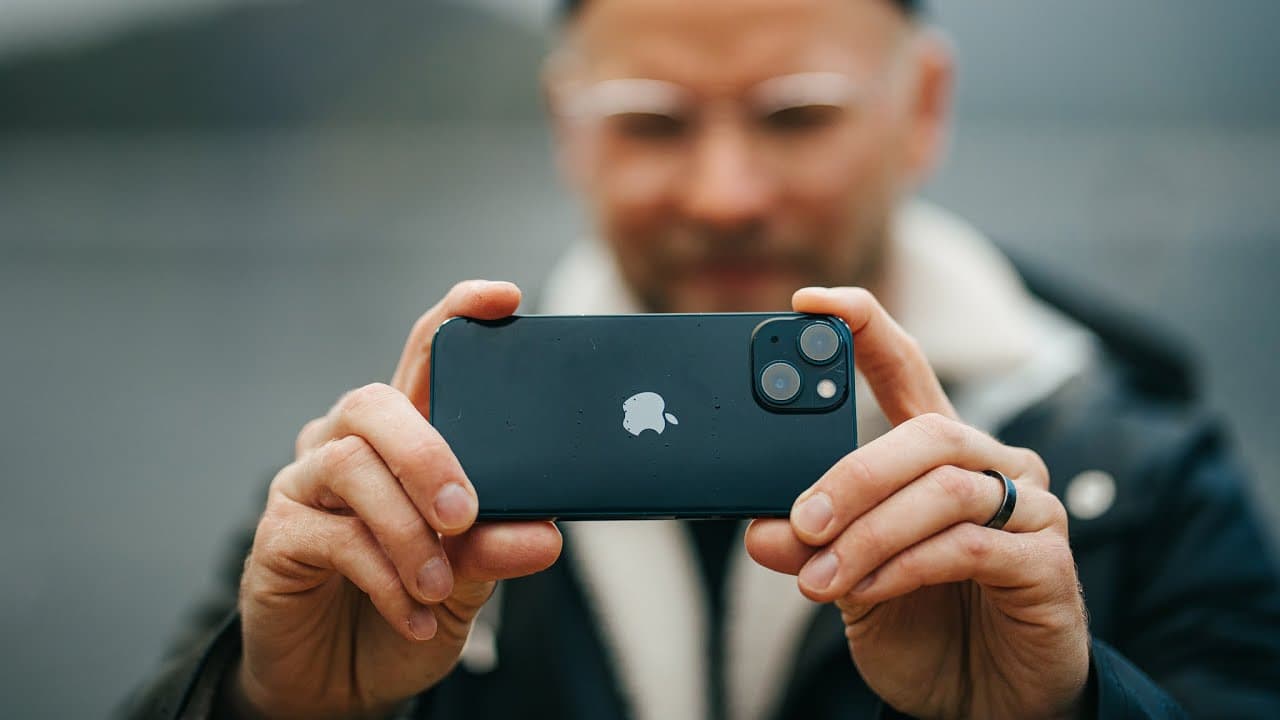
To make your iPhone video look like it was shot on a professional camera, use the ultra-wide lens for dynamic shots, leverage stabilization features, and prioritize wide shots in good lighting. Avoid low-light conditions and close-ups unless using cinematic mode, which can add impressive depth and blur. These techniques can transform your smartphone footage into visually stunning content.
Transcript
i was filming an instagram story in a rainforest and i started to think about why people always ask me what camera i use for my story starting to rain on us the rainforest is appropriately named they're doing portraits oh my god out of the way now on trips like this we're in beautiful tofino it's british columbia west coast to canada i really like ... Read More
Key Insights
- 🪜 Ultra-wide lens usage distinguishes iPhone footage and adds depth.
- 🙃 Movement and close-ups enhance the dynamic feel of the content.
- 🧡 Leverage dynamic range and stabilization for visually appealing shots.
- 🙂 Avoid low-light situations to maintain video quality.
- 😚 Cinematic mode can elevate close-up shots on the iPhone.
- ❓ Utilizing software capabilities can enhance the overall visual appeal.
- 🗯️ Choosing the right settings and lenses can create professional-looking content.
Install to Summarize YouTube Videos and Get Transcripts
Explore YouTube Video Summarizer or Get YouTube Transcript Extractor
Questions & Answers
Q: How can you make iPhone footage resemble mirrorless camera quality?
By using the ultra-wide lens and taking advantage of the phone's dynamic range and stabilization, you can fool viewers into thinking it's a higher-end camera.
Q: What's the significance of movement in iPhone videography?
Movement adds dynamism to shots, especially when getting close to subjects, creating unique perspectives not achievable with traditional cameras.
Q: Why are low-light situations challenging for iPhone videography?
iPhones struggle in low light due to sensor limitations, resulting in poor image quality. It's best to avoid such scenarios to maintain visual integrity.
Q: How can cinematic mode on the iPhone improve close-up shots?
Cinematic mode adds background blur to close-ups, mimicking a shallow depth of field and enhancing the overall quality of the footage.
Summary & Key Takeaways
-
Demonstrates how to enhance iPhone footage into mirrorless camera quality using the ultra-wide lens and software capabilities.
-
Explains the importance of movement and close-up shots on a small camera for dynamic content.
-
Emphasizes utilizing the iPhone's strengths in stabilization and dynamic range while avoiding low-light scenarios.
Read in Other Languages (beta)
Share This Summary 📚
Summarize YouTube Videos and Get Video Transcripts with 1-Click
Try YouTube Summary with ChatGPT & Claude or YouTube Transcript Generator
Explore More Summaries from Matti Haapoja 📚

Summarize YouTube Videos and Get Video Transcripts with 1-Click
Try YouTube Summary with ChatGPT & Claude or YouTube Transcript Generator