What is Ali's Proven Productivity System?
TL;DR
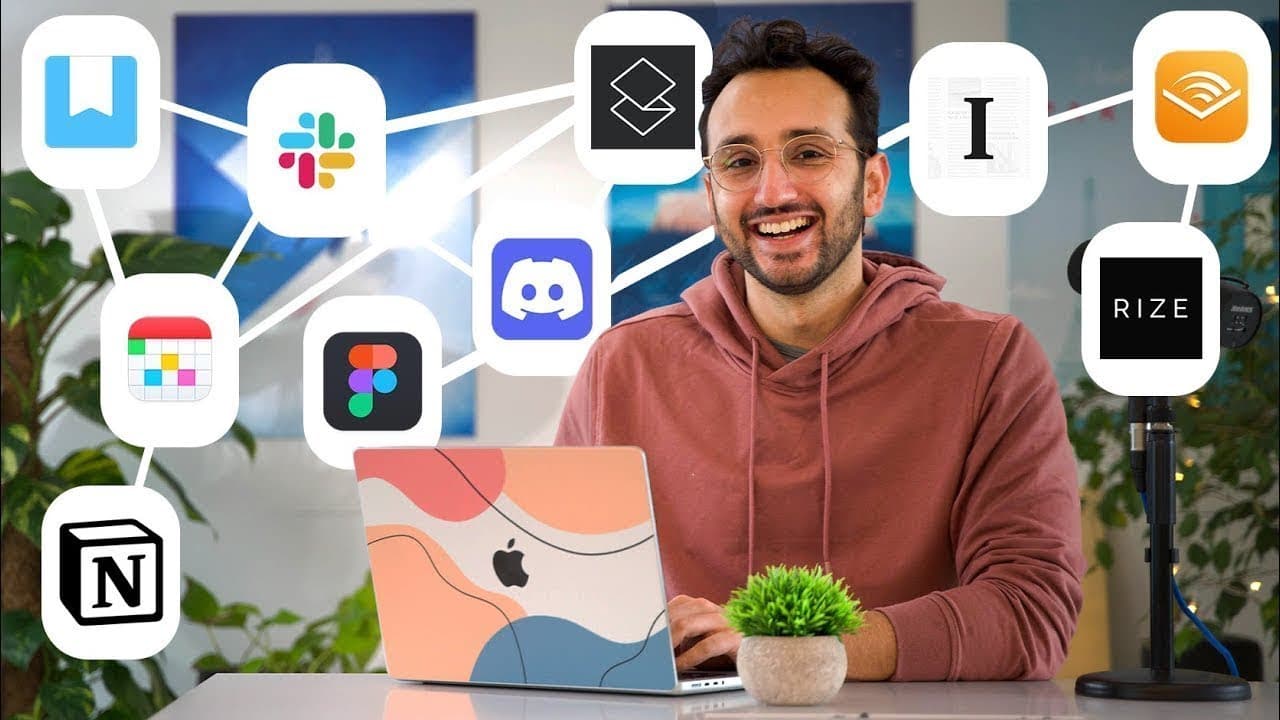
Ali's productivity system consists of six key modules: coordinate, communicate, consume, capture, create, and miscellaneous utilities. He combines a variety of tools including Fantastical, Google Drive, and Todoist for seamless management of tasks, communication, and content consumption.
Transcript
friends welcome back to the channel if you're new here my name is ali and on this channel we explore the evidence-based strategies and tools that can help us along our shared journey of living healthier happier more productive lives and this is my complete productivity system split into the six categories of coordinate communicate consume capture c... Read More
Key Insights
- 📽️ Calendar, project management, and file management are essential elements of the coordinate category in Ali's productivity system.
- 😀 Ali utilizes various apps for efficient communication, both for personal and team-related purposes.
- 🎙️ Consuming content strategically, whether it's podcasts, articles, or books, is a crucial aspect of productivity.
- 💭 Capturing thoughts and ideas through automation and manual note-taking aids in personal knowledge management.
- 😀 Different apps cater to creating text-based content, such as Google Docs, Notion, and Apple Notes, while media-based content involves apps like Keynote, Lightroom, and Final Cut Pro.
Install to Summarize YouTube Videos and Get Transcripts
Explore YouTube Video Summarizer or Get YouTube Transcript Extractor
Questions & Answers
Q: What are the three main elements Ali focuses on in the coordinate category?
Ali emphasizes the use of a calendar app like Fantastical, Google Drive for file management, and Todoist for personal task management.
Q: How does Ali manage communication with his team and other contacts?
Ali utilizes apps like Texts.com, Slack, Discord, and Superhuman for different forms of communication, such as messaging, team collaboration, email management, and screen recording.
Q: What apps does Ali use for consuming content efficiently?
Ali uses Castro for podcasts, PDF Expert for reading PDFs, Safari extensions for watching videos at increased speeds, Instapaper for saving and reading articles, and Audible for audiobooks.
Q: How does Ali capture and organize his thoughts and ideas?
Ali uses automated capture tools like Readwise to sync and export highlights from various sources. He also manually captures notes using Apple Notes, particularly for audiobooks and podcasts.
Summary & Key Takeaways
-
Ali's productivity system is divided into six categories: coordinate, communicate, consume, capture, create, and miscellaneous utilities.
-
In the coordinate category, he uses Fantastical for calendars, Google Drive for file management, and Todoist for personal task management.
-
For communication, Ali uses apps like Texts.com, Slack, Discord, and Superhuman, depending on the purpose of communication.
Read in Other Languages (beta)
Share This Summary 📚
Summarize YouTube Videos and Get Video Transcripts with 1-Click
Try YouTube Summary with ChatGPT & Claude or YouTube Transcript Generator
Explore More Summaries from Ali Abdaal 📚





Summarize YouTube Videos and Get Video Transcripts with 1-Click
Try YouTube Summary with ChatGPT & Claude or YouTube Transcript Generator