Interpreting computer regression data | AP Statistics | Khan Academy
TL;DR
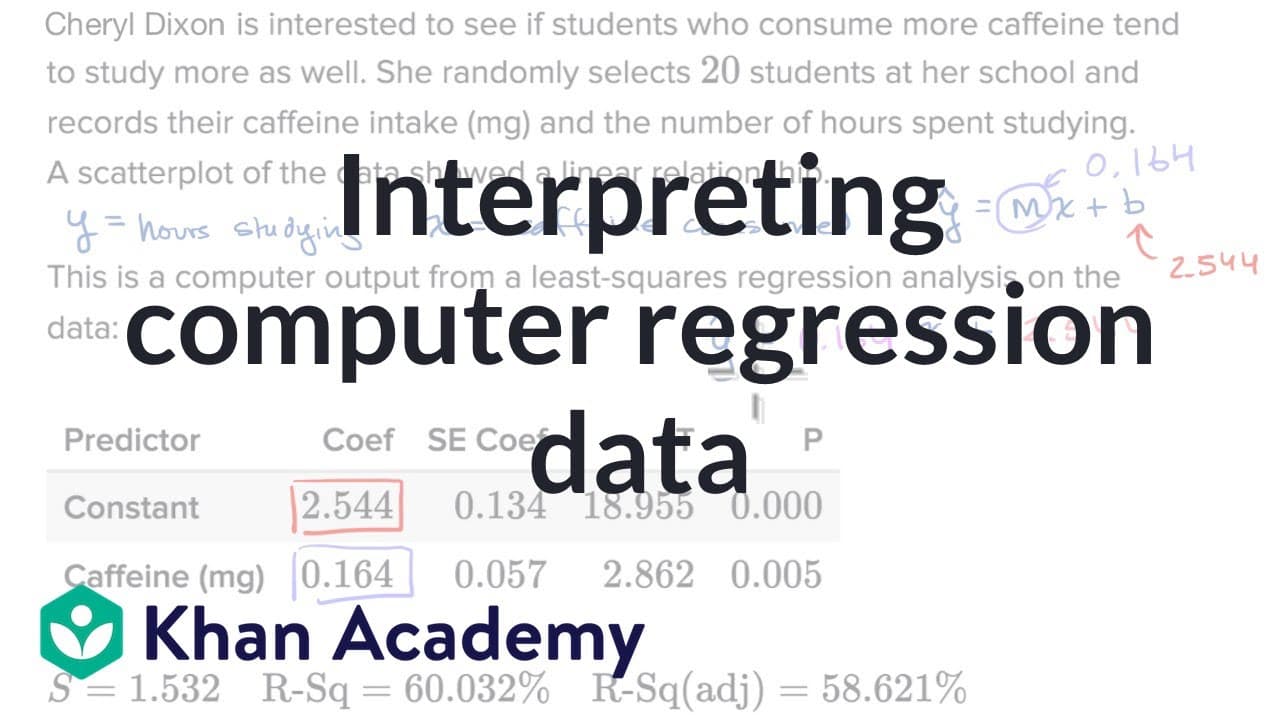
This video explains how to interpret the output from a computer-generated linear regression analysis and how to use it to determine the equation for the regression line.
Transcript
- [Narrator] In other videos, we've done linear regressions by hand, but we mentioned that most regressions are actually done using some type of computer or calculator. And so what we're going to do in this video, is look at an example of the output that we might see from a computer, and to not be intimidated by it, and to see how it gives us the e... Read More
Key Insights
- 🎭 Linear regression analysis is commonly performed using computers or calculators.
- 💁 The output provides information about the predictors, coefficients, and other statistical measures.
- 🫥 The equation for the regression line can be obtained from the coefficients in the computer output.
- ❎ The R-squared value indicates how well the regression line fits the data.
- 🫥 The standard deviation of residuals measures the typical error of the regression line.
Install to Summarize YouTube Videos and Get Transcripts
Explore YouTube Video Summarizer or Get YouTube Transcript Extractor
Questions & Answers
Q: What are the predictors in a linear regression analysis?
The predictors are the variables used to predict the outcome, with a constant value and the variable of interest (in this case, caffeine consumption).
Q: How do we determine the coefficients for the regression line?
The coefficients can be found in the computer output, with the constant being the coefficient for the constant term (intercept) and the coefficient for the predictor variable (caffeine consumption).
Q: What is the purpose of the R-squared value in regression analysis?
The R-squared value represents the proportion of variance in the dependent variable (hours studying) that can be explained by the independent variable (caffeine consumption). It indicates how well the regression line fits the data.
Q: Why is the standard deviation of residuals important?
The standard deviation of residuals measures the typical error or deviation of the observed data points from the regression line. It provides a measure of how well the regression line fits the data.
Summary & Key Takeaways
-
The video discusses how to interpret a computer-generated output from a linear regression analysis.
-
It focuses on understanding the variables, coefficients, and other information provided by the output.
-
The main goal is to determine the equation for the regression line that can be used for prediction.
Read in Other Languages (beta)
Share This Summary 📚
Summarize YouTube Videos and Get Video Transcripts with 1-Click
Try YouTube Summary with ChatGPT & Claude or YouTube Transcript Generator
Explore More Summaries from Khan Academy 📚



Summarize YouTube Videos and Get Video Transcripts with 1-Click
Try YouTube Summary with ChatGPT & Claude or YouTube Transcript Generator