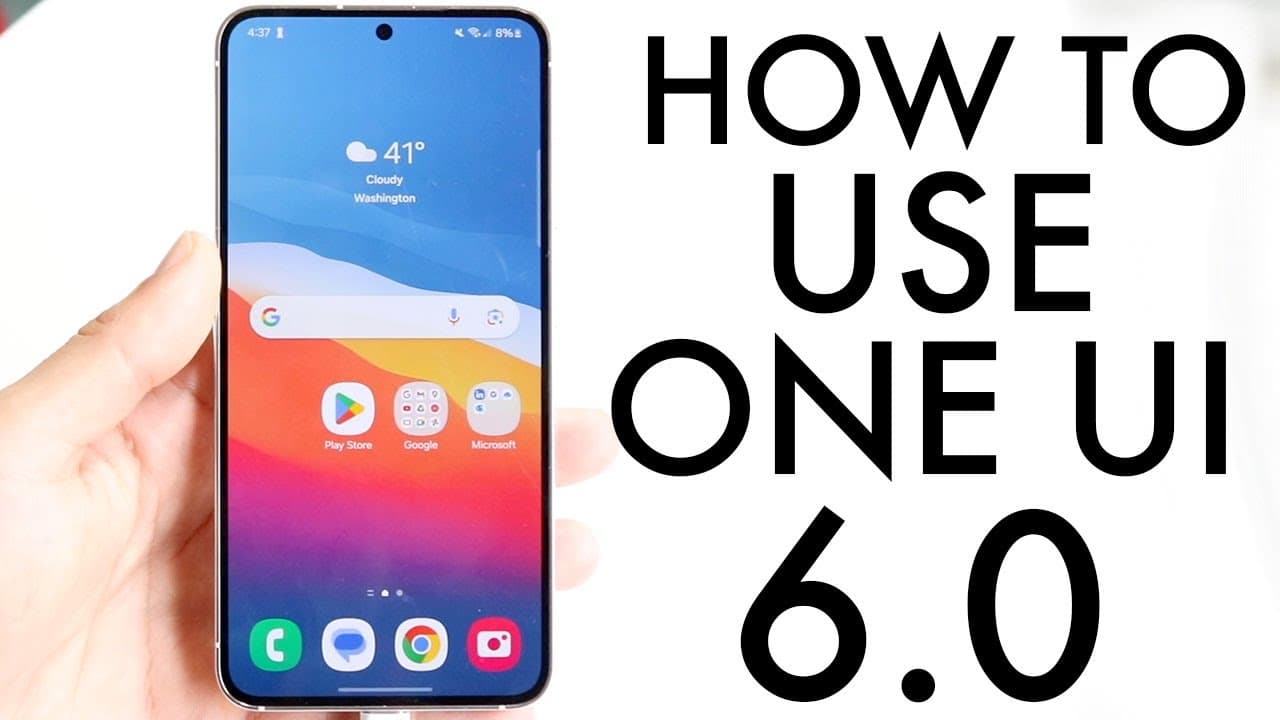
How To Use One UI 6! (Complete Beginners Guide)
TL;DR
Samsung's One UI 6 introduces new customization options, updated layouts, and improved functionality.
Transcript
so onei 6 has been out for a little bit of time now and I wanted to go and kind of give you a basic tutorial of some of the most amount of features that Samsung has given us within this version of software and I'm very happy about it because it's such a good version of software and if your phone supports it it's very very good now one of the first ... Read More
Key Insights
- 👻 One UI 6 enhances the user experience with updated clock customization features that allow resizing and design alteration.
- 💄 The quick panel's redesign improves accessibility and makes toggling settings more intuitive and visually clear.
- 🔔 Time sorting for notifications is now easier, helping users manage their notification experience more effectively.
- 👤 Updated font styles provide users with fresh visual options, enhancing their personalized interface.
- 👀 Enhanced emojis in One UI 6 offer a modern look, aligning closely with those found on iPhone, potentially increasing user satisfaction.
- 🎥 New functionalities in the camera app streamline settings adjustments and improve the overall photo and video quality.
- 👻 Gallery updates allow users to create stickers from videos, showcasing creativity and enhancing sharing options.
Install to Summarize YouTube Videos and Get Transcripts
Explore YouTube Video Summarizer or Get YouTube Transcript Extractor
Questions & Answers
Q: What new customization options does One UI 6 provide for the clock display?
One UI 6 allows users more flexibility to resize and customize their clock display compared to previous Android versions. Users can adjust the size according to their preferences, making the appearance of the time reflection more personalized and visually appealing. This feature enhances the overall customization aspect of the user interface, allowing for distinctive personalization.
Q: How has the quick panel changed in One UI 6?
The quick panel in One UI 6 has been redesigned for better usability. It now features a layout with separated toggles for Wi-Fi and Bluetooth at the top, providing a clearer interface. Additionally, the brightness control is located at the bottom, allowing for easy access without needing to scroll down for adjustments. This layout aims to enhance the functionality and ease of navigation.
Q: What improvements have been made to the camera application in One UI 6?
One UI 6 introduces significant upgrades to the camera application, including quick access to resolution settings, making it easier for users to change video quality settings on the go. There’s also a new auto FPS setting for videos and quality optimizations for photos, catering to users who value quality visuals and functionality when taking pictures or recording videos.
Q: Describe the changes in emojis with One UI 6.
One UI 6 features reworked emojis that now resemble iPhone emojis more closely, which many users may find appealing. This change enhances the visual experience when using emojis, reflecting a design that is more modern and preferred by users. Samsung has acknowledged the popularity of emojis among Android users and has thus focused on improving this aspect.
Summary & Key Takeaways
-
One UI 6 brings enhanced clock customization, allowing users to resize the clock display and change its appearance compared to earlier Android versions.
-
The update includes a revamped quick panel layout with separated Wi-Fi and Bluetooth toggles, improved notification sorting, and a more intuitive brightness control adjustment.
-
Additional features consist of new font styles, redesigned emojis, upgraded camera functionalities, and enhanced gallery options, significantly enriching the user experience.
Read in Other Languages (beta)
Share This Summary 📚
Summarize YouTube Videos and Get Video Transcripts with 1-Click
Try YouTube Summary with ChatGPT & Claude or YouTube Transcript Generator
Explore More Summaries from Simple Alpaca 📚
Summarize YouTube Videos and Get Video Transcripts with 1-Click
Try YouTube Summary with ChatGPT & Claude or YouTube Transcript Generator