Notion Quick Capture Methods (+ Second Brain Notion Template) 🌷📥
TL;DR
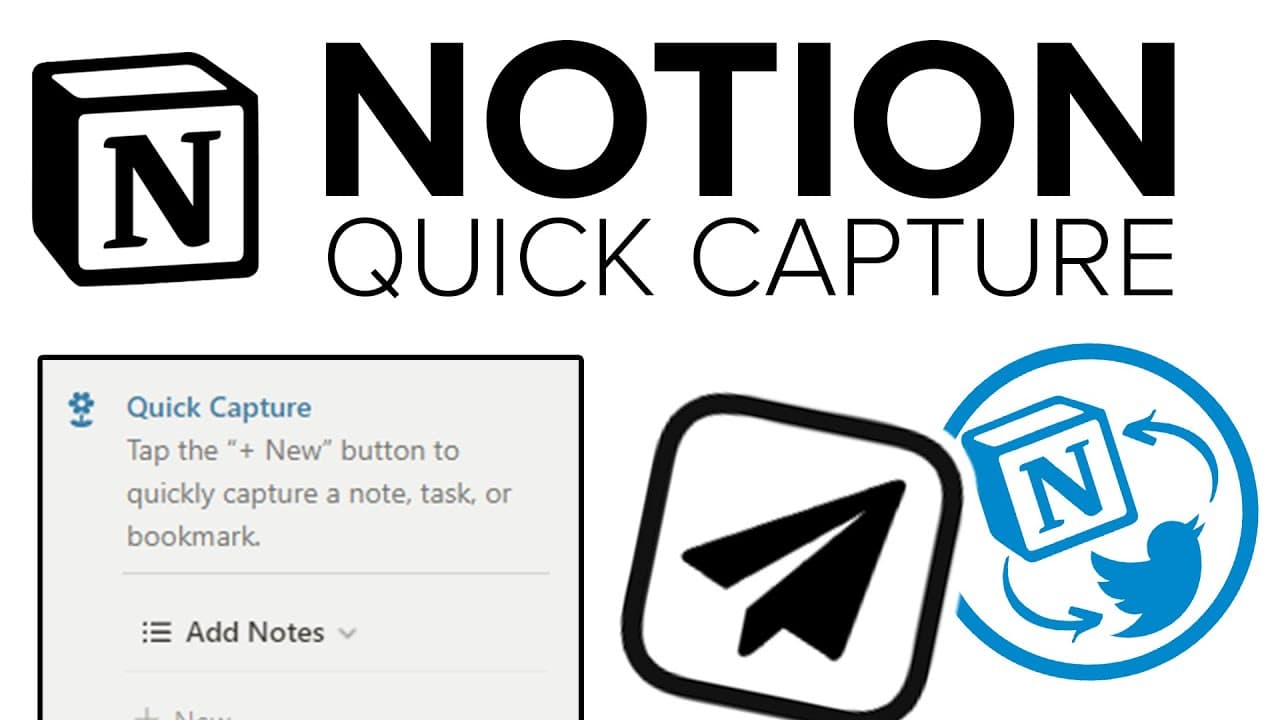
Learn how to use quick capture methods in Notion to capture fleeting thoughts, tasks, and bookmarks, allowing you to stay focused and organized throughout the day.
Transcript
let me ask you something do you control your thoughts or do your thoughts control you well for most of us unless you're superhuman your thoughts are going to control you a huge part of everything that happens in your day happens because of a subconscious thought that started that pattern of events so what we often need to do as humans is eliminate ... Read More
Key Insights
- 💭 Our thoughts often control our actions, making it essential to eliminate distractions and put ourselves in an environment that fosters positive thinking.
- 💨 The quick capture module in Notion provides a convenient way to capture fleeting thoughts, tasks, and bookmarks without disrupting workflow.
- 😫 The quick capture module can be set up on both desktop and mobile devices, allowing for quick and seamless capturing of thoughts.
- 💭 The "@save to notion" feature on Twitter and the "Save to Notion" Chrome extension are additional methods to quickly capture thoughts from social media and web pages.
Install to Summarize YouTube Videos and Get Transcripts
Explore YouTube Video Summarizer or Get YouTube Transcript Extractor
Questions & Answers
Q: Why is it important to eliminate distractions and capture fleeting thoughts?
By eliminating distractions and capturing fleeting thoughts, we can prevent our thoughts from controlling us and ensure we stay focused and productive throughout the day. It helps us create a clear pathway to accomplish our goals.
Q: How can I quickly capture notes, tasks, and bookmarks in Notion?
You can use the quick capture module in Notion to quickly create a new note, task, or bookmark. Simply hit the "New" button in the module, enter the necessary details, and save. The quick capture module allows you to capture thoughts without interrupting your workflow.
Q: Can I access the quick capture module on my mobile device?
Yes, you can integrate the quick capture module into your phone by adding the Notion widget. This widget allows you to quickly access the quick capture module and capture thoughts while on the go.
Q: Are there any other methods for quick capture mentioned in the video?
Yes, the video mentions two additional methods for quick capture. One is using the "@save to notion" feature on Twitter, which allows you to save tweets directly to Notion. The other is using the "Save to Notion" Chrome extension, which lets you save articles and web pages to Notion with just a click.
Key Insights:
- Our thoughts often control our actions, making it essential to eliminate distractions and put ourselves in an environment that fosters positive thinking.
- The quick capture module in Notion provides a convenient way to capture fleeting thoughts, tasks, and bookmarks without disrupting workflow.
- The quick capture module can be set up on both desktop and mobile devices, allowing for quick and seamless capturing of thoughts.
- The "@save to notion" feature on Twitter and the "Save to Notion" Chrome extension are additional methods to quickly capture thoughts from social media and web pages.
- These quick capture methods contribute to increased productivity and organization, helping individuals stay focused on their goals.
Summary & Key Takeaways
-
The video discusses the importance of controlling our thoughts and eliminating distractions to stay focused and productive.
-
It introduces the quick capture module in Notion, which allows users to quickly capture notes, tasks, and bookmarks without switching between applications.
-
The video demonstrates how to set up and use the quick capture module on both desktop and mobile devices.
-
The video also showcases two additional methods for quick capture: using the "@save to notion" feature on Twitter and using the "Save to Notion" Chrome extension.
Read in Other Languages (beta)
Share This Summary 📚
Summarize YouTube Videos and Get Video Transcripts with 1-Click
Try YouTube Summary with ChatGPT & Claude or YouTube Transcript Generator
Explore More Summaries from Productive Dude 📚
![Airtable Tutorial: A-Z Guide [2025] thumbnail](/_next/image?url=https%3A%2F%2Fi.ytimg.com%2Fvi%2FcnvB7vsYo5I%2Fhqdefault.jpg&w=750&q=75)

Summarize YouTube Videos and Get Video Transcripts with 1-Click
Try YouTube Summary with ChatGPT & Claude or YouTube Transcript Generator