How Does Claude AI Transform Blender 3D Design?
TL;DR
Connecting Claude AI with Blender via Model Context Protocol revolutionizes 3D design by enabling procedural generation through voice prompts, automating object organization, and creating useful Python plugins. This integration enhances creative workflows, optimizes production logistics, and offers powerful customization options for both beginners and professionals in the field.
Transcript
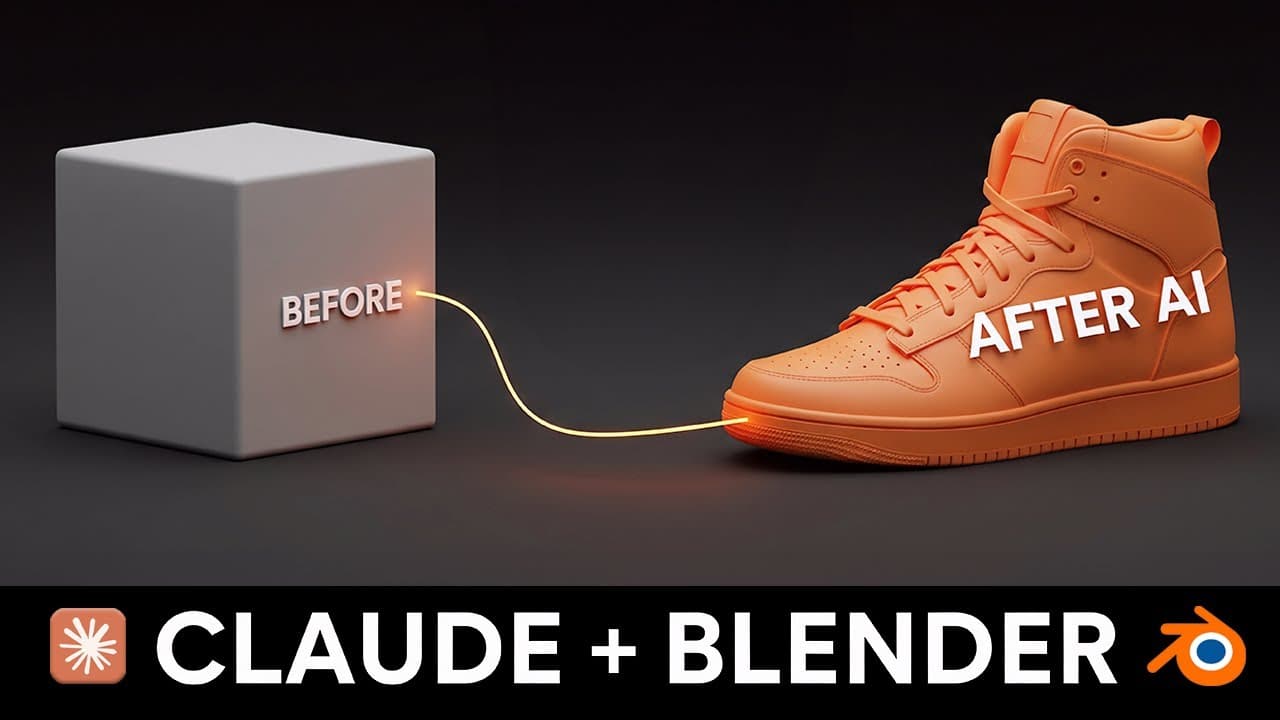
designed me a shoe for a track runner living in New York City and competing in a marathon today I'm going to show you exactly how I connected Claude Sonnet to Blender to create an AI creative agent and the three specific ways this is already solving major headaches in my 3D workflow this is made possible using model context protocol which is essent... Read More
Key Insights
- The integration of Claude AI with Blender through Model Context Protocol (MCP) offers a new approach to 3D design, moving beyond simple AI-generated models and textures.
- A procedural generation system allows users to create complex designs by using voice prompts, enhancing creativity and efficiency in 3D modeling.
- The AI integration provides significant production logistic benefits, optimizing professional workflows and potentially saving time and resources in 3D design projects.
- The system can instantly generate plugins to solve common workflow issues, demonstrating its utility in streamlining the creative pipeline.
- The AI agent can rename and organize objects in Blender scenes, reducing manual effort and improving project organization.
- Metadata creation for 3D objects allows the AI to make informed decisions based on user prompts, enhancing the customization and functionality of designs.
- The integration enables the creation of Python plugins for dynamic adjustments, such as lighting setups, further refining the creative process.
- The technology is still developing, with potential future applications across various creative software beyond Blender, including Premiere and Unreal Engine.
Install to Summarize YouTube Videos and Get Transcripts
Explore YouTube Video Summarizer or Get YouTube Transcript Extractor
Questions & Answers
Q: How does Claude AI enhance the 3D design process in Blender?
Claude AI, when connected to Blender via Model Context Protocol (MCP), enhances the 3D design process by enabling procedural generation systems, optimizing production logistics, and creating Python plugins for workflow improvements. It allows users to generate complex designs through voice prompts and provides tools to streamline and organize project elements efficiently.
Q: What are the logistical benefits of integrating Claude AI with Blender?
Integrating Claude AI with Blender offers significant logistical benefits by automating repetitive tasks, organizing project elements, and reducing the time and resources needed for manual adjustments. It enhances the efficiency of the design process, allowing professionals to focus on creative aspects while the AI handles routine tasks and optimizes workflows.
Q: How does the AI agent use metadata in 3D design?
The AI agent uses metadata to make informed decisions based on user prompts. By associating metadata with 3D objects, the AI can understand the context and requirements of a design, such as selecting materials or adjusting components to match specified criteria like style or performance. This enhances customization and functionality in 3D modeling.
Q: What potential does Claude AI have beyond Blender?
Claude AI's potential extends beyond Blender, as it can be integrated with various creative software like Premiere, After Effects, and Unreal Engine. This opens up possibilities for enhancing workflows, automating tasks, and introducing AI-driven creativity across multiple platforms, making it a versatile tool for digital content creation.
Q: What challenges might users face when using Claude AI with Blender?
Users might face challenges related to the current limitations of the technology, such as issues with modeling from scratch, animation, and geometry nodes. Additionally, users need a foundational understanding of Blender to fully leverage the AI's capabilities, as the system relies on pre-existing knowledge to enhance workflows effectively.
Q: How can users get started with Claude AI and Blender integration?
Users can start by ensuring they have Blender 3.0 or above and Python 3.1 or above installed. They need to download and install the MCP Blender plugin and configure Claude Desktop for integration. The video provides a detailed installation guide and encourages users to experiment with the system to discover its full potential.
Q: What role does Python play in the AI-enhanced Blender workflow?
Python plays a crucial role in the AI-enhanced Blender workflow by enabling the creation of custom plugins and scripts that automate tasks and refine processes. The AI uses Python to interact with Blender's API, allowing for dynamic adjustments and enhancements, such as organizing lighting setups and modifying object properties based on user prompts.
Q: What future developments are anticipated for Claude AI in creative software?
Future developments for Claude AI in creative software include expanding its capabilities to handle more complex tasks, improving integration with additional platforms, and enhancing its ability to understand and execute user prompts accurately. The ongoing development aims to make AI a more integral part of the creative process, offering new possibilities for digital content creation.
Summary & Key Takeaways
-
The video demonstrates how Claude AI, connected to Blender via Model Context Protocol, can revolutionize 3D design by offering new creative possibilities and optimizing workflows. It highlights the use of AI for procedural generation, logistic benefits, and pipeline optimization.
-
Key features include the ability to generate designs from voice prompts, organize and rename objects in scenes, and create Python plugins for workflow enhancements. The AI's use of metadata allows for informed design decisions based on user inputs.
-
The integration is positioned as a tool for both beginners and professionals, with potential applications across various software beyond Blender. The video also provides a tutorial for setting up the system and encourages experimentation with AI-enhanced design tools.
Read in Other Languages (beta)
Share This Summary 📚
Summarize YouTube Videos and Get Video Transcripts with 1-Click
Try YouTube Summary with ChatGPT & Claude or YouTube Transcript Generator
Explore More Summaries from Max Novak 📚

Summarize YouTube Videos and Get Video Transcripts with 1-Click
Try YouTube Summary with ChatGPT & Claude or YouTube Transcript Generator