How to Link Scenes and Assets in Blender Efficiently
TL;DR
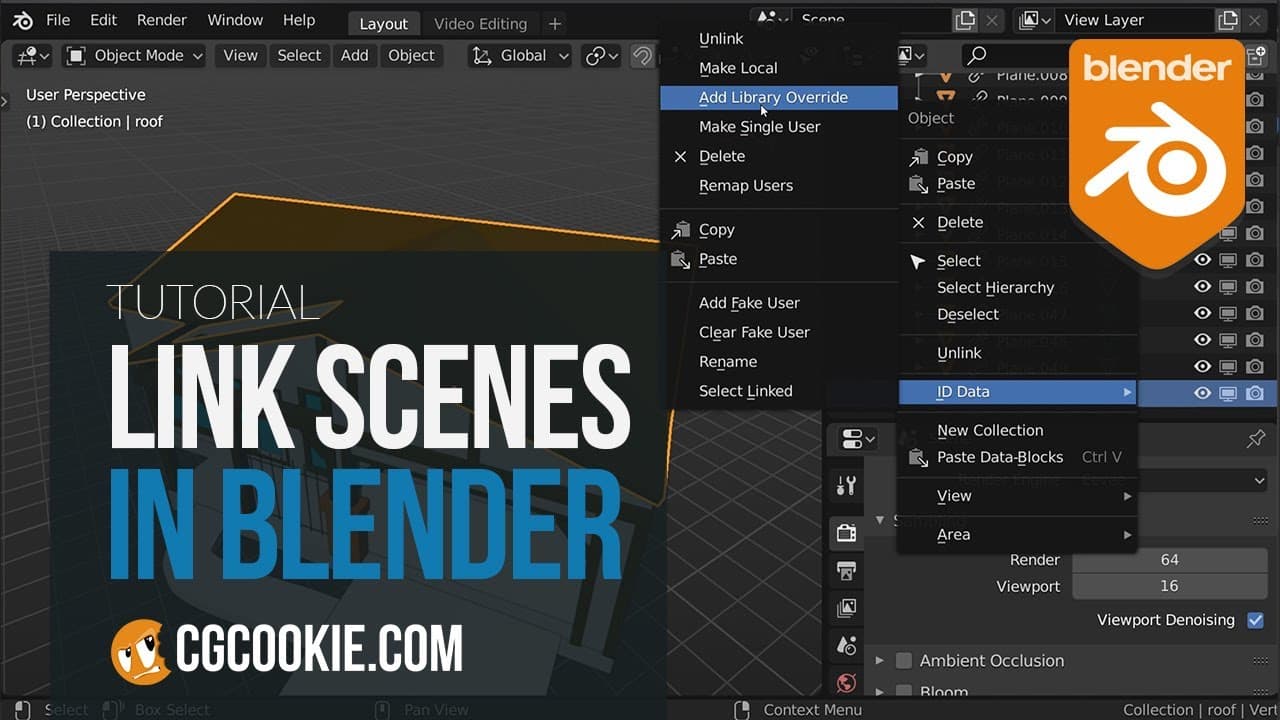
Linking scenes and assets in Blender optimizes project management by reducing file sizes and enhancing organization. Use the append feature for creating new copies of models and materials, while linking ensures updates in the original files are reflected across all linked instances. Library overrides allow for flexible modifications without breaking the connection to the original asset.
Transcript
as your 3d projects and animations grow bigger you're gonna end up with many different models materials and other assets you're gonna end up needing to reuse if you just copy these things you're gonna with really large files as well as making it really difficult on yourself to tweak things down the line especially if you&... Read More
Key Insights
- Linking assets in Blender helps manage large projects by reducing file size and maintaining organization across multiple scenes.
- Scenes in Blender allow for multiple independent 3D environments within a single file, facilitating asset reuse and organization.
- The append feature in Blender is useful for importing models and materials, creating new copies that can be modified independently.
- Linking creates a dynamic connection between original and current files, ensuring updates in the original reflect across all linked files.
- Library overrides allow modifications to linked objects without breaking the link, providing flexibility in animation and positioning.
- Overrides can be applied to specific object parts, like mesh data, though not all aspects are currently overridable.
- The outliner tool in Blender helps manage linked data, allowing users to view, delete, or relocate linked files easily.
- Future updates promise expanded override capabilities, enhancing control over materials, modifiers, and constraints.
Install to Summarize YouTube Videos and Get Transcripts
Explore YouTube Video Summarizer or Get YouTube Transcript Extractor
Questions & Answers
Q: What is the benefit of using scenes in Blender?
Scenes in Blender allow users to create multiple independent 3D environments within a single file. This facilitates organization and asset reuse across different shots, making it easier to manage complex projects without creating large, unwieldy files.
Q: How does the append feature differ from linking in Blender?
The append feature in Blender imports models and materials as new, independent copies, allowing for significant modifications. In contrast, linking creates a dynamic connection between the original and current files, ensuring that updates in the original file are reflected in all linked files.
Q: What are library overrides in Blender?
Library overrides in Blender allow users to modify linked objects without breaking the link to the original file. This enables flexibility in animation and positioning, as changes can be made while still maintaining the benefits of linked updates from the original file.
Q: What limitations currently exist with library overrides?
Currently, not all aspects of linked objects can be overridden in Blender. While mesh data can be overridden, other elements like materials, modifiers, and constraints are still limited. However, future updates are expected to expand override capabilities significantly.
Q: How can users manage linked data in Blender?
Users can manage linked data in Blender using the outliner tool. By switching the view from 'view layer' to 'blend file,' users can see all linked data, delete unwanted links, or relocate linked files if they have been moved or renamed.
Q: What is the advantage of linking assets in Blender?
Linking assets in Blender helps maintain consistency across multiple scenes by ensuring that updates in the original file reflect in all linked files. This approach reduces file size and improves project organization, especially in collaborative environments.
Q: Can linked objects be animated in Blender?
Yes, linked objects can be animated in Blender through library overrides. By overriding specific properties, such as position or animation data, users can animate linked objects without breaking the link to the original file, maintaining the benefits of dynamic updates.
Q: What future improvements are expected for library overrides?
Future improvements for library overrides in Blender are expected to include expanded capabilities for overriding materials, modifiers, and constraints. These enhancements will provide users with greater control and flexibility when working with linked assets in their projects.
Summary & Key Takeaways
-
Blender's linking features allow users to efficiently manage large 3D projects by reducing file sizes and maintaining asset organization. Scenes provide multiple independent environments within one file, facilitating asset reuse and compositing.
-
The append feature imports models and materials as new copies, while linking creates dynamic connections between original and current files. This ensures updates in the original file reflect across all linked files, maintaining consistency.
-
Library overrides enable modifications to linked objects without breaking the link, offering flexibility in animation and positioning. The outliner tool aids in managing linked data, with future updates expanding override capabilities.
Read in Other Languages (beta)
Share This Summary 📚
Summarize YouTube Videos and Get Video Transcripts with 1-Click
Try YouTube Summary with ChatGPT & Claude or YouTube Transcript Generator
Explore More Summaries from CG Cookie 📚

Summarize YouTube Videos and Get Video Transcripts with 1-Click
Try YouTube Summary with ChatGPT & Claude or YouTube Transcript Generator