Why your app may need lazy loading
TL;DR
Learn to implement dynamic widgets in Next.js for better performance.
Transcript
so there's this really cool thing on Google when you do a search depending on the search criteria it'll display various widgets that are kind of going to be useful for what you're already searching for for example if you were to try to search what is 1+ one and go ahead and click search notice that you get this nice little calculator widget that sh... Read More
Key Insights
- 👨🔬 Dynamic widgets in Next.js mimic Google's functionality, adapting to user searches intelligently.
- 🖐️ Server actions play a crucial role in redirecting and managing search queries while rendering appropriate components.
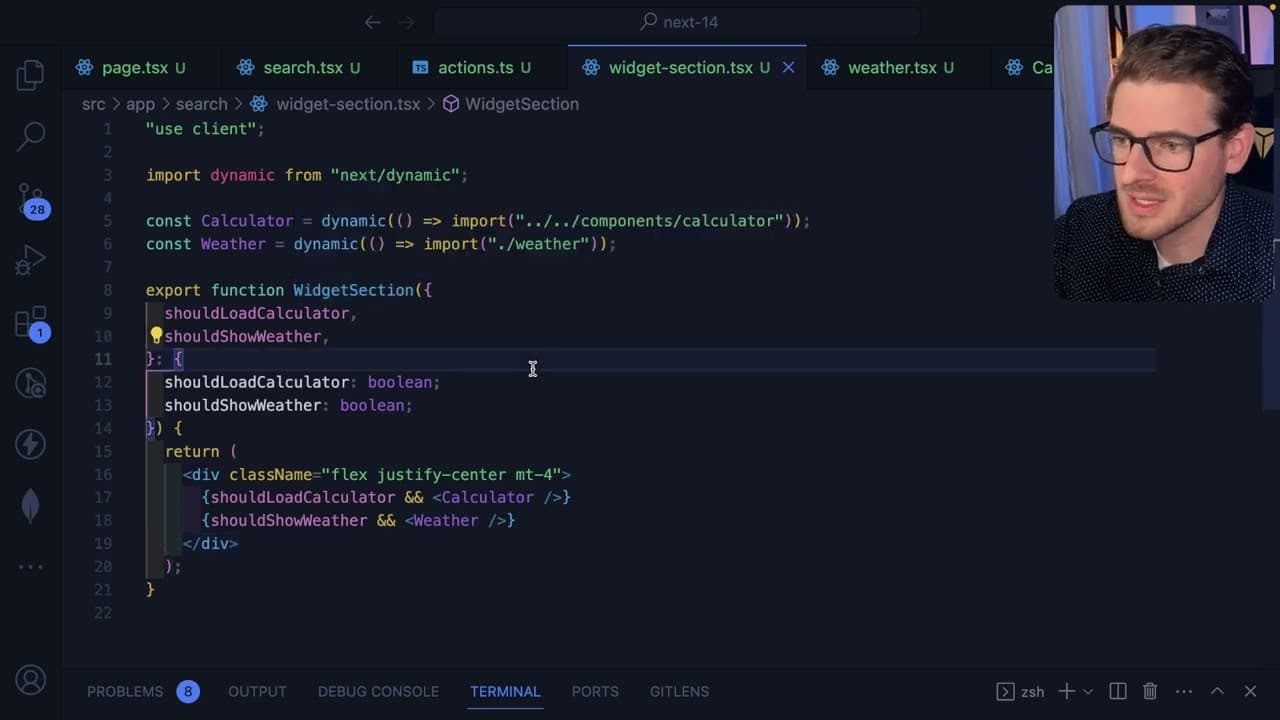
- 🐎 Using dynamic imports optimizes resource loading, benefiting overall web performance and speed.
- 👻 Conditional rendering allows applications to tailor content to user needs based on their input, improving interactivity.
- 👨💻 Default and named exports serve different purposes in coding practices, facilitating flexible structuring of modules.
- 👨💻 Managing large components through lazy loading prevents performance bottlenecks caused by excessive code loading.
- 🥺 A well-designed user interface prioritizes speed and efficiency, leading to a better overall experience.
Install to Summarize YouTube Videos and Get Transcripts
Explore YouTube Video Summarizer or Get YouTube Transcript Extractor
Questions & Answers
Q: How can dynamic widgets improve user experience in a web application?
Dynamic widgets enhance user experience by loading only relevant components based on user input, reducing initial load times. This results in a faster, more responsive application, as users interact with functionalities like calculators or weather info without waiting for many unused scripts to load.
Q: What are server actions in Next.js, and how do they work in this context?
Server actions in Next.js allow developers to handle search queries and manipulate server-side data efficiently. In the analysis, a server action redirects the user to the same page while appending the search query, enabling the React server components to conditionally render relevant widgets, thereby optimizing the UI dynamically.
Q: What are the benefits of using dynamic imports in Next.js?
Dynamic imports in Next.js provide code splitting, which allows only the necessary components to be loaded when needed. This technique reduces the overall bundle size, leading to improved performance and user experience, as users will not face delays from loading unnecessary code on initial visits to the site.
Q: Can you explain how conditional rendering is used to display the widgets?
Conditional rendering is implemented in the project by checking the search query for specific keywords. If the query contains, for instance, a plus symbol, the calculator widget is displayed while weather-related search terms trigger a different widget. This selective rendering creates a more relevant experience for the user.
Q: What is the difference between default and named exports in this context?
Default exports allow a single main export from a module, making it straightforward to import without needing to specify its name. Named exports, on the other hand, enable multiple exports from a module but require you to reference the specific name when importing. Both can be used with dynamic imports, but the syntax differs.
Q: How does the content suggest managing large component codes efficiently?
The content recommends using dynamic imports and React's lazy loading to manage large component codes effectively. By loading only the components that the user interacts with when necessary, the application can maintain a fast initial load time while still providing complex functionalities on demand.
Q: What was emphasized about user experience regarding page load times and widget availability?
The content emphasizes that a faster page load time enhances user experience by making interactions with widgets seamless. By leveraging dynamic imports, only the most needed components are loaded initially, allowing users to access functionalities like calculators or weather updates without unnecessary waiting periods.
Summary & Key Takeaways
-
The content discusses creating Google-like dynamic widgets in a Next.js application to improve user experience and loading times.
-
It explains using server actions to handle search queries and determine which widget to display based on the input, such as calculators and weather features.
-
The tutorial highlights the use of Next.js's dynamic imports to optimize code loading, ensuring that only necessary components are fetched based on user interactions.
Read in Other Languages (beta)
Share This Summary 📚
Summarize YouTube Videos and Get Video Transcripts with 1-Click
Try YouTube Summary with ChatGPT & Claude or YouTube Transcript Generator
Explore More Summaries from Web Dev Cody 📚





Summarize YouTube Videos and Get Video Transcripts with 1-Click
Try YouTube Summary with ChatGPT & Claude or YouTube Transcript Generator