How To LEVEL-UP Apple Reminders!
TL;DR
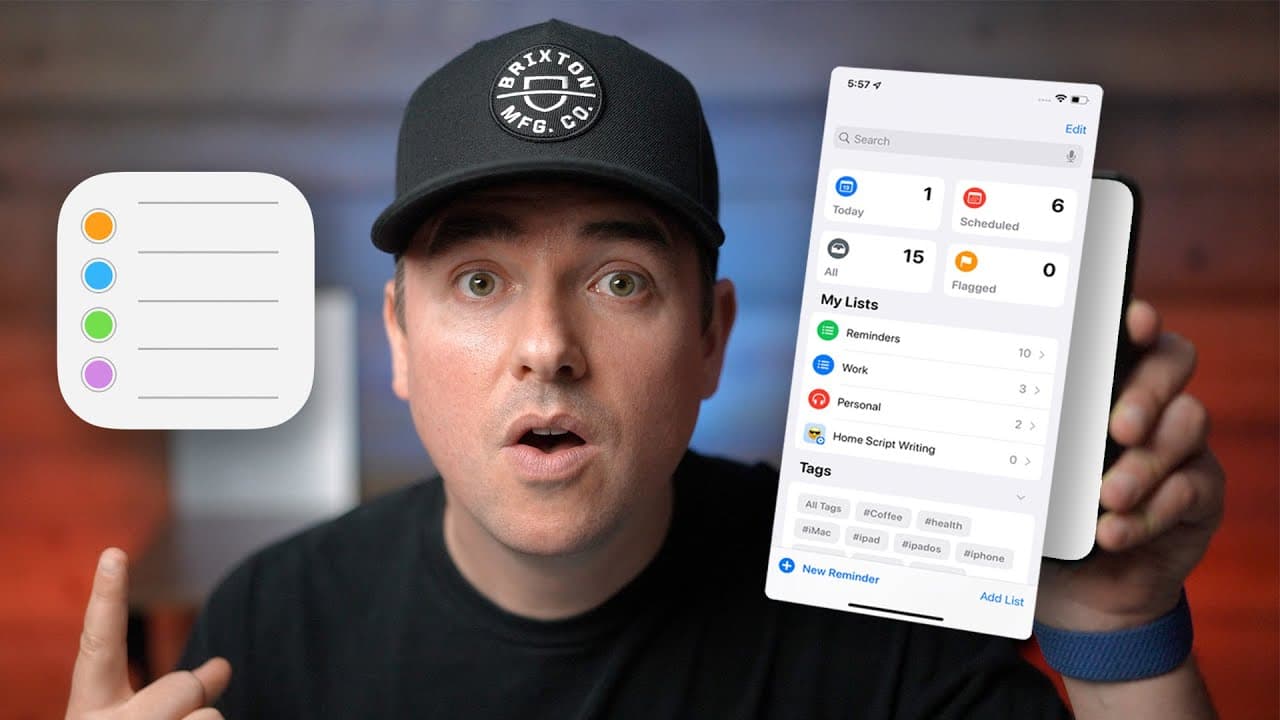
Apple's Reminders app has become even more helpful with the new features in iOS and iPadOS 15, including tags, smart lists, collaboration, and integration with AirPods.
Transcript
hey it's chris i think apple's reminders app is great it's the organizational layer that basically keeps my life sane i like it because it's free i like it because it's ubiquitous it's on all my devices i like it because there's just enough power under the hood to be really useful but at the same time it's also very friction free for me to actually... Read More
Key Insights
- 🤗 Voice commands and Siri integration make creating reminders hands-free and convenient, especially while driving or using Apple Watch.
- 📁 Tags provide a versatile way to categorize and filter reminders, replacing old folder-based organization systems.
- 👂 Smart lists offer automation and customization options, allowing users to create lists that automatically populate based on specific criteria.
- 🎗️ Integration with AirPods and widget customization options enhance the accessibility and visibility of reminders.
- 😤 Collaborative features, such as attaching reminders to specific message threads, improve communication and task management among teams or individuals.
- 😫 The option to set recurring reminders and time-based notifications helps users stay on top of important events and tasks.
- 🎗️ Reminders can be geofenced to trigger notifications when arriving at certain locations, increasing productivity and task completion.
Install to Summarize YouTube Videos and Get Transcripts
Explore YouTube Video Summarizer or Get YouTube Transcript Extractor
Questions & Answers
Q: How does the new tag functionality work in Apple's Reminders app?
With the new tags feature, users can easily categorize and organize reminders. Tags can be added while creating a new reminder, and the tags browser allows for quick access and filtering of tagged reminders.
Q: How can users create folders and lists in the Reminders app?
To create folders and lists, users can tap on the plus button and add custom names and icons. Reminders can be easily sorted into folders by dragging and dropping or by changing the list in the details section.
Q: How can batch tagging be done on the iPad and iPhone?
On the iPad, multiple reminders can be selected using the three-dot menu, and then tags can be applied in one go. On the iPhone, using two fingers to select reminders and adding tags through the three-dot menu is a more efficient method.
Q: How can smart lists in the Reminders app automate organization?
Smart lists are dynamic lists that can automatically populate based on specified criteria, such as tags, date ranges, flags, or locations. By creating a smart list, users can have reminders sorted and organized without manual intervention.
Key Insights:
- Voice commands and Siri integration make creating reminders hands-free and convenient, especially while driving or using Apple Watch.
- Tags provide a versatile way to categorize and filter reminders, replacing old folder-based organization systems.
- Smart lists offer automation and customization options, allowing users to create lists that automatically populate based on specific criteria.
- Integration with AirPods and widget customization options enhance the accessibility and visibility of reminders.
- Collaborative features, such as attaching reminders to specific message threads, improve communication and task management among teams or individuals.
- The option to set recurring reminders and time-based notifications helps users stay on top of important events and tasks.
- Reminders can be geofenced to trigger notifications when arriving at certain locations, increasing productivity and task completion.
- The Reminders app offers a comprehensive organizational system that can be tailored to individual preferences, making it an essential tool for work and personal life management.
Summary & Key Takeaways
-
The speaker praises Apple's Reminders app for its organization capabilities, ease of use, and ubiquity across devices.
-
Voice commands and Siri integration make creating reminders on-the-go effortless, even while driving.
-
Time-based reminders and recurring tasks enhance the app's functionality, ensuring important events and deadlines are not forgotten.
Read in Other Languages (beta)
Share This Summary 📚
Summarize YouTube Videos and Get Video Transcripts with 1-Click
Try YouTube Summary with ChatGPT & Claude or YouTube Transcript Generator
Explore More Summaries from DailyTekk 📚

Summarize YouTube Videos and Get Video Transcripts with 1-Click
Try YouTube Summary with ChatGPT & Claude or YouTube Transcript Generator