How I take notes - Tips for efficient note taking that speeds up learning
TL;DR
Learn efficient note-taking to speed up your learning process.
Transcript
uh note-taking there are so many ways of taking notes out there some are so aesthetic and pretty that they pretty much look like art pieces and others are just so brilliantly organized and detailed you can pretty much just publish and resell in my case though what i care about are just two things one is using note taking as a way to speed up my lea... Read More
Key Insights
- The video emphasizes the importance of efficient note-taking to enhance the learning process, focusing on high-level concepts and personal insights rather than every detail.
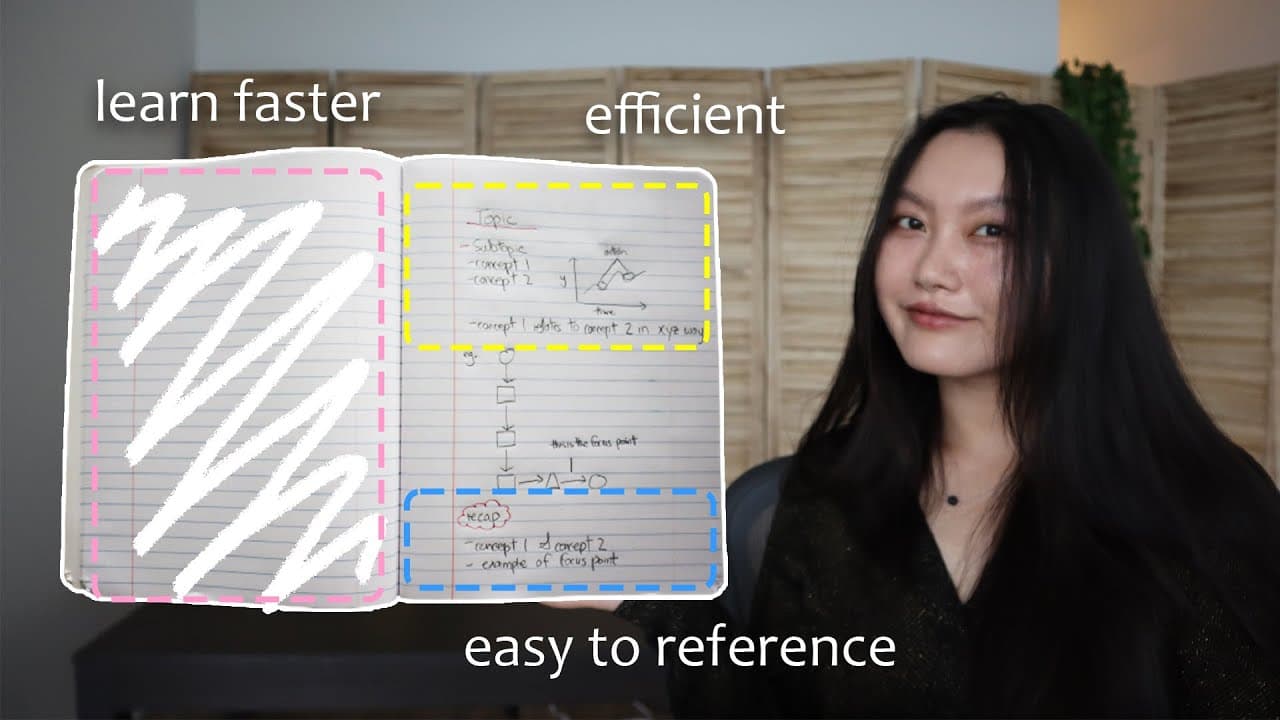
- Using a simple system for note-taking helps in easy referencing and reduces cognitive load by avoiding decision fatigue on note structure.
- Handwritten notes are preferred for better retention, though the creator acknowledges the potential benefits of digital tools like an iPad.
- Pre-note-taking techniques such as priming can improve information retention by exposing oneself to material before learning.
- Active recall is highlighted as a key technique, involving retrieving information from memory to strengthen neural connections and improve learning.
- The use of full examples in notes helps in understanding complex topics by seeing how different pieces of information interact.
- The creator suggests using colored pens for emphasis and organization, making notes more easily navigable for future reference.
- For those with FOMO, the creator recommends listening to lectures at increased speeds to focus on key information and setting limits on note-taking.
Install to Summarize YouTube Videos and Get Transcripts
Explore YouTube Video Summarizer or Get YouTube Transcript Extractor
Questions & Answers
Q: What is the main focus of the note-taking system described?
The main focus of the note-taking system described in the video is to enhance learning efficiency by concentrating on high-level concepts, personal insights, and connections, rather than attempting to capture every detail. This approach helps in better retention and understanding of the material, while also making notes easier to reference in the future.
Q: Why does the creator prefer handwritten notes over digital notes?
The creator prefers handwritten notes over digital notes because writing by hand is believed to aid in better retention of information. It allows for easier drawing of diagrams, which can be crucial for understanding complex topics. However, the creator is open to the idea of using digital tools like an iPad for handwritten notes to avoid accumulating physical notebooks.
Q: What is the purpose of using colored pens in the note-taking process?
Colored pens are used in the note-taking process to emphasize and organize information, making it more visually distinguishable and easier to navigate when referencing notes in the future. By underlining titles and creating dashed lines for subtopics with colored pens, the creator ensures that important sections stand out for quick access.
Q: How does the creator incorporate active recall into their note-taking routine?
The creator incorporates active recall into their note-taking routine by reviewing the notes after a session and attempting to recall the information without looking. This technique helps to strengthen neural connections and improve memory retention. The creator also writes summary points at the end of each section to reinforce learning and provide a quick reference for future review.
Q: What is the significance of using full examples in notes?
Using full examples in notes is significant because it allows for a concrete understanding of how different pieces of information interact. This approach is particularly useful for complex topics with multiple steps or moving parts, such as pharmacology or physics. Full examples help in both absorbing information and providing a reference for future problem-solving.
Q: What pre-note-taking technique does the creator use to enhance learning?
The creator uses a pre-note-taking technique called priming to enhance learning. Priming involves briefly exposing oneself to the material that will be covered before actually learning it. This technique has been shown to improve information retention by preparing the brain for the upcoming content, making it easier to assimilate new information.
Q: How does the creator suggest dealing with FOMO during note-taking?
To deal with FOMO during note-taking, the creator suggests listening to video lectures at an increased speed, between 1.5 to 3 times the normal speed, to focus on capturing only the most important information. Additionally, setting time or page limits for each section can help in avoiding the tendency to write down every detail and instead concentrate on key concepts.
Q: What are the benefits of having a consistent note-taking system?
Having a consistent note-taking system offers several benefits, including easy referencing for future review and reduced cognitive load by eliminating the need to decide on note structure each time. This consistency helps in organizing information effectively and allows the learner to focus more on understanding and retaining the material rather than on the process of note-taking itself.
Summary & Key Takeaways
-
The video discusses efficient note-taking methods that prioritize high-level concepts, personal insights, and full examples to enhance learning. Handwritten notes are preferred for retention, and a simple system is used for organization. Pre-note-taking and active recall techniques are also employed to maximize learning outcomes.
-
The creator uses a notebook, pencil, and colored pen for note-taking, emphasizing the importance of a consistent system for easy referencing. Techniques like priming and active recall are used to strengthen memory retention, while full examples help in understanding complex topics.
-
For efficient learning, the creator suggests focusing on key concepts, making personal connections, and using examples in notes. Active recall is recommended to reinforce learning, and tips are provided for those who struggle with writing down everything due to FOMO.
Read in Other Languages (beta)
Share This Summary 📚
Summarize YouTube Videos and Get Video Transcripts with 1-Click
Try YouTube Summary with ChatGPT & Claude or YouTube Transcript Generator
Explore More Summaries from Tina Huang 📚






Summarize YouTube Videos and Get Video Transcripts with 1-Click
Try YouTube Summary with ChatGPT & Claude or YouTube Transcript Generator