How I Deploy and Host my Applications | NFT-Magic DevLog 3
TL;DR
A tutorial on deploying a Node.js application for hosting an NFT website on DigitalOcean.
Transcript
hey everyone welcome back to another web dev junkie video so i want to show you how i actually host this nft magic website so behind the scenes this is just a node.js application which is hosting like a public assets folder so that's why this index file kind of like loads up and then also when i actually do upload a zip file it's actually hitting a... Read More
Key Insights
- 😶🌫️ Understanding how to deploy applications using cloud service providers like DigitalOcean is essential for modern web developers.
- 🤩 The preparation of SSH keys for secure server connections is a vital first step in deploying applications.
- 🚁 Using containerization tools, such as Docker, could enhance deployment efficiency, though the presenter opted for a simpler VM setup.
- 🐕🦺 Maintaining application uptime with tools like PM2 is critical, as it offers automatic restarts and process management for Node.js services.
- 😫 Documenting installation processes in scripts helps developers quickly set up environments, especially when working with multiple machines or teams.
- 🫵 The video encourages engagement by inviting viewers to share their preferred hosting methods, fostering a community of knowledge-sharing among developers.
- 😶🌫️ Leveraging cloud solutions for personal projects can be more cost-effective than using traditional hosting services, especially for simple applications.
Install to Summarize YouTube Videos and Get Transcripts
Explore YouTube Video Summarizer or Get YouTube Transcript Extractor
Questions & Answers
Q: What is the purpose of using DigitalOcean in this video?
DigitalOcean is chosen for hosting the NFT Magic website due to its cost-effectiveness and flexibility. The presenter explains creating a droplet, which acts as a virtual machine for running Node.js applications. DigitalOcean allows users to manage their resources efficiently, making it suitable for both beginners and experienced developers.
Q: How is the domain name linked to the server's IP address?
The presenter explains the process of creating an A record in the domain management settings. This record points the desired subdomain to the droplet's IP address, ensuring that users can access the website using a friendly URL rather than the server's numeric address.
Q: What role does PM2 play in managing Node.js applications?
PM2 is a process manager for Node.js applications that helps keep the application running smoothly. It automatically restarts applications upon crashes, ensuring maximum uptime for the service. This tool is integral for production-ready deployments, allowing developers to monitor and manage their applications easily.
Q: Why is the setup script important, and what does it do?
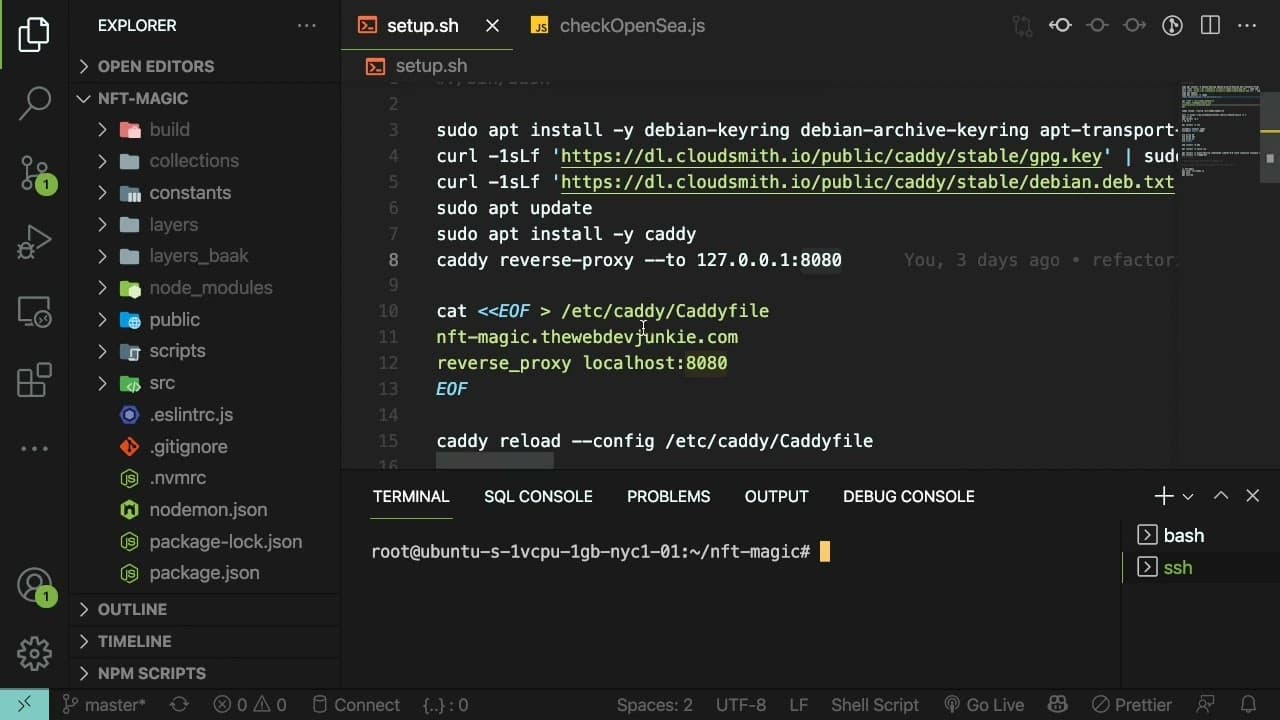
The setup script consolidates all commands and dependencies required to run the Node.js application. By documenting the installation process, it allows for easy replication on other machines, saving time for future deployments. This practice of automating setups is crucial for efficiency, especially in managed environments.
Summary & Key Takeaways
-
The video guides users through the deployment process of a Node.js application for an NFT project using DigitalOcean droplets.
-
It includes steps such as setting up SSH keys, creating subdomains, and managing DNS records to link a domain to the server's IP address.
-
The presenter emphasizes using automation scripts for dependency installation and application management with tools like PM2 to ensure uptime and easy recovery.
Read in Other Languages (beta)
Share This Summary 📚
Summarize YouTube Videos and Get Video Transcripts with 1-Click
Try YouTube Summary with ChatGPT & Claude or YouTube Transcript Generator
Explore More Summaries from Web Dev Cody 📚





Summarize YouTube Videos and Get Video Transcripts with 1-Click
Try YouTube Summary with ChatGPT & Claude or YouTube Transcript Generator