Products
Features
YouTube Video Summarizer
Summarize YouTube videos
Web & PDF Highlighter
Highlight web pages & PDFs
Chat with PDF
Ask any PDF questions with AI
Ask AI Clone
Chat with your highlights & memories
Audio Transcriber
Transcribe audio files to text
Glasp Reader
Read and highlight articles
Kindle Highlight Export
Export your Kindle highlights
Idea Hatch
Hatch ideas from your highlights
Integrations
Obsidian Plugin
Notion Integration
Pocket Integration
Instapaper Integration
Medium Integration
Readwise Integration
Snipd Integration
Hypothesis Integration
Apps & Extensions
Chrome Extension
Safari Extension
Edge Add-ons
Firefox Add-ons
iOS App
Android App
Discover
Discover
Ideas
Discover new ideas and insights
Articles
Curated articles and insights
Books
Book recommendations by great minds
Posts
Essays and notes from readers
Quotes
Inspiring quotes collection
Videos
Curated videos and summaries
Explore Glasp
Glasp Story
How we grew from 0 to 3 million users
Glasp Newsletter
Weekly insights and updates
Glasp Talk
Interview series with great minds
Glasp Blog
Latest news and articles
Glasp Use Cases
Learn how others use Glasp
Build & Support
Glasp API
Access Glasp's API for developers
MCP Connector
Connect Glasp to Claude & ChatGPT
Community
Glasp Reddit Community
Students
Student discount and benefits
FAQs
Frequently Asked Questions
AboutPricing
DashboardLog inSign up

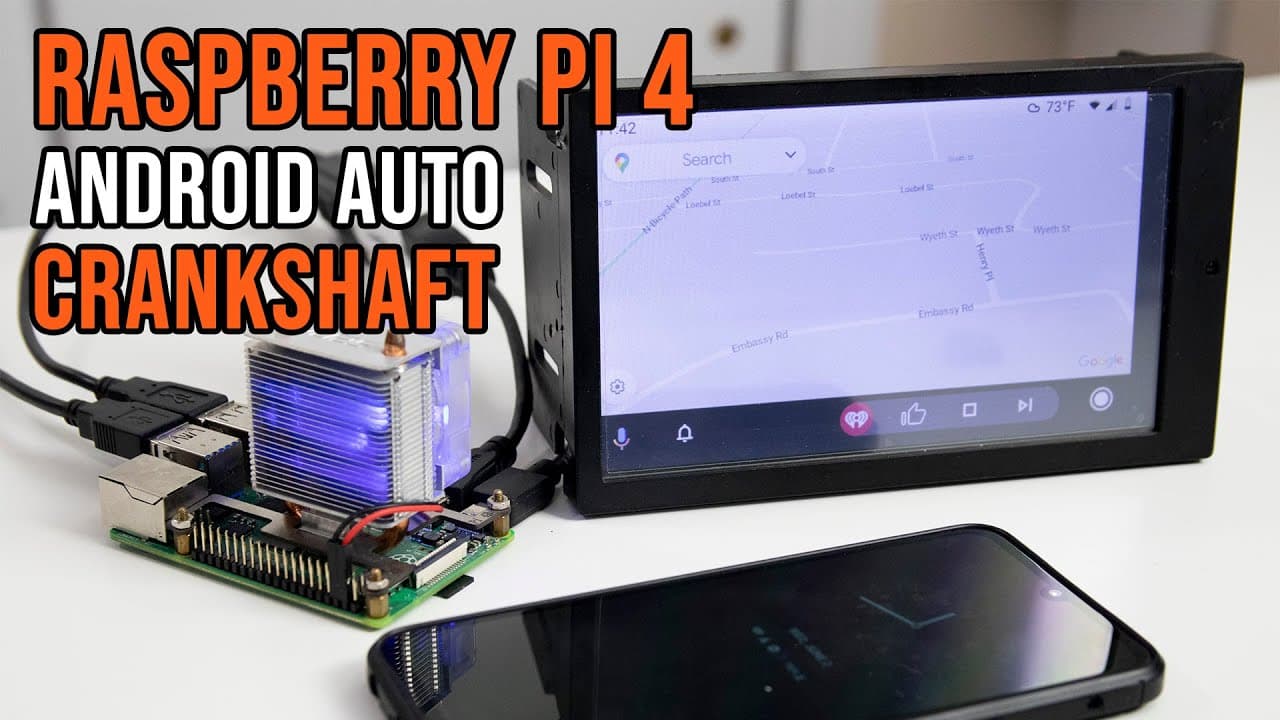
How to Set Up Android Auto on Raspberry Pi 4 with Crankshaft
67.6K views
•
June 8, 2021
by
Novaspirit Tech
YouTube video player
How to Set Up Android Auto on Raspberry Pi 4 with Crankshaft

TL;DR

To set up Android Auto on a Raspberry Pi 4, download the Crankshaft software from getcrankshaft.com, extract the image file, and use it to create a bootable SD card. Crankshaft has improved significantly, offering a customizable interface and user-friendly features for Android Auto. Ensure sufficient power to prevent charging issues while using the system.

Transcript

hey guys don here from nova spare tech and welcome back to the channel and today we are going to be checking out android auto on the raspberry pi 4 using crankshaft so let's get started now a couple of years ago i released a video for android auto onto the raspberry pi 3 and at the same time crankshaft was also on its infancy it was just starting t... Read More

Key Insights

  • 👤 Crankshaft has evolved significantly, providing a user-friendly interface and customizable settings for Android Auto on Raspberry Pi.
  • 🎴 The presenter’s car audio journey underscores common pitfalls of low-cost electronics, encouraging careful product selection based on functionality.
  • 😫 Detailed instructions for downloading and set up offer a step-by-step guide, crucial for users unfamiliar with installing software on Raspberry Pi.
  • 👻 User interface customization options allow for personalized experiences, vastly improving on early versions of Crankshaft that offered minimal interaction.
  • ♓ There are alternative software options available for Android Auto on Raspberry Pi, like Open Auto, which is a paid option worth exploring.
  • 🖤 Potential technical limitations, such as lack of FM radio functionality, indicate ongoing development and discussion within the Crankshaft community.
  • 🥺 The importance of powering devices properly is highlighted, as inadequate charging can lead to usability issues, especially during simultaneous operation.

Install to Summarize YouTube Videos and Get Transcripts

Explore YouTube Video Summarizer or Get YouTube Transcript Extractor

Summary & Key Takeaways

  • The video demonstrates setting up Android Auto on a Raspberry Pi 4 with Crankshaft, showcasing updates since the Raspberry Pi 3 version.

  • The presenter shares personal insights into upgrading the audio system of their WRX car, expressing dissatisfaction with a previous radio purchase.

  • Instructions for downloading and configuring Crankshaft software highlight the importance of proper file extraction and setup for functionality.


Read in Other Languages (beta)

English

Share This Summary 📚

Summarize YouTube Videos and Get Video Transcripts with 1-Click

Download browser extensions on:

Try YouTube Summary with ChatGPT & Claude or YouTube Transcript Generator

Explore More Summaries from Novaspirit Tech 📚

Elementary OS 6.0 Odin Tricks & Tips thumbnail
Elementary OS 6.0 Odin Tricks & Tips
Novaspirit Tech
How to Host Services Without Port Forwarding Using Telebit? thumbnail
How to Host Services Without Port Forwarding Using Telebit?
Novaspirit Tech
Is the Expresso Bin the Best Raspberry Pi Alternative? thumbnail
Is the Expresso Bin the Best Raspberry Pi Alternative?
Novaspirit Tech
Why Is Ubuntu Kylin 20.04.1 Like Windows 10? thumbnail
Why Is Ubuntu Kylin 20.04.1 Like Windows 10?
Novaspirit Tech
3 Ways to Run x86 on Raspberry Pi thumbnail
3 Ways to Run x86 on Raspberry Pi
Novaspirit Tech
Finally Got a Steam Deck thumbnail
Finally Got a Steam Deck
Novaspirit Tech

Summarize YouTube Videos and Get Video Transcripts with 1-Click

Download browser extensions on:

Try YouTube Summary with ChatGPT & Claude or YouTube Transcript Generator

Apps & Extensions

  • Chrome Extension
  • Safari Extension
  • Edge Add-ons
  • Firefox Add-ons
  • iOS App
  • Android App

Key Features

  • YouTube Video Summarizer
  • Web & PDF Summarizer
  • Web & PDF Highlighter
  • Chat with PDF
  • Ask AI Clone
  • Audio Transcriber
  • Glasp Reader
  • Kindle Highlight Export
  • Idea Hatch

Integrations

  • Obsidian Plugin
  • Notion Integration
  • Pocket Integration
  • Instapaper Integration
  • Medium Integration
  • Readwise Integration
  • Snipd Integration
  • Hypothesis Integration

More Features

  • APIs
  • MCP Connector
  • Blog & Post
  • Embed Links
  • Image Highlight
  • Personality Test
  • Quote Shots
  • Open Graph Checker

Company

  • About us
  • Our Story
  • Blog
  • Community
  • FAQs
  • Job Board
  • Newsletter
  • Pricing
Terms

•

Privacy

•

Guidelines

© 2026 Glasp Inc. All rights reserved.




