Products
Features
YouTube Video Summarizer
Summarize YouTube videos
Web & PDF Highlighter
Highlight web pages & PDFs
Chat with PDF
Ask any PDF questions with AI
Ask AI Clone
Chat with your highlights & memories
Audio Transcriber
Transcribe audio files to text
Glasp Reader
Read and highlight articles
Kindle Highlight Export
Export your Kindle highlights
Idea Hatch
Hatch ideas from your highlights
Integrations
Obsidian Plugin
Notion Integration
Pocket Integration
Instapaper Integration
Medium Integration
Readwise Integration
Snipd Integration
Hypothesis Integration
Apps & Extensions
Chrome Extension
Safari Extension
Edge Add-ons
Firefox Add-ons
iOS App
Android App
Discover
Discover
Ideas
Discover new ideas and insights
Articles
Curated articles and insights
Books
Book recommendations by great minds
Posts
Essays and notes from readers
Quotes
Inspiring quotes collection
Videos
Curated videos and summaries
Explore Glasp
Glasp Story
How we grew from 0 to 3 million users
Glasp Newsletter
Weekly insights and updates
Glasp Talk
Interview series with great minds
Glasp Blog
Latest news and articles
Glasp Use Cases
Learn how others use Glasp
Build & Support
Glasp API
Access Glasp's API for developers
MCP Connector
Connect Glasp to Claude & ChatGPT
Community
Glasp Reddit Community
Students
Student discount and benefits
FAQs
Frequently Asked Questions
AboutPricing
DashboardLog inSign up

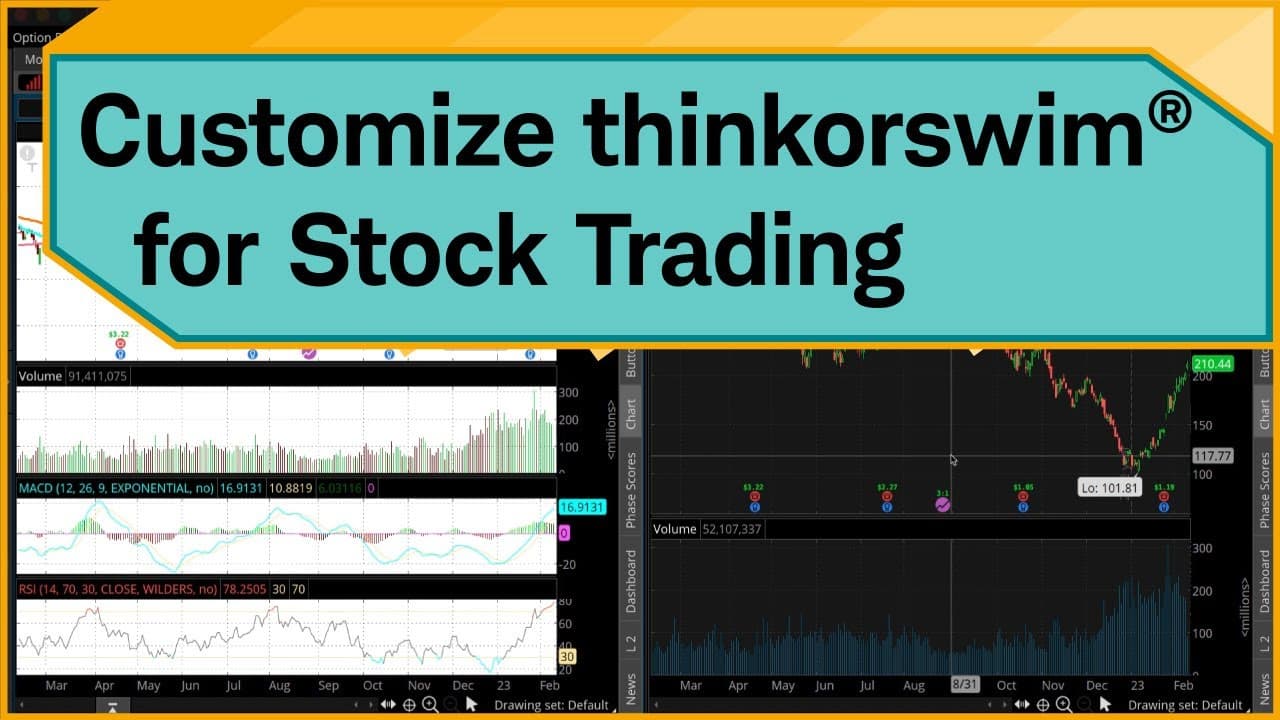
How to Customize thinkorswim for Stock Trading
November 4, 2023
by
Charles Schwab
YouTube video player
How to Customize thinkorswim for Stock Trading

TL;DR

To customize the thinkorswim platform for stock trading, start by creating watchlists for indices and sectors, then set up dynamic scans for real-time updates. Customize your charts with specific studies, link gadgets for easy navigation, access fundamental data and research, and create custom order templates to streamline order execution.

Transcript

Hello, traders. I'm Jeremy Kuhlman. In this video, I'm going to show you how you can start customizing the thinkorswim® desktop platform as a stock trader. Now, by no means is this an exhaustive list on how you can customize thinkorswim, but it should get you started in key features of the software. Keep in mind, we're looking at the desktop versio... Read More

Key Insights

  • ❓ Customizing the thinkorswim platform can enhance the trading experience for stock traders.
  • 👻 Creating watchlists allows for efficient tracking of specific stocks, indices, or sectors.
  • 📈 Customizing charts and studies helps with technical analysis and visualizing market trends.
  • 😫 Setting up dynamic scans can provide real-time updates on stocks that meet specific criteria.
  • 👻 Linking gadgets and tabs allows for seamless navigation between different sections of the platform.
  • 👨‍🔬 Accessing fundamental data and research reports provides valuable insights for making trading decisions.
  • 🪈 Creating custom order templates streamlines the process of placing orders with predefined parameters.

Install to Summarize YouTube Videos and Get Transcripts

Explore YouTube Video Summarizer or Get YouTube Transcript Extractor

Summary & Key Takeaways

  • The video provides a comprehensive guide on customizing the thinkorswim platform for stock trading, focusing on key features such as creating watchlists, customizing charts and studies, setting up dynamic scans, accessing fundamental data and research reports, and creating custom order templates.

  • The process begins with setting up watchlists, including general market indices, sector-specific watchlists, and custom-built dynamic scans.

  • The video then demonstrates how to link watchlists and gadgets to navigate symbols efficiently and provides insights on customizing chart styles, adding studies and indicators, and saving chart templates.

  • The video also guides viewers on accessing fundamental data and research reports for specific stocks, as well as setting up alerts for ratings changes.

  • Lastly, the video explains how to customize the Trade tab by adding gadgets, creating custom order templates, and setting default order quantities.


Read in Other Languages (beta)

English

Share This Summary 📚

Summarize YouTube Videos and Get Video Transcripts with 1-Click

Download browser extensions on:

Try YouTube Summary with ChatGPT & Claude or YouTube Transcript Generator

Explore More Summaries from Charles Schwab 📚

How to Navigate Schwab.com and the Schwab Mobile App thumbnail
How to Navigate Schwab.com and the Schwab Mobile App
Charles Schwab
Stock Splits Explained thumbnail
Stock Splits Explained
Charles Schwab
Unscrambling the Economy’s Mixed Messages thumbnail
Unscrambling the Economy’s Mixed Messages
Charles Schwab
Finding Value Stocks Using the Stock Screener thumbnail
Finding Value Stocks Using the Stock Screener
Charles Schwab
Judge the Judges: With Guests Daniel Kahneman, James Hutchinson & G.M. Pucilowski thumbnail
Judge the Judges: With Guests Daniel Kahneman, James Hutchinson & G.M. Pucilowski
Charles Schwab
Why Do People Overestimate Rare Events Like Winning the Lottery? thumbnail
Why Do People Overestimate Rare Events Like Winning the Lottery?
Charles Schwab

Summarize YouTube Videos and Get Video Transcripts with 1-Click

Download browser extensions on:

Try YouTube Summary with ChatGPT & Claude or YouTube Transcript Generator

Apps & Extensions

  • Chrome Extension
  • Safari Extension
  • Edge Add-ons
  • Firefox Add-ons
  • iOS App
  • Android App

Key Features

  • YouTube Video Summarizer
  • Web & PDF Summarizer
  • Web & PDF Highlighter
  • Chat with PDF
  • Ask AI Clone
  • Audio Transcriber
  • Glasp Reader
  • Kindle Highlight Export
  • Idea Hatch

Integrations

  • Obsidian Plugin
  • Notion Integration
  • Pocket Integration
  • Instapaper Integration
  • Medium Integration
  • Readwise Integration
  • Snipd Integration
  • Hypothesis Integration

More Features

  • APIs
  • MCP Connector
  • Blog & Post
  • Embed Links
  • Image Highlight
  • Personality Test
  • Quote Shots
  • Open Graph Checker

Company

  • About us
  • Our Story
  • Blog
  • Community
  • FAQs
  • Job Board
  • Newsletter
  • Pricing
Terms

•

Privacy

•

Guidelines

© 2026 Glasp Inc. All rights reserved.