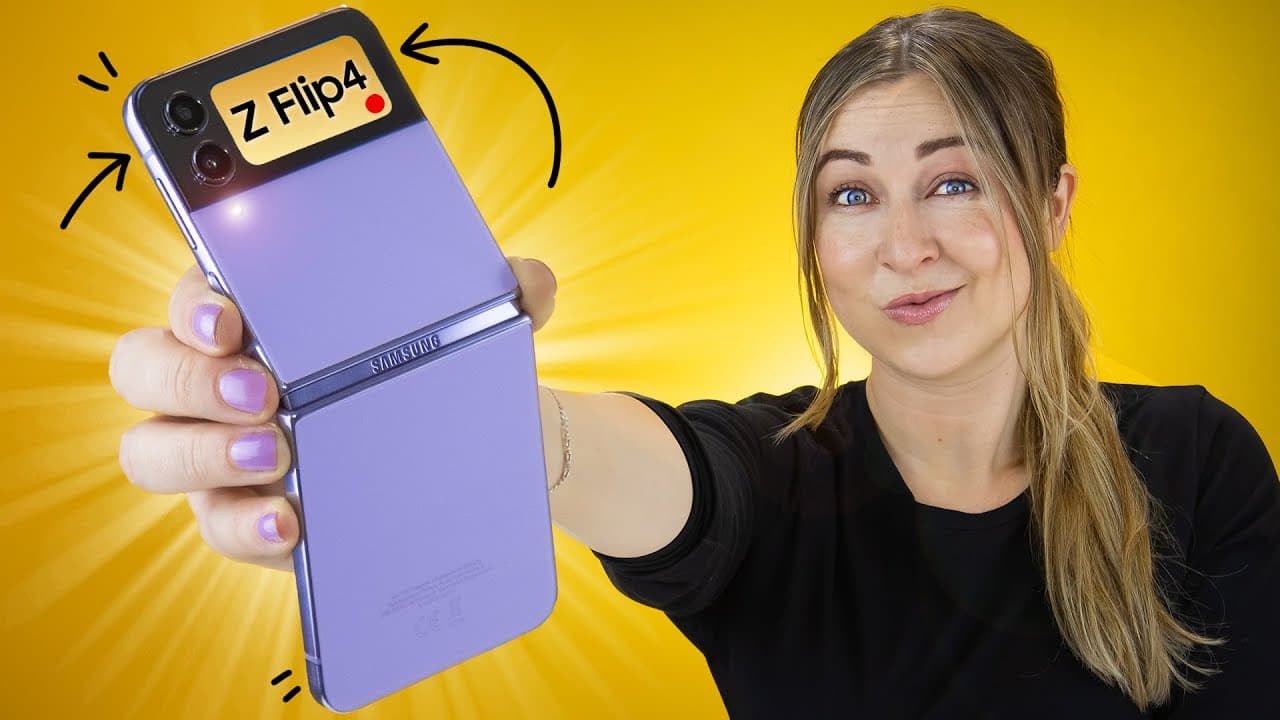
Z Flip 4 Tips Tricks & Hidden Features | YOU GOTTA KNOW!!!
TL;DR
Explore the unique features and customization options of the Samsung Galaxy Z Flip 4.
Transcript
foreign this is the Samsung Galaxy Z flip 4 and it has some flipping cool features so let me bend your mind with some insane tips and tricks starting with the cover screen right off the bat let me show you this cover screen because you can do so much with it if you swipe right it opens up notifications where you can see everything from sms's to ema... Read More
Key Insights
- 💤 The Samsung Galaxy Z Flip 4 offers extensive customization options for the cover screen and camera features.
- 💪 Flex mode enhances multitasking capabilities by providing additional controls and features for better productivity.
- 🤟 The device supports split-screen functionalities, Edge panel customization, and gesture controls for an optimized user experience.
- 🔋 Users can improve battery longevity with adaptive battery settings and RAM plus feature for enhanced performance.
Install to Summarize YouTube Videos and Get Transcripts
Explore YouTube Video Summarizer or Get YouTube Transcript Extractor
Questions & Answers
Q: What are some unique customization options available for the cover screen on the Samsung Galaxy Z Flip 4?
Users can adjust widgets, change the clock style, set videos as wallpapers, and customize the cover screen settings to personalize their device.
Q: How does the Samsung Galaxy Z Flip 4 enhance the camera experience?
The device features snap and motion modes, split-screen capabilities, and the ability to turn photos into time lapses, offering users creative ways to capture moments.
Q: How does Flex mode on the Samsung Galaxy Z Flip 4 support multitasking?
Flex mode allows users to adjust brightness, volume, and use a touchpad, transforming the device into a laptop-like experience for improved productivity.
Q: How can users optimize their user experience with the Samsung Galaxy Z Flip 4's Edge panel?
By customizing the Edge panel with various app types, colors, and layouts, users can enhance navigation, accessibility, and functionality on their device.
Summary & Key Takeaways
-
The Samsung Galaxy Z Flip 4 offers a range of innovative features, from customizable cover screen settings to camera enhancements.
-
Users can personalize their device by adjusting widgets, changing the clock style, and setting videos as wallpapers on the cover screen.
-
The device supports multitasking with Flex mode, split-screen capabilities, and Edge panel customization for improved user experience.
Read in Other Languages (beta)
Share This Summary 📚
Summarize YouTube Videos and Get Video Transcripts with 1-Click
Try YouTube Summary with ChatGPT & Claude or YouTube Transcript Generator
Explore More Summaries from Hayls World 📚





Summarize YouTube Videos and Get Video Transcripts with 1-Click
Try YouTube Summary with ChatGPT & Claude or YouTube Transcript Generator