How to Build a Raspberry Pi NAS with ePaper Display
TL;DR
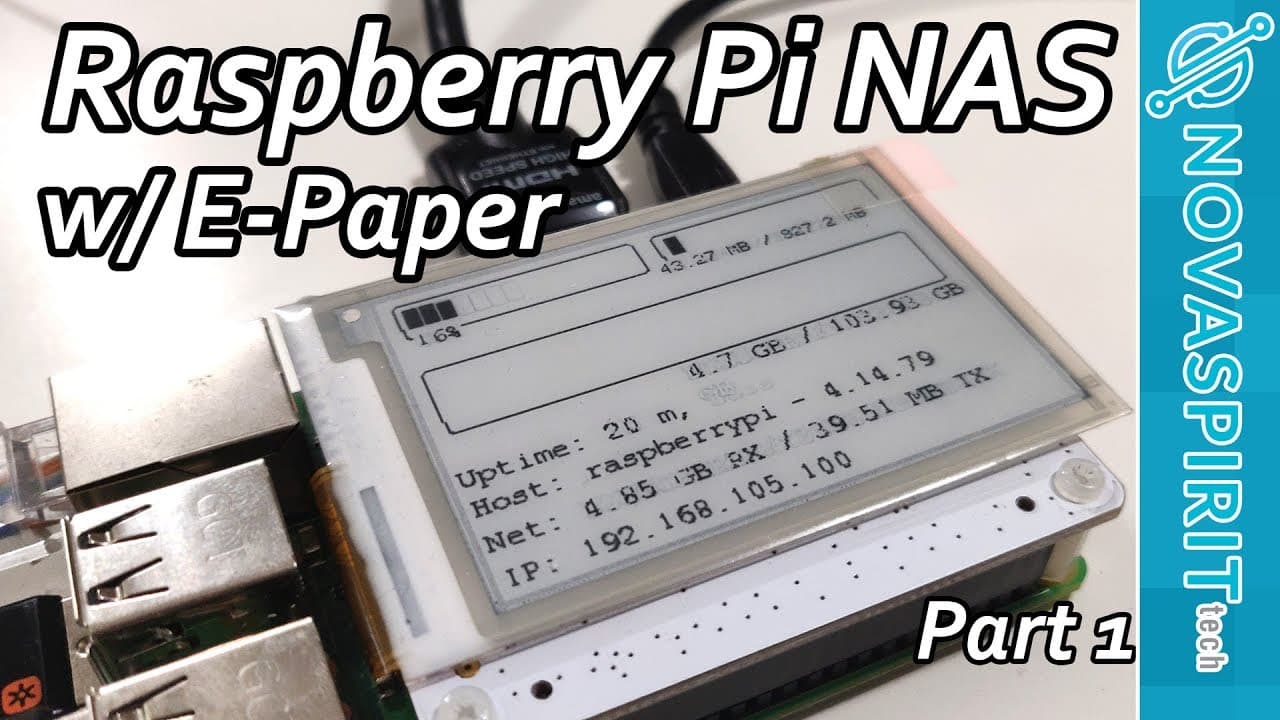
To build a Raspberry Pi NAS with an ePaper display, start by setting up Raspbian and installing Samba for file sharing. Connect a hard drive for media storage and configure the ePaper display using custom code from GitHub. This portable media server can stream files using Plex and enable easy access to your media library.
Transcript
hey guys what is going on it's down here from Nova spirit Tech and today I got a build video for you guys which is the Raspberry Pi known as equipped with the ePaper display from PI supply called the papyrus so let's get started now this video is gonna be a multiple part series where part one which is what you're watching right now will be the setu... Read More
Key Insights
- 🏛️ Building a Raspberry Pi media server combines affordability and versatility, making it accessible to enthusiasts.
- 💨 The use of ePaper displays offers a unique way to present system information with low power consumption.
- 📁 Leveraging Samba for file sharing enables seamless integration with various operating systems and devices.
- 👻 A lightweight operating system like Raspbian is ideal for resource-constrained environments, allowing for effective task management.
- 👤 Custom coding can enhance user interaction with hardware, tailoring the display to specific needs such as monitoring system performance.
- 🎨 The project highlights the importance of planning enclosure designs, ensuring functionality while maintaining aesthetics.
- 👤 Addressing user experience through ongoing updates and community feedback fosters a robust development environment.
Install to Summarize YouTube Videos and Get Transcripts
Explore YouTube Video Summarizer or Get YouTube Transcript Extractor
Questions & Answers
Q: What is the main purpose of this Raspberry Pi build?
The main purpose of the build is to create a portable media station that can store media files and serve them over a network using a Plex media server. This allows users to bring their media to a friend's house without transferring files, facilitating convenient viewing on different devices.
Q: Why did the creator choose the Raspberry Pi over more powerful boards?
Although the creator acknowledges that boards like the RockPro 64 or Tinker Board may offer better performance, the Raspberry Pi is chosen for its availability, affordability, and suitability for development purposes. It remains a practical choice for many DIY projects despite its limitations.
Q: What software is used to manage the Raspberry Pi media station?
The creator employs a lightweight version of Raspbian as the operating system, which conserves resources. Samba is used for file sharing, allowing users to access media files stored on the device. The Papyrus software controls the ePaper display, providing a user interface for monitoring system status.
Q: How does one ensure the hard drive is automatically mounted?
To set up automatic mounting of the hard drive on boot, users need to edit the fstab file to include the hard drive partition. This involves using the command line to define the mount point and file system type, ensuring that the device is accessible after every reboot.
Q: What is the benefit of using Samba with the Raspberry Pi?
Samba provides a simple and effective way to share files over the network, allowing different devices to access the stored media files on the Raspberry Pi. This setup helps in creating a localized network storage solution, enabling file transfers and access without complicating user interactions.
Q: What troubleshooting steps might the creator undertake for the system?
The creator mentions issues with CPU readings and font settings that require adjustments. Future revisions will address these problems, including potentially fixing the CPU usage display and refining the appearance of the ePaper interface for better readability and user experience.
Q: How does the user interface for the ePaper display work?
The ePaper display is controlled using custom code developed by the creator. It shows real-time information such as CPU usage, memory consumption, and network statistics. Users can run the display commands to visualize various metrics, with further features planned for enhancement in future updates.
Q: What future enhancements are planned for this project?
Future parts of the video series intend to include building a custom enclosure for the device and adding features like a Kodi front end, a torrent VPN, and a one-button backup solution. Such enhancements aim to provide a more complete media management experience on the Raspberry Pi.
Summary & Key Takeaways
-
This content introduces a multi-part series focusing on building a portable Raspberry Pi-based media station using a PI Supply ePaper display. The first part covers software setup and configuration.
-
The project aims to create a device capable of storing media files and streaming them using services like Plex. The creator plans to add more features in future parts, including a custom enclosure and additional software.
-
The guide includes step-by-step instructions for setting up the Raspberry Pi, connecting a hard drive, and configuring Samba for file sharing, emphasizing ease of access and user customization.
Read in Other Languages (beta)
Share This Summary 📚
Summarize YouTube Videos and Get Video Transcripts with 1-Click
Try YouTube Summary with ChatGPT & Claude or YouTube Transcript Generator
Explore More Summaries from Novaspirit Tech 📚






Summarize YouTube Videos and Get Video Transcripts with 1-Click
Try YouTube Summary with ChatGPT & Claude or YouTube Transcript Generator