Photoshop Tutorial Gradient Maps | Photoshop CC
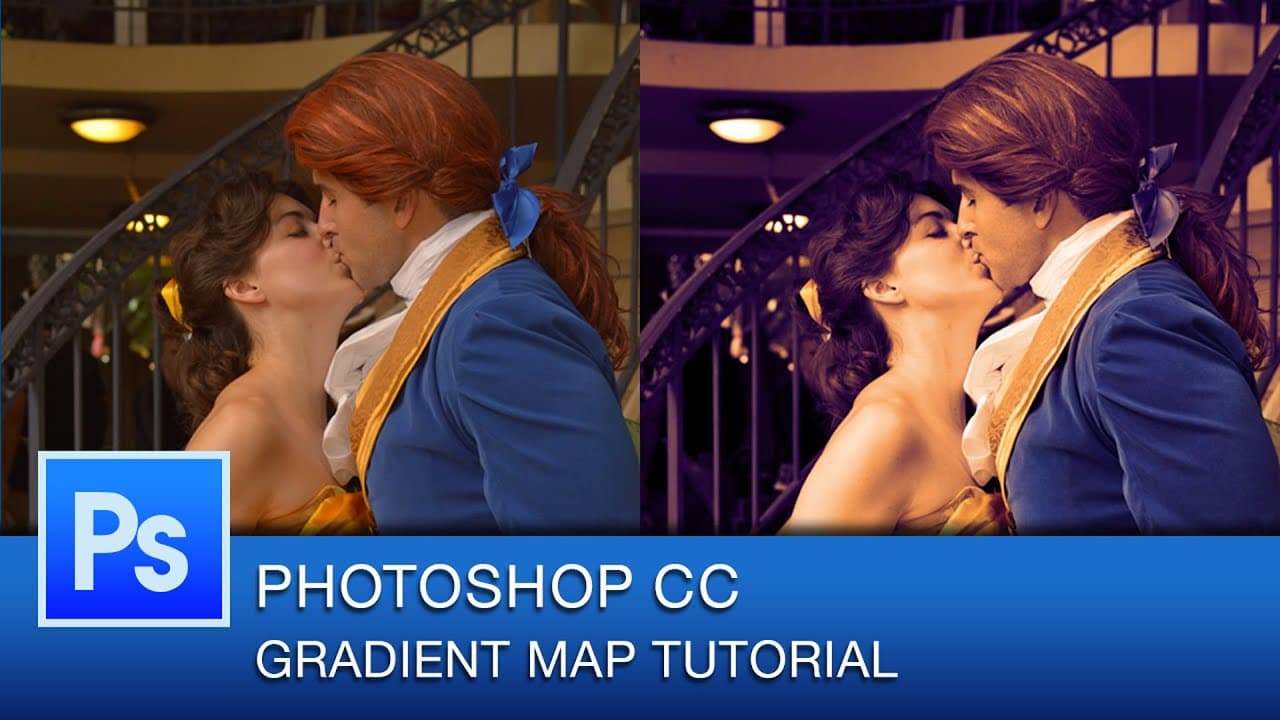
TL;DR
Learn how to use gradient maps in Photoshop to create stunning visual effects in your photos.
Transcript
hey everybody this is roberto blake and welcome to another photoshop tutorial today i'm going to be doing gradient maps for today's tutorial on one of my best photography shots from dragoncon 2014 this year so if you're just finding my channel for the first time i usually do photoshop cc tutorial videos on thursdays in the case of this tutorial you... Read More
Key Insights
- 🍁 Gradient maps in Photoshop offer a versatile tool for creating unique color effects in photographs.
- 🚦 Blend modes such as overlay and soft light can significantly impact the outcome of gradient map adjustments.
- 🍁 Adjusting opacity levels provides control over the intensity of colors and effects applied through gradient maps.
- 👻 Customizing gradient maps allows for personalizing color combinations and visual styles in photo editing.
- 🍁 Using multiple gradient maps can result in complex and layered color effects, enhancing the overall appearance of an image.
- 😷 Masking techniques can be utilized to selectively apply gradient maps to specific areas of an image, enhancing control and precision in editing.
- 🍁 Gradient maps can be combined with other adjustment layers and techniques to create visually striking and dynamic effects in photos.
Install to Summarize YouTube Videos and Get Transcripts
Explore YouTube Video Summarizer or Get YouTube Transcript Extractor
Questions & Answers
Q: What are gradient maps used for in Photoshop?
Gradient maps in Photoshop are used to apply a range of colors to an image based on luminosity values, creating stylistic effects and color adjustments.
Q: How can blend modes enhance gradient map effects?
Blend modes like multiply, overlay, and soft light can alter how gradient maps interact with the underlying image, allowing for diverse visual results.
Q: What role does opacity play in gradient map adjustments?
Adjusting the opacity of gradient maps can control the intensity of colors and effects applied to an image, offering flexibility in toning down or enhancing visual elements.
Q: How can masking be integrated with gradient maps in Photoshop?
By using masking techniques, specific areas of an image can be selectively affected by gradient maps, allowing for targeted adjustments and creative freedom in editing.
Summary & Key Takeaways
-
Roberto Blake demonstrates how to use gradient maps in Photoshop for photo editing.
-
Gradient maps offer a variety of color combinations and blend modes for unique effects.
-
Customizing gradient maps and adjusting opacity can enhance contrast and color balance in photos.
Read in Other Languages (beta)
Share This Summary 📚
Summarize YouTube Videos and Get Video Transcripts with 1-Click
Try YouTube Summary with ChatGPT & Claude or YouTube Transcript Generator
Explore More Summaries from Roberto Blake 📚






Summarize YouTube Videos and Get Video Transcripts with 1-Click
Try YouTube Summary with ChatGPT & Claude or YouTube Transcript Generator