Using jest to unit test node command line tool
TL;DR
Learn how to unit test a Node.js CLI tool using Jest.
Transcript
all right welcome back everyone in this video I'm going to be showing you how to use jest to test a CLI tool that we've written in node if you don't know it just is this basically basically a test Runner where you can write your unit tests and integration tests over your JavaScript files let's just kind of jump to it so here I have a program with t... Read More
Key Insights
- 🛟 Jest serves effectively as a testing tool for both unit and integration tests in JavaScript applications, particularly with Node.js.
- 😑 Building a CLI tool involves understanding how to parse command-line arguments and utilize regular expressions for string manipulations.
- 👻 Writing modular code facilitates easier testing, allowing developers to isolate units of functionality and maintain testability.
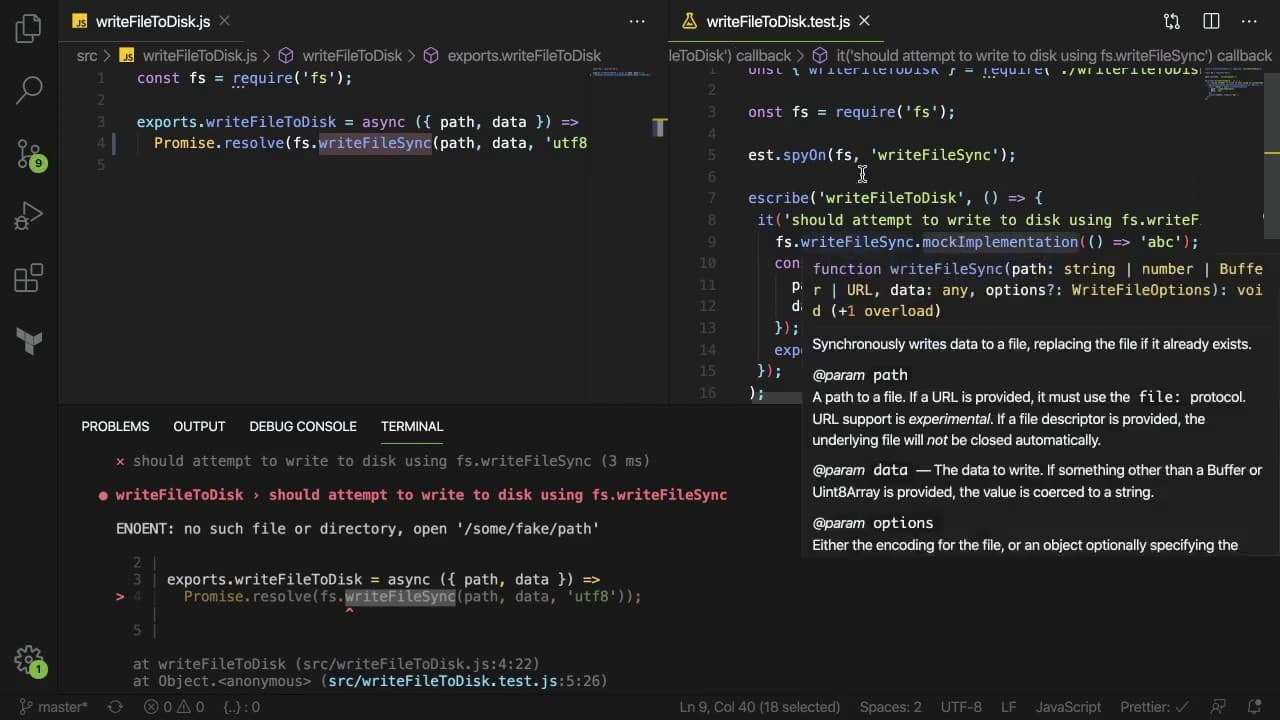
- 🐎 Avoiding direct interaction with the filesystem during unit testing by using mocks helps maintain test speed and reliability.
- 🏆 Differentiating between unit and integration tests is vital; unit tests validate isolated code units while integration tests assess component interactions.
- 🐢 Keeping integration tests efficient is important since they can significantly slow down the overall testing process.
- 💼 Implementing comprehensive test cases, including edge cases, ensures better coverage and protection against potential future bugs.
Install to Summarize YouTube Videos and Get Transcripts
Explore YouTube Video Summarizer or Get YouTube Transcript Extractor
Questions & Answers
Q: What is the purpose of using Jest in this CLI tool?
Jest is utilized as a testing framework to run unit and integration tests for the Node.js CLI tool. It allows developers to verify that individual functions perform correctly in isolation (unit testing) and confirm that the entire application works as expected when executed (integration testing), thus ensuring software reliability.
Q: How does the CLI tool process input arguments?
The CLI tool processes input arguments using a parsing function that extracts the necessary information, such as the file path, the regex string for replacements, and any flags like '-i' for in-place modifications. This structure ensures the logic can be reused in different contexts, such as a web API.
Q: What are the benefits of unit testing smaller modules of code?
Unit testing smaller modules of code aids in isolating functionality, making it easier to identify and fix bugs. It improves maintainability since developers can test specific parts of the application without running everything, leading to quicker feedback and less complexity when tests fail.
Q: Why is mocking filesystems important in unit tests?
Mocking filesystems in unit tests is crucial to prevent actual reading and writing to disk, which slows down tests and introduces variability and potential errors. Mocking allows tests to execute quickly and consistently by simulating filesystem interactions without side effects.
Q: What is the significance of integration tests in addition to unit tests?
Integration tests validate that various components of the application work together as expected, providing more assurance that the system functions correctly in real-world scenarios. They test end-to-end behavior, whereas unit tests focus on isolated pieces, covering different aspects of the software's performance.
Q: How can a developer ensure that their unit tests remain effective?
Developers can ensure the effectiveness of unit tests by verifying that tests fail when code changes break functionality, using descriptive naming conventions for tests, avoiding excessive mocking that might cause brittleness, and regularly reviewing and updating tests alongside code changes.
Q: What are the potential downsides of relying too much on integration tests?
Relying too much on integration tests can lead to slower testing cycles since they execute real code paths and involve more resources. They can also obscure failures since they test many parts simultaneously, making it harder to pinpoint issues compared to targeted unit tests.
Q: How can a mock implementation in Jest help during testing?
A mock implementation in Jest allows developers to simulate specific functions or modules without invoking their underlying implementations. This way, they can control what data is returned and assert that methods are called with the correct arguments, increasing test reliability and independence.
Summary & Key Takeaways
-
The video demonstrates how to use Jest for unit testing a simple Node.js CLI tool that replaces strings in files using regular expressions.
-
It covers the implementation details of the CLI, explaining how input arguments are parsed and how the core functionality is structured for ease of testing.
-
Integration testing is also discussed, emphasizing the difference between unit and integration tests, and how to validate the tool's execution in a real environment.
Read in Other Languages (beta)
Share This Summary 📚
Summarize YouTube Videos and Get Video Transcripts with 1-Click
Try YouTube Summary with ChatGPT & Claude or YouTube Transcript Generator
Explore More Summaries from Web Dev Cody 📚





Summarize YouTube Videos and Get Video Transcripts with 1-Click
Try YouTube Summary with ChatGPT & Claude or YouTube Transcript Generator