This parallax library is 🤌
TL;DR
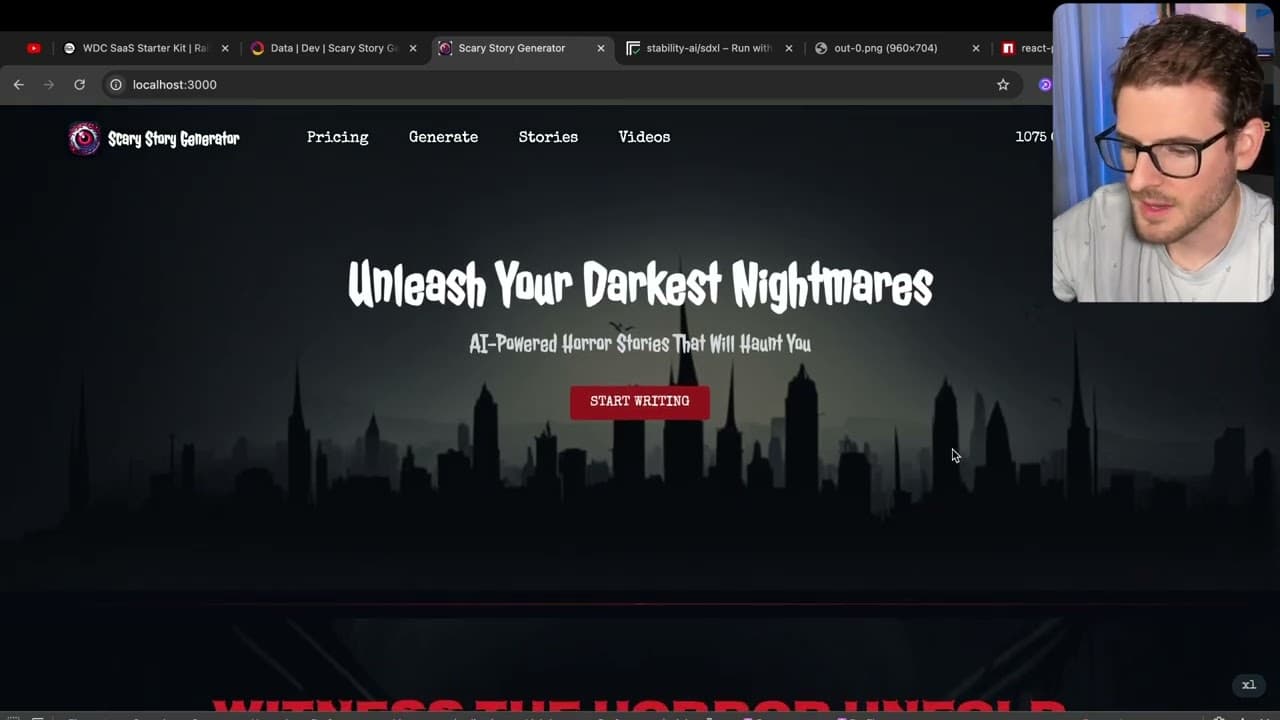
The video illustrates how to redesign a landing page using React with animated effects and a parallax scrolling feature.
Transcript
so I spent some time redesigning my landing page for my scary story generator and one of the things I brought in was a parallax effect where I'm going to show you a library that I use in react to achieve this is actually pretty cool you scroll and you can see that the background Scrolls at a different pace than the actual like foreground quick over... Read More
Key Insights
- 🫵 The parallax effect significantly enhances viewer engagement, creating a dynamic interaction on landing pages.
- 🎨 Using generated imagery from AI tools like Replicate can facilitate unique website designs while navigating copyright issues.
- 🤩 Effective animations can draw attention to key information, but an overload of effects can be distracting.
- 💨 A transparent-to-solid header transition is a simple yet effective way to improve usability during scrolling.
- 👤 Managing responsive designs via breakpoints is essential for optimization across devices, ensuring a seamless user experience.
- 👤 Event listeners can be creatively employed to track user actions and adjust the website's behavior accordingly.
- 🎨 CSS animations and effects can be implemented easily with frameworks like Tailwind, simplifying the design process.
Install to Summarize YouTube Videos and Get Transcripts
Explore YouTube Video Summarizer or Get YouTube Transcript Extractor
Questions & Answers
Q: What is the purpose of the parallax effect on the landing page?
The parallax effect creates a visually appealing experience where the background scrolls at a different rate than the foreground content. This adds depth and enhances user engagement by making the page feel more dynamic. It allows for a storytelling approach where the background contributes to the eerie feel of the scary story generator.
Q: How did the redesign address the header transparency issue during scrolling?
The redesigned header begins as transparent and transitions to a solid color when the user scrolls down. This was achieved by adding an event listener to track the scroll position, allowing for a smooth transition that improves readability without overwhelming the user.
Q: What tool was used to generate the spooky background images, and why is it significant?
The designer used Replicate to generate spooky backgrounds tailored to specific prompts. This tool is significant as it allows for creating unique images that fit the theme without copyright issues, enhancing the overall aesthetic and atmosphere of the landing page.
Q: How did the designer implement CSS animations, and what was the goal?
The designer implemented CSS animations using Tailwind classes and custom animations to add visual interest to various components, such as floating effects on cards. The goal was to draw attention to important elements without making the page feel cluttered or distracting.
Q: Why is it important to be cautious with the use of animations on a website?
Excessive use of animations can lead to a chaotic user experience, detracting from the site's functionality and making it difficult for users to focus on key information. The redesign emphasized that animations should guide attention to essential elements rather than serving merely decorative purposes.
Q: What challenges did the designer face regarding breakpoints in the layout?
The designer found it challenging to manage how the layout adjusted at different screen sizes. To address this, they added a breakpoint indicator in the layout to visualize when elements started squashing, helping to improve responsiveness and overall user experience.
Q: How can users obtain similar results to the designer's image generation process?
Users can achieve similar results by using tools like Replicate to generate images based on custom prompts. Applying a source image can also help create unique designs that are inspired by existing content, enhancing creativity while avoiding copyright issues.
Q: What future improvements are planned for the landing page?
The designer plans to redesign other pages of the application to match the improved aesthetics of the landing page and finalize the generate functionality. Ongoing refinements are expected to enhance the user interface and overall experience further.
Summary & Key Takeaways
-
The landing page for a scary story generator was redesigned to include a parallax effect, enhancing the user experience with animated backgrounds and content transitions.
-
Key features added include a transparent header that changes color on scroll, content animations using CSS, and hover effects for the pricing cards.
-
The design process involved generating spooky images using Replicate and experimenting with CSS animations to ensure engaging user interactions while being cautious not to overload the design.
Read in Other Languages (beta)
Share This Summary 📚
Summarize YouTube Videos and Get Video Transcripts with 1-Click
Try YouTube Summary with ChatGPT & Claude or YouTube Transcript Generator
Explore More Summaries from Web Dev Cody 📚





Summarize YouTube Videos and Get Video Transcripts with 1-Click
Try YouTube Summary with ChatGPT & Claude or YouTube Transcript Generator