When do you need React's useLayoutEffect hook?
TL;DR
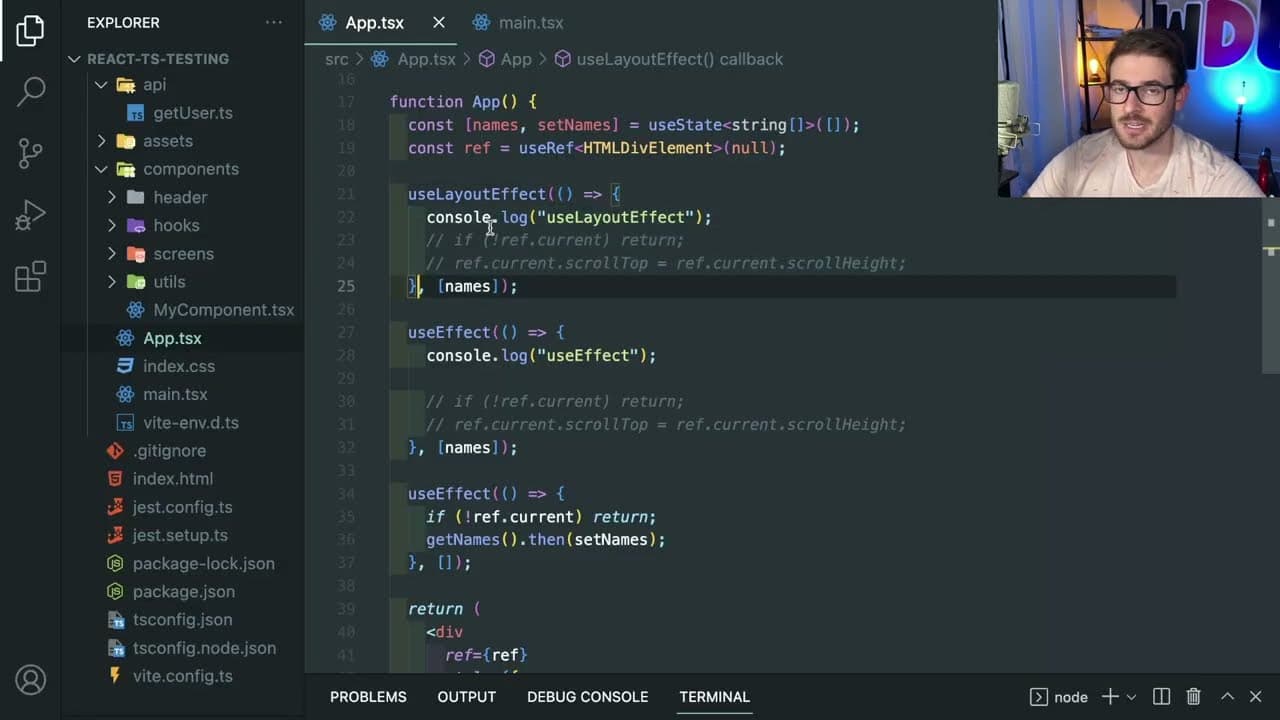
The useLayoutEffect hook runs synchronously to manage DOM updates before rendering.
Transcript
how's it going everyone I want to have a talk about the use layout effect hook this is one of those hooks that you kind of read through the documentation you kind of like understand what it does and how it's used but you don't really get really many use cases of it honestly I haven't really used this on a production application before but I still w... Read More
Key Insights
- ❓ useLayoutEffect is essential for scenarios requiring immediate DOM manipulation to prevent visual inconsistencies.
- 👤 It can significantly improve user experience in cases like auto-scrolling in messaging applications.
- 🐎 The hook impacts performance; overly complex operations can hinder rendering speed and responsiveness.
- ❓ Understanding the timing of useLayoutEffect versus useEffect is crucial for developers to make informed choices in their components.
- 😒 Most React applications might not require the use of useLayoutEffect, as performance considerations often outweigh the need for preventing flickering.
- 👤 Developers should consider user perception and whether they genuinely notice rendering delays before opting to use this hook.
- 😒 Effective use of useLayoutEffect requires a solid grasp of component lifecycle and rendering flows within React.
Install to Summarize YouTube Videos and Get Transcripts
Explore YouTube Video Summarizer or Get YouTube Transcript Extractor
Questions & Answers
Q: What is the primary purpose of the useLayoutEffect hook in React?
The useLayoutEffect hook is designed to perform synchronous side effects in React components, allowing you to manipulate the DOM and perform operations before changes are rendered visually. It serves particular scenarios where immediate updates to the layout are crucial, ensuring that users do not experience any flicker or delay when viewing the most current data.
Q: How does useLayoutEffect differ from useEffect?
The primary difference between useLayoutEffect and useEffect lies in their timing during the component rendering process. useLayoutEffect executes synchronously right after the DOM updates but before the browser has a chance to paint those updates, ensuring that any side effects you implement occur before the user can perceive changes. In contrast, useEffect runs asynchronously after the painting is complete, which might lead to visible flickering if DOM changes are involved.
Q: Can you provide a practical example of when to use useLayoutEffect?
A practical use case for useLayoutEffect is in a live chat application where you want to automatically scroll to the most recent message as soon as new content arrives. By using useLayoutEffect, you can set the scroll position of a scrollable div to the bottom immediately after data is loaded, preventing visible flickers that might occur if you used useEffect instead.
Q: What are some potential downsides to using useLayoutEffect?
While useLayoutEffect can be beneficial in specific scenarios, it can also lead to performance issues if misused, as it can block the browser's rendering process due to its synchronous nature. It is essential to limit the operations performed within this hook to small tasks, as extensive processing could lead to lag and degraded user experience.
Summary & Key Takeaways
-
The useLayoutEffect hook is utilized in React to perform synchronous operations that require DOM measurements and updates before the component renders visually.
-
A primary scenario for using useLayoutEffect is to control visual updates, such as setting the scroll position of a div to the bottom after data loads without causing visual flickering.
-
The hook runs before the browser renders changes to the DOM, making it distinct from useEffect, which executes after rendering has occurred.
Read in Other Languages (beta)
Share This Summary 📚
Summarize YouTube Videos and Get Video Transcripts with 1-Click
Try YouTube Summary with ChatGPT & Claude or YouTube Transcript Generator
Explore More Summaries from Web Dev Cody 📚





Summarize YouTube Videos and Get Video Transcripts with 1-Click
Try YouTube Summary with ChatGPT & Claude or YouTube Transcript Generator