If you're writing React in Typescript, you'll want to bookmark this site.
TL;DR
A recommended cheat sheet for converting React JavaScript projects to TypeScript.
Transcript
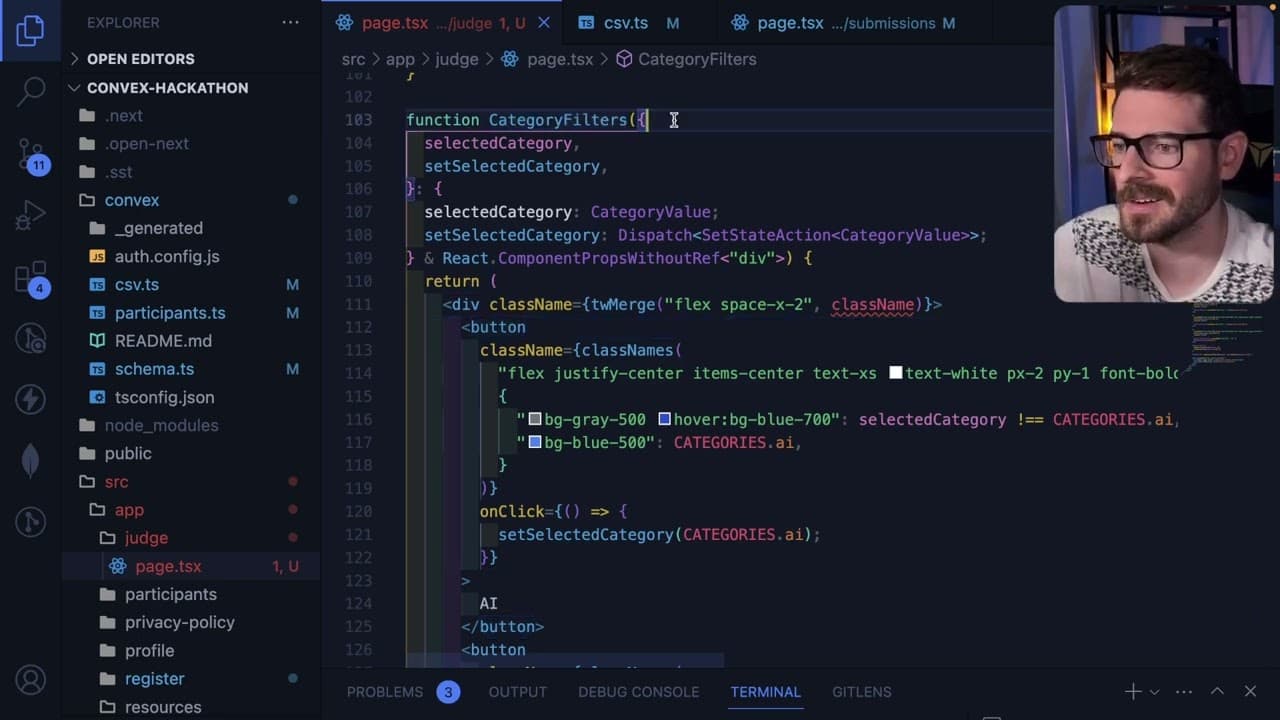
so I want to share with you all a link that I have used a lot in my journey of like becoming better at using react with typescript and this is a great site that you can basically go through it's like a cheat sheet for all the different things you potentially might need to convert a JavaScript react project to a typescript react project so I would h... Read More
Key Insights
- ❓ Transitioning from JavaScript to TypeScript in React can be streamlined with proper resources, such as cheat sheets.
- 👨💻 Extending props in TypeScript helps maintain type safety while simplifying code for developers.
- 💦 Utilizing libraries like Tailwind CSS can enhance styling flexibility when working with React components.
- 🏛️ Understanding functional and class components in TypeScript is crucial for efficient React development.
- ❓ Implementing TypeScript correctly can alleviate frustrations, particularly when using React context.
- 🅰️ Best practices recommend using built-in React types like 'React.FC' instead of defining custom types unnecessarily.
- ❓ Resources like Discord channels can provide community support and additional learning opportunities for developers.
Install to Summarize YouTube Videos and Get Transcripts
Explore YouTube Video Summarizer or Get YouTube Transcript Extractor
Questions & Answers
Q: What is the purpose of the cheat sheet mentioned in the content?
The cheat sheet serves as a quick reference for developers transitioning their JavaScript React projects into TypeScript. It condenses essential information and best practices into an easily accessible format, aiding developers in efficiently handling common issues they might encounter during the conversion process. It provides tips on typing props, using hooks, and managing context, making it a valuable resource.
Q: How does the content suggest handling component props in TypeScript?
The content advises extending React component props to accommodate additional properties like class names. By defining the type at a higher level and passing it into the component, developers can avoid repetitive type declarations while ensuring type safety. This approach streamlines the process as new properties are introduced over time, enhancing code maintainability.
Q: What does the mention of Tailwind and the 'TW merge' functionality imply?
The mention of Tailwind and the 'TW merge' functionality suggests an emphasis on utility-first CSS and managing dynamic styles in React components. By using 'TW merge', developers can effectively combine different Tailwind classes, allowing for the flexibility to override default styles or merge new ones based on class name props. This is particularly useful for customizing component appearances without sacrificing code clarity.
Q: Why does the content recommend bookmarking the cheat sheet resource?
The content highlights the cheat sheet's importance by recommending it for bookmarking, indicating its frequent use and value to developers. Its placement as the user's first bookmark signifies it being a go-to tool for acquiring essential TypeScript insights in React development, aiding both beginners and experienced developers looking to refine their skills.
Summary & Key Takeaways
-
The shared resource is a cheat sheet designed to help developers transition their JavaScript React projects to TypeScript, providing practical tips and tricks.
-
The guide emphasizes extending React component props for better maintainability, allowing for properties like class names to be passed effortlessly.
-
The content covers various TypeScript-related topics in React, including functional components, hooks, and context management, aimed at enhancing development efficiency.
Read in Other Languages (beta)
Share This Summary 📚
Summarize YouTube Videos and Get Video Transcripts with 1-Click
Try YouTube Summary with ChatGPT & Claude or YouTube Transcript Generator
Explore More Summaries from Web Dev Cody 📚





Summarize YouTube Videos and Get Video Transcripts with 1-Click
Try YouTube Summary with ChatGPT & Claude or YouTube Transcript Generator