Mastering Sqlite: Your Complete Guide To Android Database Management
TL;DR
Learn about SQLite database management in Android, including data typing, database creation, and key classes.
Transcript
hello viewers welcome back in this session we are going to discuss about the very important data storage mechanism in android that is sqlite database let's see what is sqlite what is the difference between the sql and sqlite what is data typing or manifest typing and how to create a database so here sql database is used to store the structural data... Read More
Key Insights
- 🏪 SQLite in Android is used for storing structural data with predefined columns.
- 👻 Manifest typing in SQLite allows flexibility in storing data of any type in any column.
- 🤩 Key classes for SQLite management in Android are SQLiteOpenHelper and SQLiteDatabase.
- ❓ SQLiteOpenHelper is used for database creation and version management.
- ❓ SQLiteDatabase provides methods for managing the database like insert and delete.
- 🅰️ SQLite does not restrict the data type of values based on column type declarations.
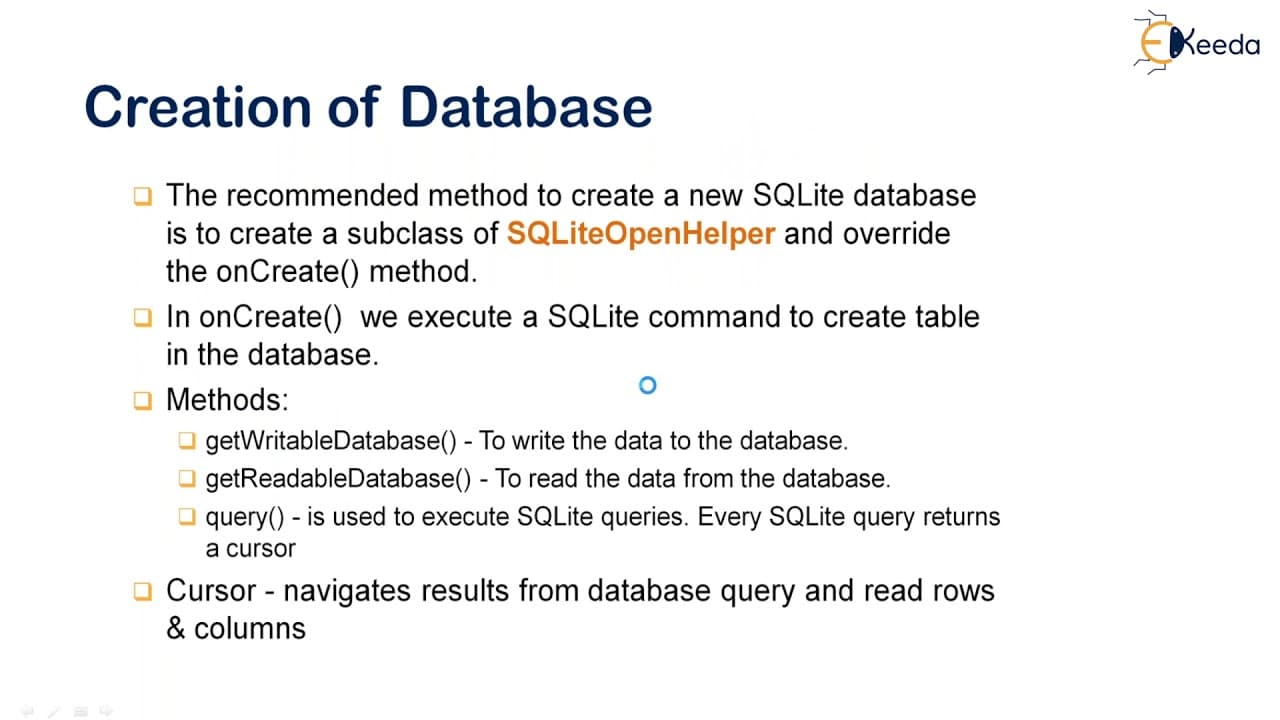
- 🏛️ Creating a database in SQLite in Android involves using the SQLiteOpenHelper class and overriding the onCreate method.
Install to Summarize YouTube Videos and Get Transcripts
Explore YouTube Video Summarizer or Get YouTube Transcript Extractor
Questions & Answers
Q: What is SQLite and how is it used in Android?
SQLite is a lightweight database used in Android to store structured data like student details with predefined columns. It is used within applications and requires SQLiteOpenHelper and SQLiteDatabase classes for management.
Q: What is manifest typing in SQLite?
Manifest typing in SQLite means that the data type is a property of the value itself, not the column in which the value is stored. This allows users to store any value of any data type in any column regardless of the declared type.
Q: How do you create a database in SQLite in Android?
To create a database in SQLite in Android, you need to create a subclass of SQLiteOpenHelper class and override the onCreate method to execute SQL commands for table creation. Then, use methods like getWritableDatabase and getReadableDatabase to interact with the database.
Q: What are the key classes in Android for SQLite database management?
The key classes in Android for SQLite database management are SQLiteOpenHelper, which handles database creation and version management, and SQLiteDatabase, which exposes methods for database management like insert, delete, and update.
Summary & Key Takeaways
-
SQLite is used in Android to store structural data like student details with predefined columns such as name, mobile number, and marks secured.
-
Key classes in Android for SQLite are SQLiteOpenHelper and SQLiteDatabase, used for database creation and version management.
-
SQLite allows manifest typing, allowing users to store any data type in any column irrespective of the declared type, unlike SQL.
Read in Other Languages (beta)
Share This Summary 📚
Summarize YouTube Videos and Get Video Transcripts with 1-Click
Try YouTube Summary with ChatGPT & Claude or YouTube Transcript Generator
Explore More Summaries from Ekeeda 📚






Summarize YouTube Videos and Get Video Transcripts with 1-Click
Try YouTube Summary with ChatGPT & Claude or YouTube Transcript Generator