How to create conditional headers in nextjs
TL;DR
This content explains how to create dynamic headers in Next.js based on routing.
Transcript
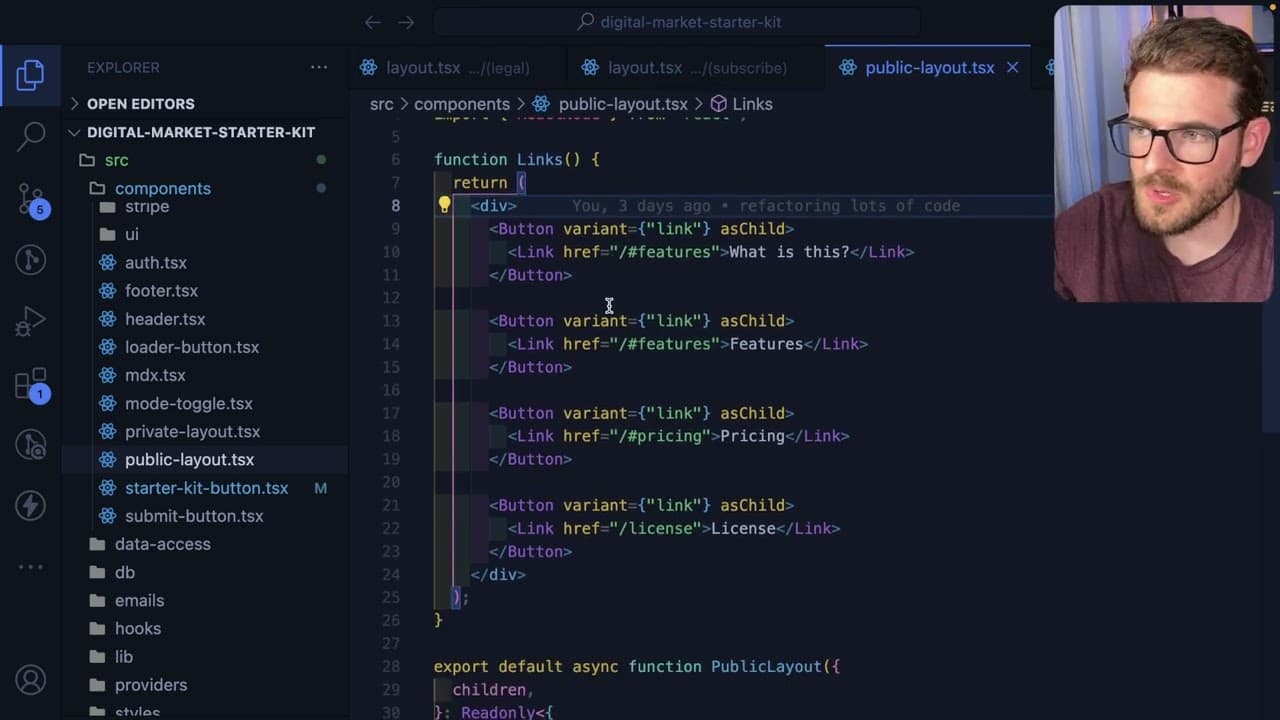
so I want to share with you all another cool thing that I ran into when trying to build out this starter kit sales page and that is the ability to basically toggle the entire header based on what path we're on and I'm basically using nested layouts to achieve this so notice that you're on the landing page and we have some different links here but w... Read More
Key Insights
- 👤 Implementing dynamic headers based on the current route enhances user navigation by providing contextually relevant links.
- 👻 Nested layouts in Next.js allow for efficient organization of routing components, enabling individual management of layouts per directory or group.
- 🫚 The exclusion of a fixed header from the root layout permits more flexibility, accommodating various public and private layout requirements.
- 👨💻 The author emphasizes the importance of clear structure in code organization, making it easier to manage specific functionalities across different sections.
- 🥺 Parallel routes represent an alternative but potentially complex solution for dynamic headers, leading to concerns over code redundancy.
- ❓ Feedback and community engagement are valued as part of the learning process, showcasing a collaborative approach to development.
- 🔰 The author shares the learning journey, reflecting on their beginner status while providing insight into comprehensive Next.js features.
Install to Summarize YouTube Videos and Get Transcripts
Explore YouTube Video Summarizer or Get YouTube Transcript Extractor
Questions & Answers
Q: Why is the header not included in the top-level layout?
The header is intentionally excluded from the top-level layout to allow it to dynamically change based on the current sub-route. This flexibility ensures that users see the most relevant links and options pertinent to the specific section they are visiting, whether public or private.
Q: What are nested layouts, and why are they useful?
Nested layouts in Next.js allow the organization of components based on the route hierarchy, enabling independent layouts within specific directories. This approach is beneficial because it minimizes repetitive code and allows different layouts to manage their own headers and structures, enhancing the user experience across various routes.
Q: How does the author suggest passing links for different layouts?
The author describes passing links as children to the layout components. Each layout can import a specific header component that contains the relevant links for that section, thus maintaining clarity and separation between different functionalities within the application.
Q: What alternative does the author mention for dynamic headers?
The author mentions parallel routes as an alternative method for rendering dynamic headers. This approach would involve structuring specific folders for the header, which could dynamically adjust based on the route. However, the author finds using nested layouts more straightforward and easier to manage but is open to discussion about its practicality.
Q: What is the main challenge the author faces when using parallel routes?
The author is concerned that using parallel routes may require creating separate pages or folders for every single route, which could lead to unnecessary complexity. They are unsure how this method would simplify their application compared to their current nested layout strategy.
Q: What feedback does the author seek from viewers?
The author invites viewers to provide suggestions on improvements or better methods for achieving dynamic headers, especially if they believe parallel routes offer a superior approach recommended by the Next.js team. They seek to enhance their learning and development practices through viewer input.
Q: How does the author encourage engagement with their content?
The author concludes the content by inviting viewers to leave comments, share their thoughts, and express engagement through likes. They foster a community of learning by encouraging viewers to participate in discussions around best practices in Next.js.
Summary & Key Takeaways
-
The author discusses their recent learning experience implementing dynamic headers in a Next.js project, focusing on nested layouts. They showcase how headers can change alongside different routes to better suit users’ navigation experience.
-
The content walks through the structure of the application’s layout, highlighting a top-level root layout without a fixed header. Instead, headers are determined by the current route, enabling specific links based on whether a user is in a public or private section.
-
The author also touches upon the concept of parallel routes as an alternative method for achieving dynamic headers. They express their preference for using separate layouts but invite feedback on potentially more efficient approaches.
Read in Other Languages (beta)
Share This Summary 📚
Summarize YouTube Videos and Get Video Transcripts with 1-Click
Try YouTube Summary with ChatGPT & Claude or YouTube Transcript Generator
Explore More Summaries from Web Dev Cody 📚





Summarize YouTube Videos and Get Video Transcripts with 1-Click
Try YouTube Summary with ChatGPT & Claude or YouTube Transcript Generator